
So the chosen solution is to develop a Provider Hosted Application with a timer job. (The assumption is that you already have a provider hosted app deployed on IIS.)
The timer job on a provider hosted application (remote IIS server) is done by having a scheduler task created to run a console application on IIS server.
The console application has the code to update the SharePoint data on a schedule.
The following is the main procedure involved.
Step 1
Create a new Windows desktop console application.
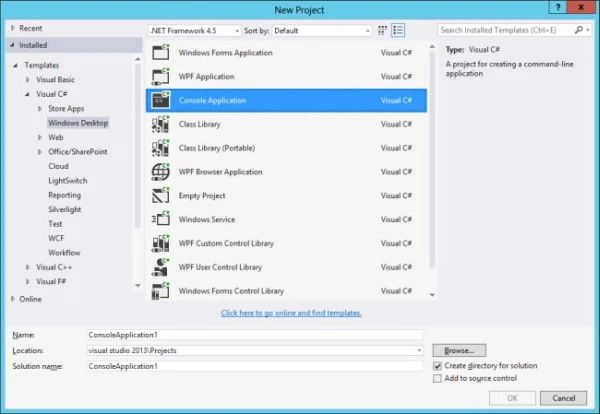
Step 2
Add Microsoft.SharePoint.Client.dll, Microsoft.SharePoint.Client.Runtime.dll and TokenHelper.cs files to the console application.

Step 3
Add Certificate, client id and issuer id details to the App.config file.

Step 4
The console application code should be executed with AppContext instead of user context. (The following is the helper method created to return AppContext.)

Step 5
Once you build the console application, you will get a .exe file and that must be scheduled to be triggered by the Windows Task Scheduler.

The same code base can be used to create a new web job on Azure Cloud to make it work in the cloud and SharePoint online.
Gowtham RajamanickamPosted Jul 27, 2015, 5:22 AM
good one
Sibeesh VenuPosted Jul 20, 2015, 4:49 AM
.
Sibeesh VenuPosted Jul 20, 2015, 4:49 AM
Nice Share.
Pankaj Kumar ChoudharyPosted Jul 19, 2015, 12:37 PM
Nice Start Sir......
Santhakumar MunuswamyPosted Jul 19, 2015, 7:47 AM
Good one