

When you click Configure the usage and health data collection link, you will land on Configure usage and health data collection page. This page will give an option to configure the usage data and health collection for SharePoint Farm.
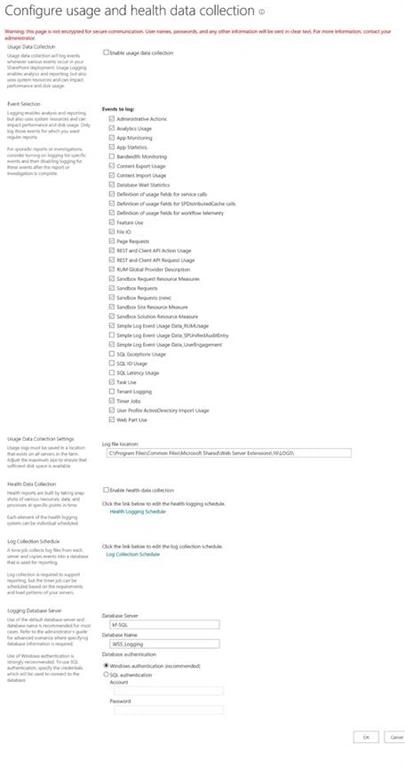
Configure usage and health data collection page’s direct link: /_admin/LogUsage.aspx
As a SharePoint administrator, knowing about the health of SharePoint farm is an important thing. To get the current health & state of our SharePoint Farm, SharePoint offers a Service Application called usage and health data collection Service. This Service Application continuously monitors the usage and health of SharePoint. Also, write the data into logging folder and usage database. We can configure the log path and logging database, when we configure the usage Service Application.
In SharePoint 2016, a wide range of data is being collected, using the Health and Usage Service i.e. the event logs, Performance counter, administrator actions, Search usage, sandbox usage & performance, Site collection usage, timer Service monitoring etc.
A couple of things need to be kept in mind, which are given below.
- Be-careful, while selecting the event to logs. Logging uses system resources and can affect performance and disk usage. For troubleshooting or temporary reports, we can add more events into logging for a short period to avoid any performance issue.
- This is farm-wide settings, we cannot configure it for a single Server or single Web Application.
- Not all the options are available via Central Admin; we have to use PowerShell command for more configuration options.
- If you want to change the logging data, then you have to use PowerShell i.e Set-SPUsageApplication.
- There is a bug when we provisioned the usage and health data Service Application and the proxy is stopped. We have to use PowerShell to provision the proxy. Here, a sample code is given below.
- $UsageAppProxy = Get-SPServiceApplicationProxy | Where {$_.TypeName -eq "Usage and Health Data Collection Proxy"}
- $UsageAppProxy.Provision()
In this article, we will walk through the steps to properly configure the usage and health data Service Application.
To configure usage and health data service
To configure the usage and health data Service, please follow the steps given below.
- Login to Central Admin with an account member of Farm administrator group and also local admin on the Server.
- Go to the Monitoring > Configure usage and Health data collection.
- On this page, please enter the required information.
- Usage Data Collection
Check this check box. This will enable the usagedata collectoin.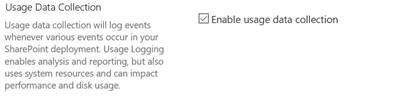
- Event Selection
In this section, we can select all the events or the selective events. Be careful while selecting the events, as this will cause performance issue sometimes.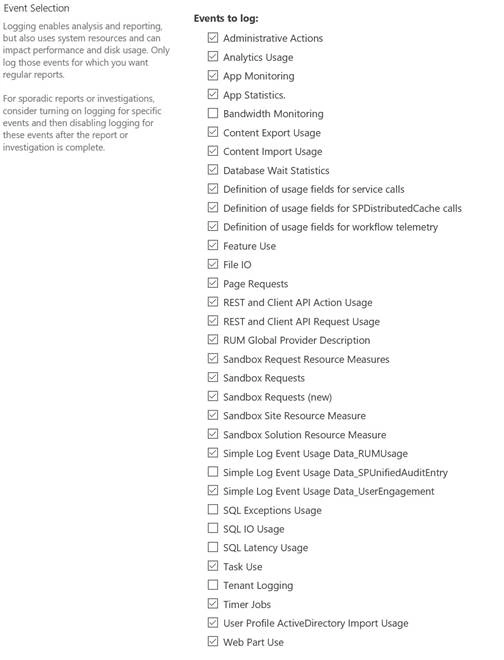
- Usage Data Collection Settings
In this section, please enter the location on the Server, where usage logs will be stored. It is always recommended to not to use the system drive to store the logs file.
- Health Data collection
Check the Enable Health data collection. It enables this to allow SharePoint to build the reports. You can also configure the schedule of the health related timer jobs. If you click on Health Logging Schedule, then you can the change the schedule.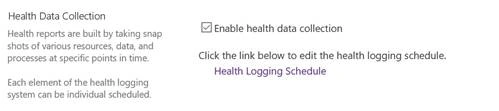
- Log Collection Schedule
In this section, we can configure the timer jobs schedule, which will collect the logs file from the all the Servers and copy over to the usage database.
- Logging Database Server
In this section, we have to give the database Server name and DB name. For usage & health Server, always use Windows authentication.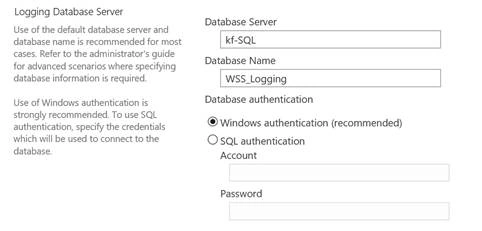
- Click OK.
- Usage Data Collection
- Now, wait for couple of minutes.
- Once Service Application is created, then it will bring you on the monitoring page.
Now, if you go to Central admin > Application management > Mange Service Application. You will see the Usage Service Application is provisioned.

In this article, we learned the purpose of usage and health data Service Application and how to configure it.
Keep learning and enjoying SharePoint.
Prajakta PatilPosted Feb 21, 2020, 1:40 AM
For my sharepoint 2013 usage report showing 0 for new site collection. How much time it takes to appear this report data