

When you click the Specify authentication providers link, you will land on the Authentication Providers page. This page will give an option to the SharePoint administrator to change the authentication provider for one Web Application or multiple Web Applications.
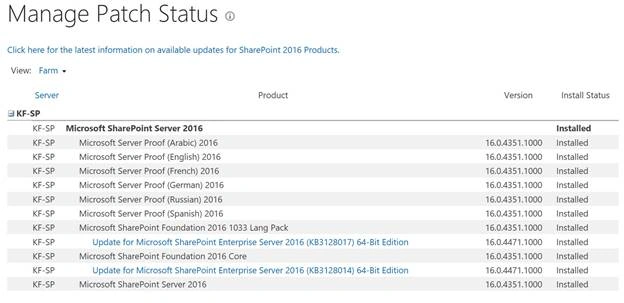
Specify the authentication providers page’s direct link - /_admin/authentication providers.aspx.
In SharePoint, we want to secure the data and implement a security mechanism. For this, SharePoint has a user authorization and authentication method, which verifies the identity of the users, who are trying to login on SharePoint, then it verifies the permission of the user, who is trying to access SharePoint content. In order to authenticate the user, the SharePoint user is one of the authentication providers, which authenticates the user. As per TechNet: “An authentication provider issues the authenticated user a security token that encapsulates a set of claims-based assertions about the user and is used to verify a set of permissions that are assigned to the user.” Once the user is authenticated via the provider, then SharePoint authorizes the user, if he has permission to check the requested content.
SharePoint supports multiple authenticated providers.
- Windows claims
- Security Assertion Markup Language (SAML)-based claims
- Forms-based authentication claims
On this page, we have an option where we can change the authentication provider of a given Application.
Note
If you want to change the authentication provider, then make sure that infrastructure is already in place, otherwise, if you change the authentication provider, it will not work. i.e. if you want to implement Windows Claims with Kerberos, then make sure Kerberos infrastructure is in place (SQL configuration for Kerberos, SPN for SharePoint Web Application). This page only gives you an option to change the authentication provider and not to configure it.
On this page, we have other options as well, like enabling anonymous access and enabling client integration but this is beyond the scope of this article.
To change authentication providers
In this step, we will change Windows authentication from NTLM to Kerberos. We already created an SPN for it. Please follow the steps given below.
- Login to Central Admin with the account member of the Farm administrator group and also for local admin on the Server.
- Go to Security -> Click Authentication Provider.
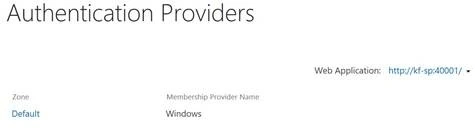
- On this page, select the correct Web Application. To change the Web Application, click on the dropdown arrow and click Change Web Application.
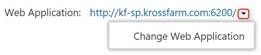
- Select the correct Web Application i.e. Public in our example.

- On this page, you will see the authentication provider for all the zones, if configured. In our example, we are going to change the Authentication provider Default zone. Click Default.
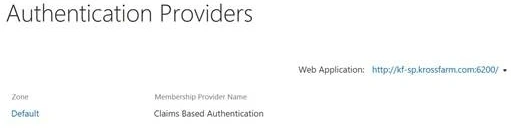
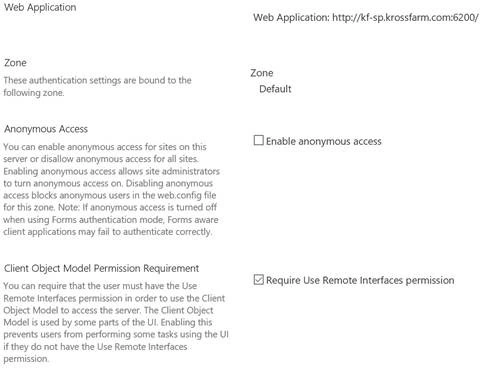
- On this page, please leave all the following options as they are.
- Web Application makes sure that the correct Web Application is selected.
- Zone makes sure that the correct zone is selected.
- Anonymous Access- Leave it as it is, as we are not going to change it.
- Client Object Model Permissions requirement- Leave it, which is the default.
- In the Claim Authentication Type, please click the dropdown under Integrated Windows Authentication (1) and click Negotiate (Kerberos).
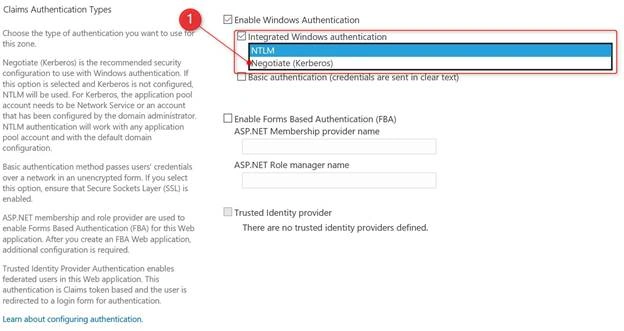
- Leave all other options as is. We are not going to change it to FBA or SAML.
- Leave Client Integration as is and click, as shown below.
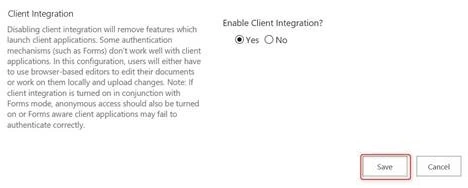
- Now wait for a couple of minutes and it will return to the Authentication Provider page after successful configuration.
In this article, you learned how to change the Authentication provider for a Web Application in SharePoint.
Madhanmohan DevarajanPosted Mar 16, 2017, 10:21 AM
This articles will be useful for the SharePoint Admin beginners.