

Note - You should be logged in with Farm administrator with local admin on the server, otherwise this option will not be visible.
When you click on the "Manage Services" on server link, you will be landed on Services on the server. This page will give you the information about the services on a single server. This page looks like the same as services in farm but in a slightly different manner. I will explain it in a little bit.
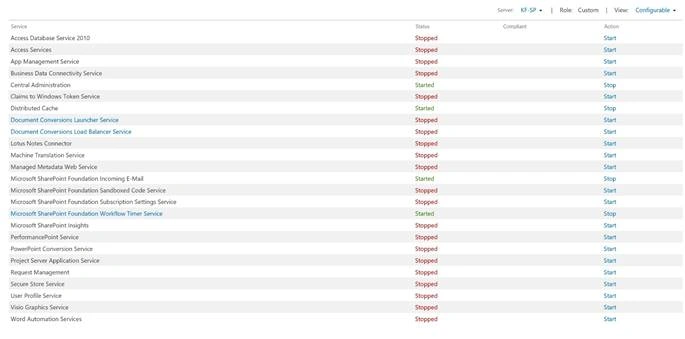
This farm consists of two SharePoint servers, this page list the Services on the individual Server (one you selected). On this page, you will get the option to start a service instance or stop it. The following information will be on the page.
- Service
This column lists all the service instances which are provisioned on this Server, irrespective of their status (Start /Stop). With the MinRole, you will see less service instances over here. - Status
This column tells about the status of service instance whether it is stopped or started. - Compliant
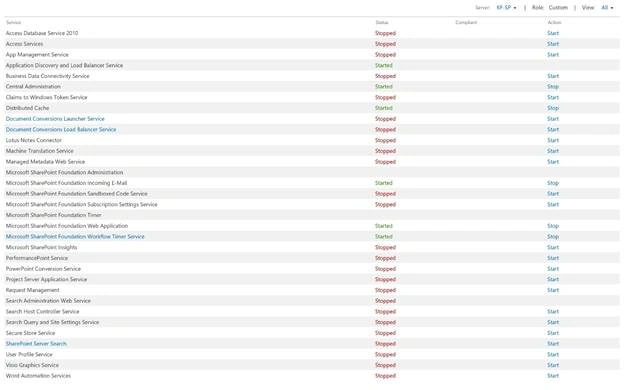
This column also comes with the MinRole feature, this section is controlled by the health analyzer rule, which runs overnight. If health rules dictate the server is not compliant with the configured role, then it will attempt to auto provision all the services which are un-provisioned and also stop the services which are not compliant with the server role to make it compliant. You may notice one thing; compliant section is blank for the custom Role (See the picture above). Custom Role is same as application role in SharePoint 2013. So, don’t be surprised about it. - Action
In this column, you will get an option to start or stop a service instance but only for the service instances which are available under assigned server’s MinRole. You get full option with custom role but limited for the all other MinRoles. - Server
From this drop down, you get any option to change the Server ( by default, the Central Admin Server is selected). - Role
This box shows the Minrole assigned to the Server. - View
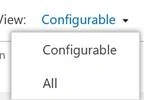
This dropdown gives us two view options, Configurable and All. By default, Configurable is selected.
How to select different Servers?
- Log on to the Central Admin with farm admin account with local admin on Server.
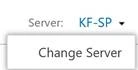
- Click on the Dropdown in the Server section, then click on Change Server.
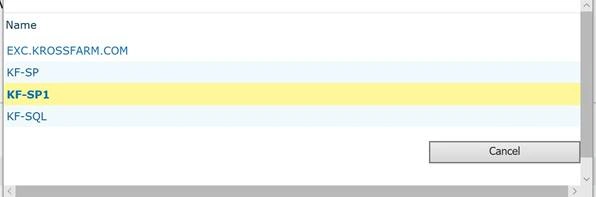
- On the New pop-up, select the Server you want to get the information (in our case, Kf-SP1).
- Now, you will see the list of services on the KF-SP1 Server.
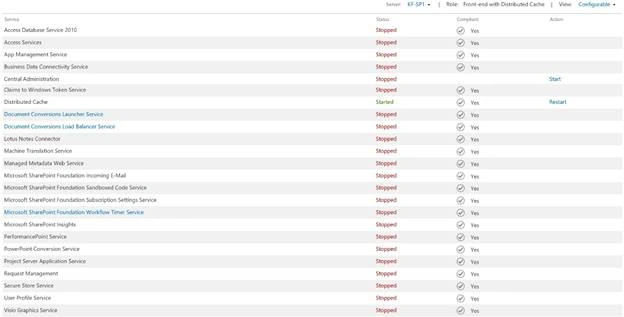
As I mentioned earlier, in the action section, you will get less control as this Server has front-end with Distributed Cache role.
How to change the View.
- On the same page in the view section, click on the dropdown and select "All" ( you will see both view options here).
- You will get the information like below in "All" view.
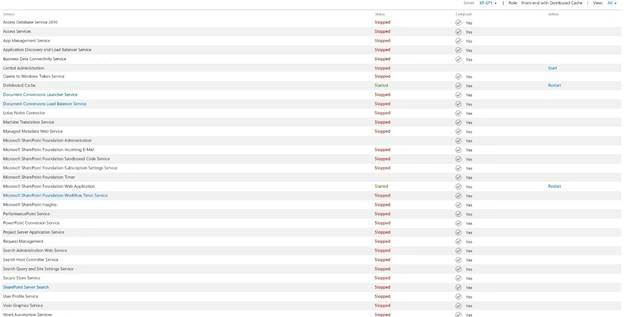
View for the Server KF-SP1 - All view for the Server KF-SP
See Also
- SharePoint 2016 Central Admin: System Settings – Manage Servers in Farm
- SharePoint 2016 Central Admin: System Settings – Manage Services in this Farm
- SharePoint 2016 Central Admin: System Settings – Convert server role in this farm
Manage Services on Server (direct Link).
Join the conversation! Your thoughts help the community grow.