

In real-world scenarios, a lot of companies have policies which direct the admins to not to pull everything from Active Directory and Sync with Sharepoint User Profile. i.e, if you have service account in your AD and you don’t want to sync with AD, or, some companies have certain employee types which they don’t want to import, or we want to exclude the disabled users from the synchronization.
To exclude certain users from syncing to SharePoint, we have to apply the Connection Filter in the MIM (ADMA). In our scenario, we want to exclude the Temporary Employees ( which employee type is equal to T and disabled users). Let's Start.
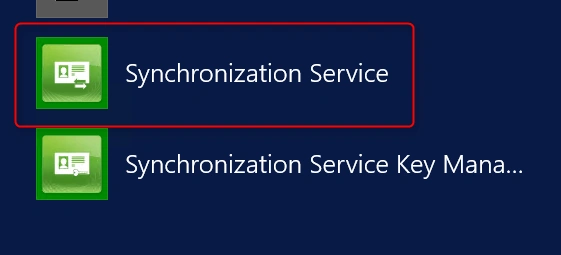
- Click Start window >> Synchronization Service.
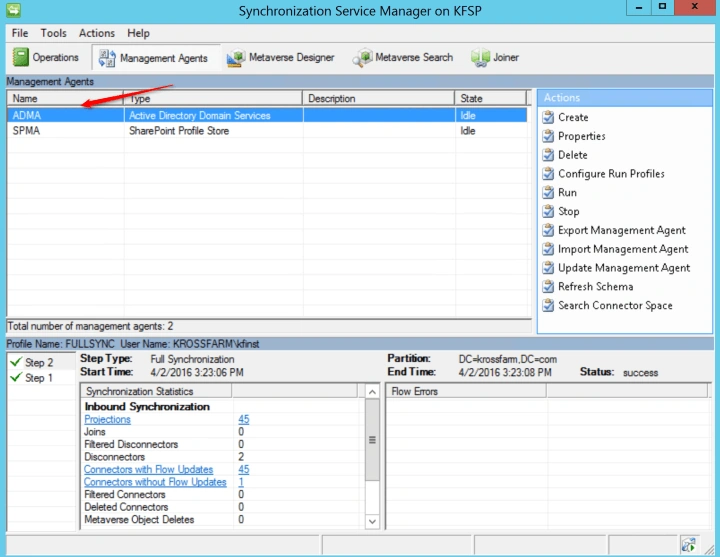
- Click on the "Management Agents" on the Ribbon, then double Click on the ADMA.
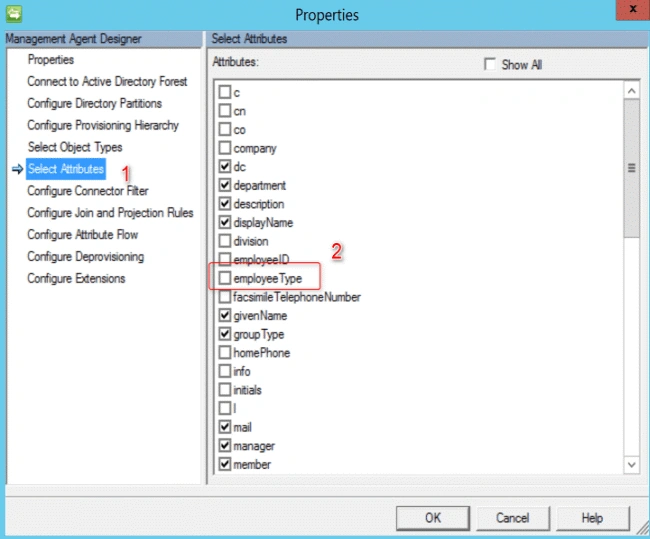
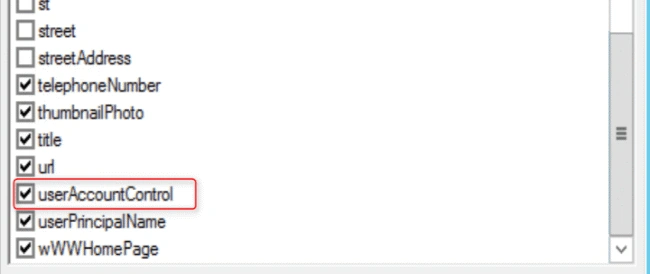
- On the Properties pop-up, click on the "Select Attributes" under the Management Agent Designer. In the Select Attributes, check the required Attributes (Employee Type and UserAccessControl). Now, click OK.
- This will close the ADMA agent. Re-open the properties of it.
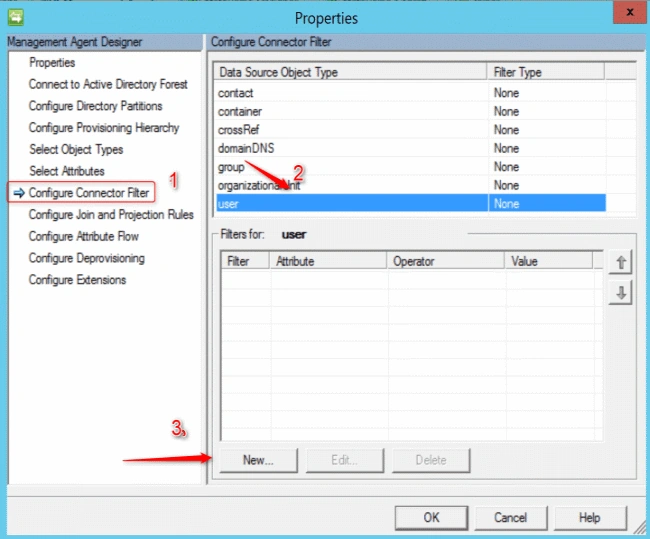
- Now, select the Configure Connector filter (1) >> User(2) >> click on New (3).
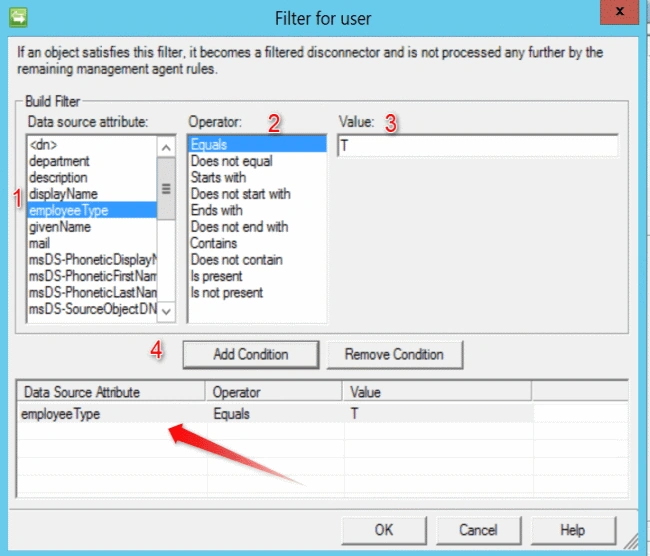
- In the "Filter for User" window, in "Data source attribute" section, click on Employee Type, >> Equals. Then, under Value section, put the value T. Now, click on "Add Condition".
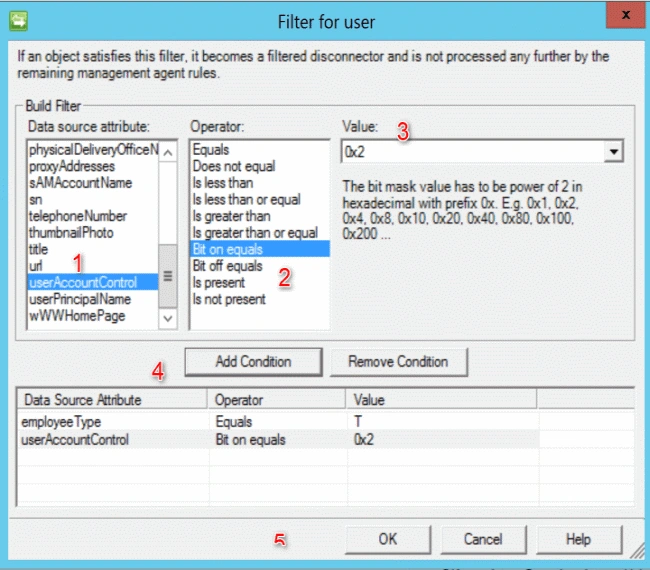
- Repeat the same process for userAccountControl and click OK.
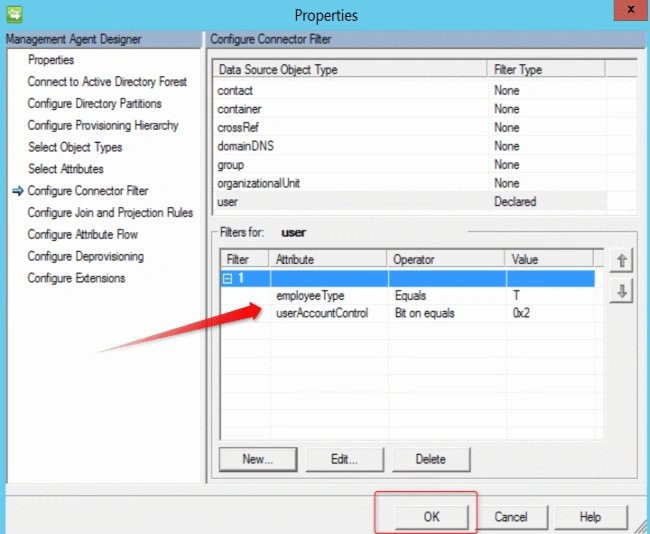
- On the Properties page, you will see that both the exclusions are added. Click OK, now.
- Now, run Full Synchronization (Start-SharePointSync). Once it is completed successfully, you will see that all the disabled users and temporary employees are excluded.
You can apply the single filter or multiple filters as per your requirement. For multiple filters, you have to repeat the steps. This will complete the connection filter steps. Now, let’s move to the importing the Custom Property.
See Also
Please follow the below articles, for next steps.
- Installation of Microsoft Identity Manager for SharePoint 2016 User profile Service
- Configuration of Microsoft Identity Manager for SharePoint 2016 User Profile
- SharePoint 2016 User profile Service and MIM: Apply the Connection Filter – Part -3
- MIM 2016 with SharePoint 2016 User Profile service: Import Custom Property from Active Directory – Part – 4
- MIM with SharePoint Server 2016 User profile: Add more Active Directory Domain for Synchronization. Part - 5
Join the conversation! Your thoughts help the community grow.