

In this article, we will talk about the new collaborating feature, Document Libraries in Yammer. When I was browsing through my enterprise search, I noticed an option “POST” in the search results Hover Panel and it seemed to be an awesome social integration feature in Yammer.
Step 1:
- Login into Office 365
- Create an Enterprise Search Site collection

Step 2: Provide Search Terms in the Search Centre page.
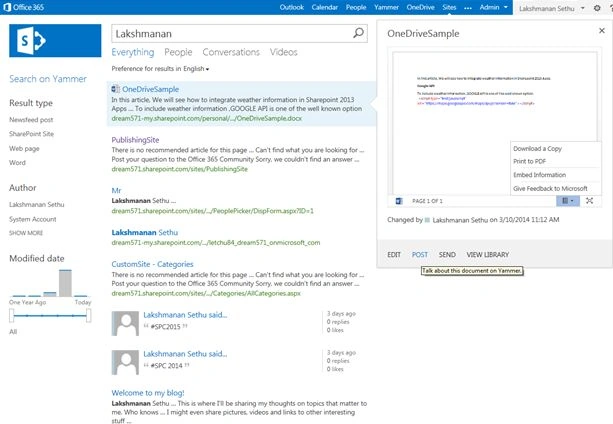
Step 3: Click on Post over the Hover Panel of the selected document.

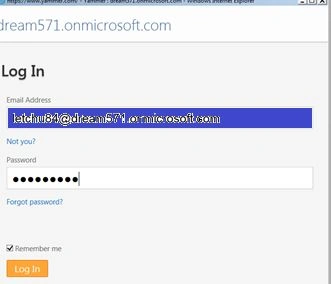
Step 4: Login with your Yammer Account.
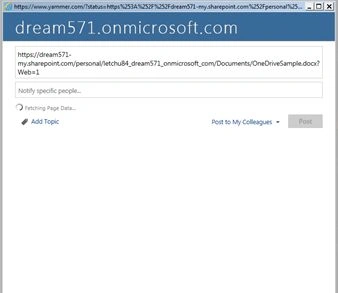
Step 5: Tag the Person Names using the @ tag of whom you are interested in to have a look at the document.

Step 6: Now Click Post on the page.
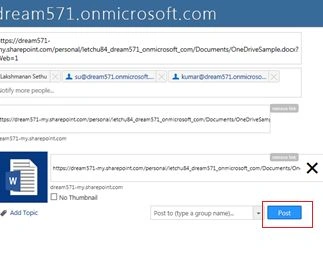
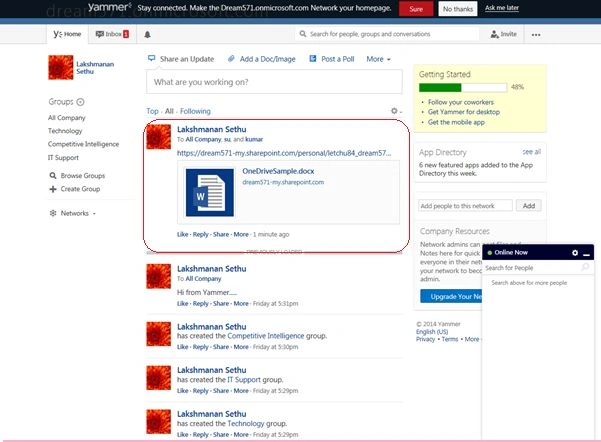
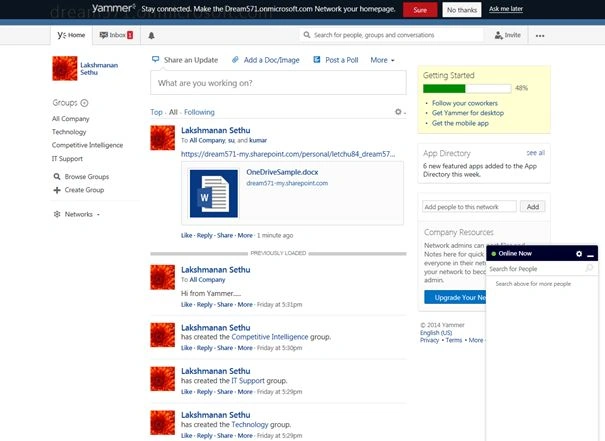
Step 7: Now check your Yammer feed. You can start a valuable conversation on the uploaded document among your team members.
Step 3: Click on Post over the Hover Panel of the selected document.
Step 4: Login with your Yammer Account.
Step 5: Tag the Person Names using the @ tag of whom you are interested in to have a look at the document.
Step 6: Now Click Post on the page.
Step 7: Now check your Yammer feed. You can start a valuable conversation on the uploaded document among your team members.
Join the conversation! Your thoughts help the community grow.