

Overview
SharePoint Framework client web parts are used to develop visual components in modern and classic SharePoint. In some scenarios, all the processing cannot happen on SharePoint front and we also need to perform certain processing outside of SharePoint. Azure Functions is one of the most widely used options in these scenarios.
In this article, we will explore how to create a simple Azure Function and consume it in the SharePoint Framework client web part.
Azure Functions
Azure Functions is serverless computing. It is an event-driven, compute on demand experience. Follow the below steps to create an Azure Function.
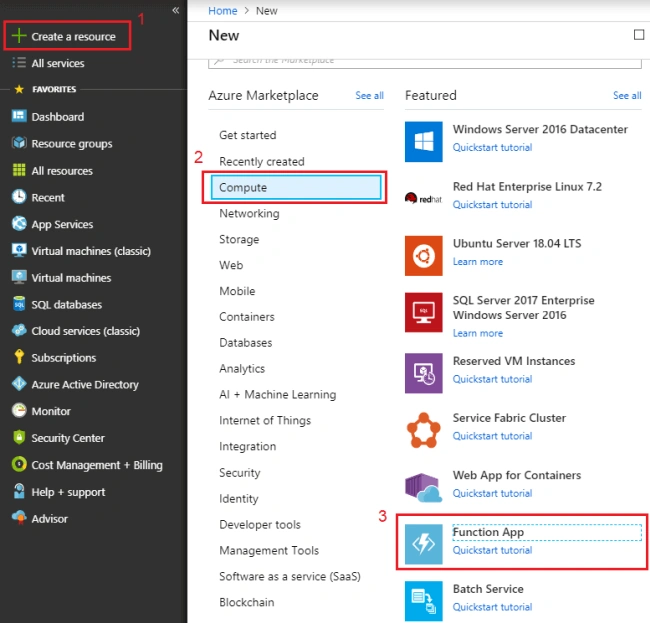
- Open Azure Portal https://portal.azure.com.
- Click "Create Resource".
- Under Compute, select Functions App.
- Fill in the information to create the Function App.
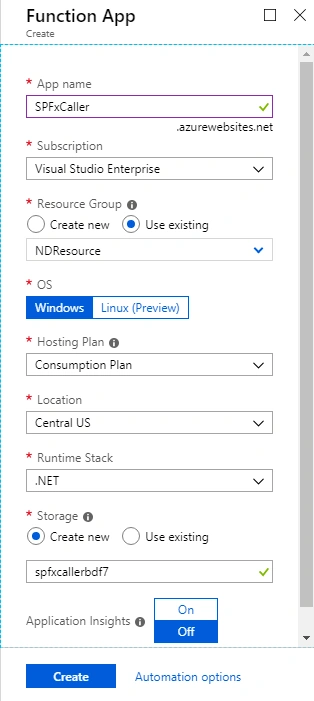
- Click Create.
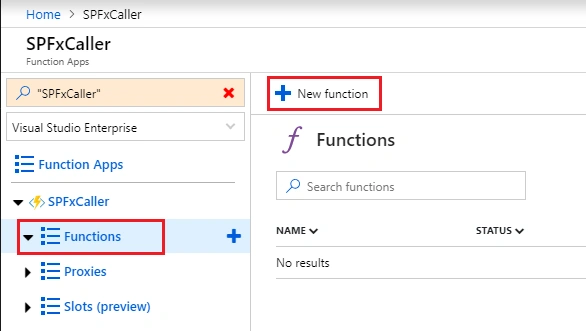
- Once the Azure function is ready, click Functions > New function.
- Select the HTTP trigger.
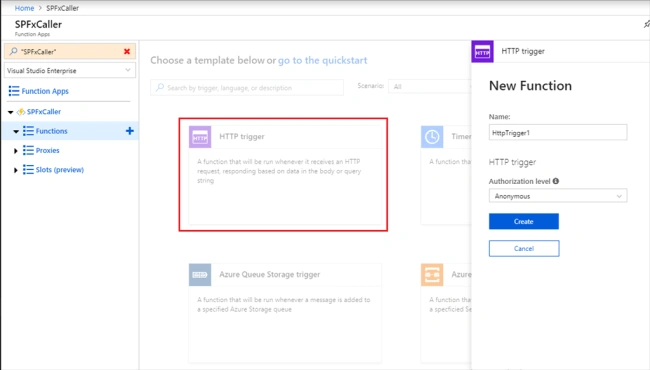
- Type the function name, then select Authorization level.
- Click Create.
- Type-in the below code in Function App.
- #r "Newtonsoft.Json"
- using System.Net;
- using Microsoft.AspNetCore.Mvc;
- using Microsoft.Extensions.Primitives;
- using Newtonsoft.Json;
- public static async Task<IActionResult> Run(HttpRequest req, ILogger log)
- {
- log.LogInformation("C# HTTP trigger function processed a request.");
- string name = req.Query["name"];
- string requestBody = await new StreamReader(req.Body).ReadToEndAsync();
- dynamic data = JsonConvert.DeserializeObject(requestBody);
- name = name ?? data?.name;
- return name != null
- ? (ActionResult)new OkObjectResult(new { name = $"Hello, {name}"} )
- : new BadRequestObjectResult(new { name = "Please pass a name on the query string or in the request body"});
- }
- Click "Run" to test the Azure function,
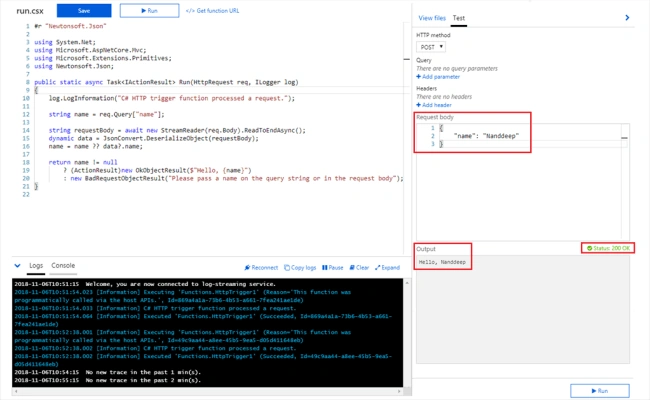
- Verify that for provided input, Azure function is returning expected output. Also, the status code is 200 OK.
- Click “Get function URL”.
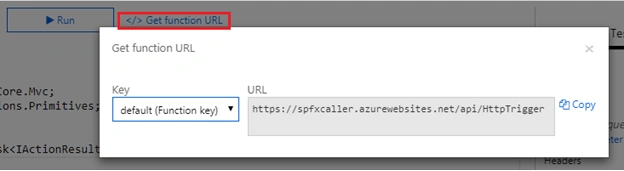
- Copy the function URL.
Enable CORS on Azure Function
The Azure functions are hosted in MS Azure and they run in a different domain than our SharePoint site where our SharePoint Framework (SPFx) web part is hosted. By default, cross-domain calls are not allowed from SharePoint. To overcome this, we will have to enable CORS (Cross-Origin Resource Sharing) in Azure function.
Follow the below steps to enable CORS on Azure function,
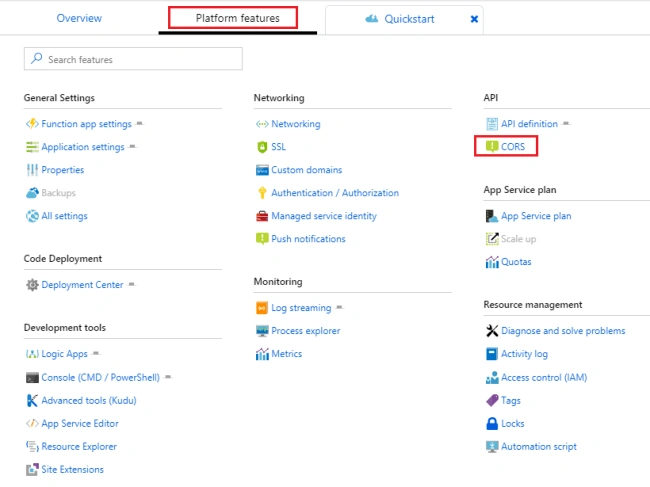
- Click Platform features
- Under API, click CORS
- Specify the Office 365 tenant domain UEL and SharePoint local workbench URL.
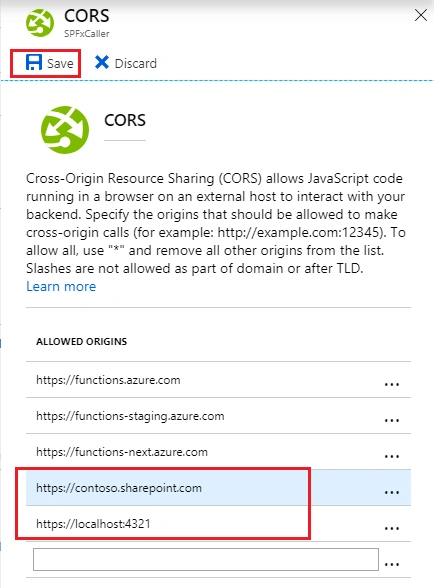
- Click Save
Sam UlPosted Sep 20, 2021, 3:58 PM
Hi Sir I am trying to save the data into SharePoint list using SPfx in react and Azure function I need to use service account as user will not have access to the list I cannot use PNP. I need to use CSOM code for it can you please guide me on that it will be great help
santoshPosted May 6, 2019, 12:00 PM
Very Nice article.. simple and fun
Rushi MehtaPosted Nov 11, 2018, 9:43 PM
Nicely Explained... Thanks for sharing
Manoj MittalPosted Nov 11, 2018, 10:47 AM
Good Stuff, Thanks for sharing. In which context azure function will execute is it user or service account. If we use service account any observation towards throttling ?