

Introduction
A SharePoint Hosted App (SHA) will have all components deployed to a SharePoint server. Optionally there can be JavaScript components running in the client side.
App Pre-Requisites
You should have the following pre-requisites done to create a SharePoint Hosted App.
App Development Pre-Requisites
Procedure
Open Visual Studio 2013 in Administrator mode. Choose New Project > SharePoint > App for SharePoint 2013 as shown below.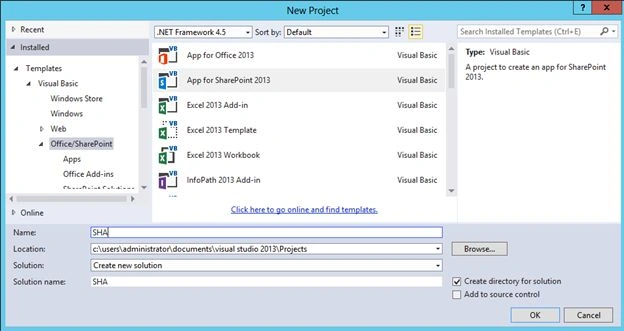
In the next dialog choose the SharePoint-hosted app option.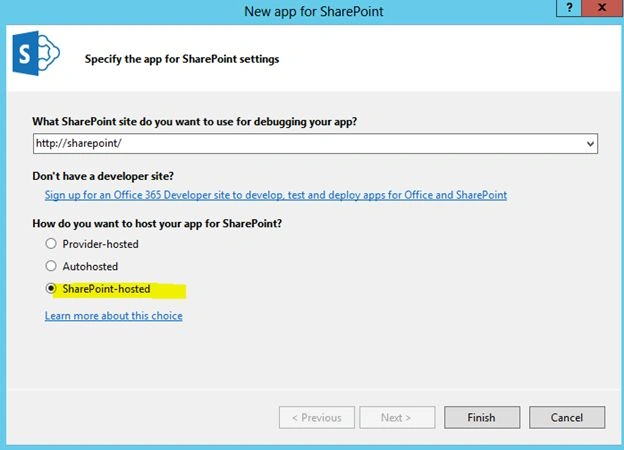
You will get the following items created in the Solution Explorer.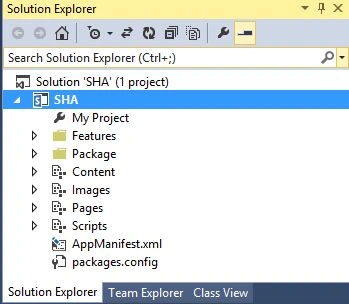
Run the application and if the compilation was successful you will get the password prompt.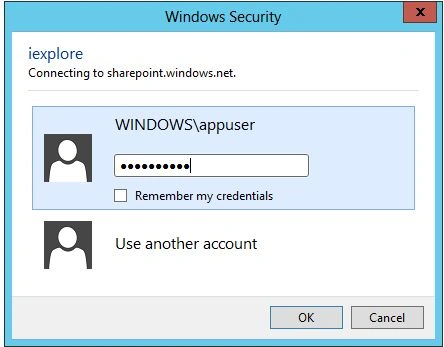
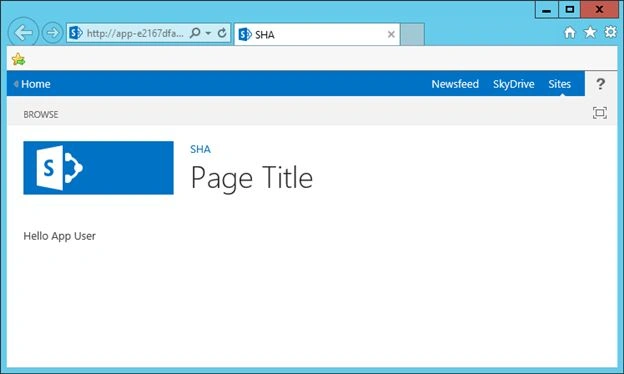
The application should look as in the following.
Examining the Content
The Page default.aspx is the main page.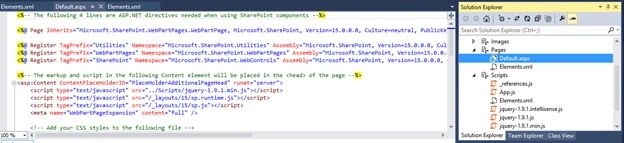
The page displays a Hello message with the current user name. The current user name is displayed using a JavaScript that you can find in the App.js.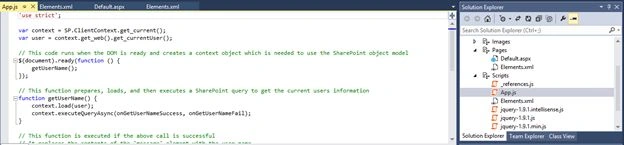
Note
You should use a non-System account for developing apps.
References
Overview of apps for SharePoint
Summary
In this article we saw how to create a SharePoint Hosted App.
SriramPosted Jul 3, 2015, 8:28 AM
Good Paul............
Karthik Muthu KaruppanPosted Apr 27, 2015, 10:42 AM
Nice
Sibeesh VenuPosted Apr 27, 2015, 9:04 AM
Good one
Jean PaulPosted Apr 27, 2015, 7:26 AM
Hello Vijay, Try starting the services http://www.jeanpaulva.com/index.php/2015/04/15/ensure-services-are-running/
Vijay SPosted Apr 27, 2015, 3:23 AM
Hi Sir, While Deploying the Solution am getting "App Management Shared Server Proxy is not Installed" Error. Eventhogh i have installed all the proxy, subscription settings for App and it was also added in the default group. Can you help me out ?
Santhakumar MunuswamyPosted Apr 26, 2015, 11:41 PM
Good