

Today, while working on Office 365 SharePoint Online, I came across an interesting issue related to Permissions. A day before everything was working fine in the application and later on, everything stopped working because of a permissions issue. Users reported that they were not able to see documents, web parts etc. It was discovered that my client IT Administrator had done some permission changes and now that needs to be fixed.
Let’s discuss systematically what the issue was and how we resolved it.
- Since I need to make some changes in the client-side code for the issues which users reported, I opened SharePoint Designer 2013 and tried to check out a file to edit in Advanced Mode. To my surprise, I encountered the below error (Access Denied).

- Generally, when this type of error is encountered in SharePoint, we always check permissions. Therefore, I checked my permissions on the SharePoint site. I was having the full control of the site collection and at the same time, I was the site collection administrator (Again a big surprise for getting this access denied error!). I was in the Team Site Owners group and in the Site Collection Administrators group, as shown in below images.


- Then, I checked my permissions by clicking on “Check Permissions” button in the ribbon under Site Permissions settings of the site collection, and surprisingly, it is showing the message as “Deny - Add and Customise Pages” (this is the issue which was not allowing me to check out the file in SharePoint Designer and make changes), as shown below.

- As a next step, I tried to check out the file from SharePoint User Interface (UI), but got the same error.
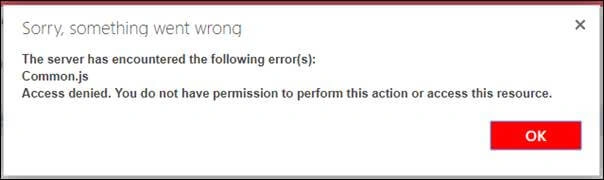
- It was very strange to get this type of error as I was logged-in with the Admin account and still getting access denied to certain things and getting no permission to add or customize pages. Therefore, to correct this issue, I checked the Office 365 Admin Portal settings. For this,
- Sign in to Office 365 Admin Portal with your admin account.
- Go to the SharePoint Admin Centre.
- Select Settings.
Look for “Custom Script” option. In my case, client IT Administrator unknowingly disabled the option, as shown below.
- Now, the solution - Enable or Allow the Custom Script option.
NOTE
Any change to the scripting setting made through the SharePoint Online Admin Centre may take up to 24 hours to take effect.
- After doing the above setting, I waited for 24 hours, and Voila! Now, I am not getting any “Access Denied” error while checking-out the file in SharePoint Designer.
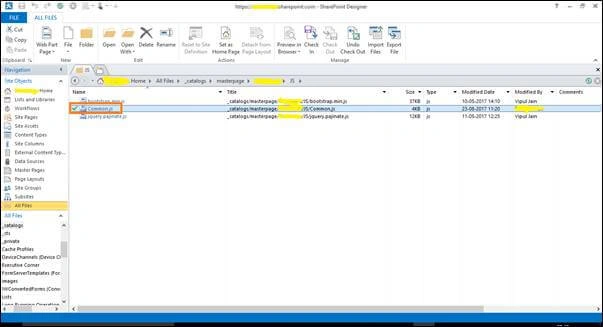
You can use PowerShell command (Set-SPOSite -Identity https://<yourdomain>.sharepoint.com -DenyAddAndCustomizePages $false) also to make the above change, however, just make sure the scripting setting in the admin portal matches what you set using PowerShell.
Summary
In this article, we saw the "Access Denied" issue and its resolution related to SharePoint Permissions in Office 365.
Join the conversation! Your thoughts help the community grow.