

This article will walk you through another way to create a SharePoint project with the latest version of Angular framework without using SharePoint framework.
Prequisites
- Visual Studio Code. You can download and install from Visual Studio Code
- Node.js. You can download and install from Node.js
- Basic knowledge of SharePoint
- Knowledge of TypeScript
Below are the following reasons for not targeting the SharePoint framework.
- Remove the dependencies from Yeoman generator.
- We can use or update the latest Angular version.
- We can use cool features of the Angular framework
- Easily intregrate the third party tools or modules.
However, we are going to use Angular cli and SharePoint online to create the Angular project for this article
To known more about Angular cli use this link
In order to create a Sharepoint project using the latest Angular we have to create the following activities.
Note
The first two activities are one time activities for creating Sharepoint projects using Angular.
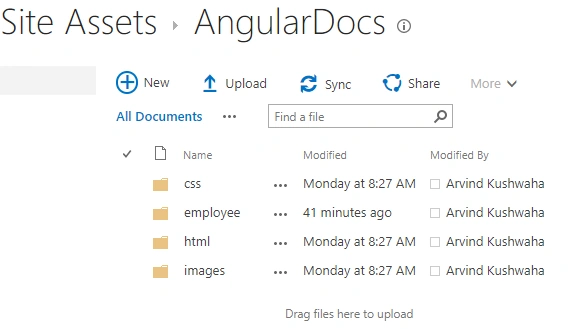
- Create document library to store our project files.
-
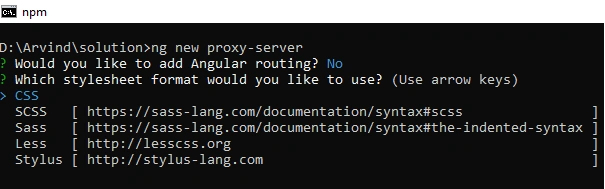
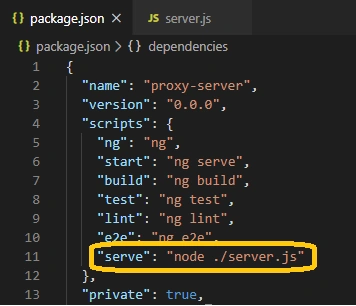
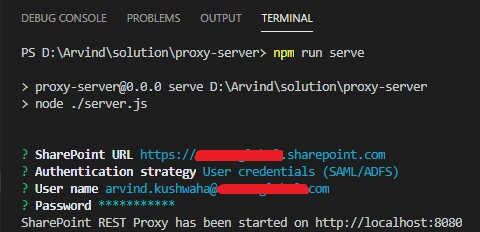
Create a proxy for SharePoint online environment
- Create Angular project and write the code for CRUD operation in sharepoint.
- Integrate third party library (PrimeNg) for showing records.
- Build and add Angular project to SharePoint site.
Create document library to store our project files
Step 1
Ralph ZeroPosted Mar 1, 2021, 11:55 AM
Arvind, I've completed both part one and two successfully. I have two questions: 1. Can the Typescript call SharePoint Rest APIs directly without the Proxy Service? Are there examples of this? 2. Using the Proxy Service, can the Angular app interact with SharePoint lists from multiple sites?
Arvind KushwahaPosted May 29, 2020, 10:22 AM
Hi Satish, I had already added.
Satish kumarPosted May 29, 2020, 3:51 AM
Hi Arvin, It's a good article. Wish to know that have you added the second part or not