

Introduction
Construct 2 is an HTML5 based 2D game editor developed by Scirra. Construct 2 is a powerful game creator specifically designed for 2D games.
Construct 2 aims mainly at non-programmers, allowing quick creation of games using a visual editor based logic system.
Supported platforms
Constructor 2 supports multiple platforms. We can export it to Chrome and Firefox Marketplace or use our Scirra Arcade to create various 2D games.
Step 1
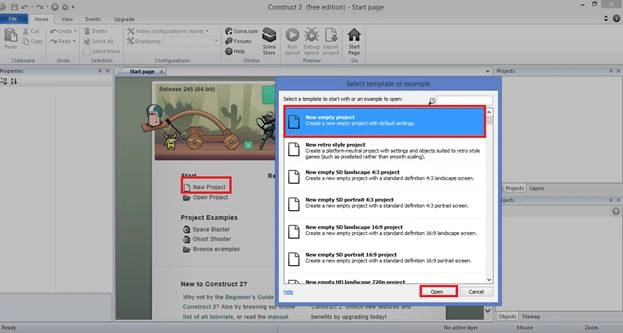
Select a New project; a new empty layout will be displayed. After creating a new project, you will see the following template. Click Open.
Step 2
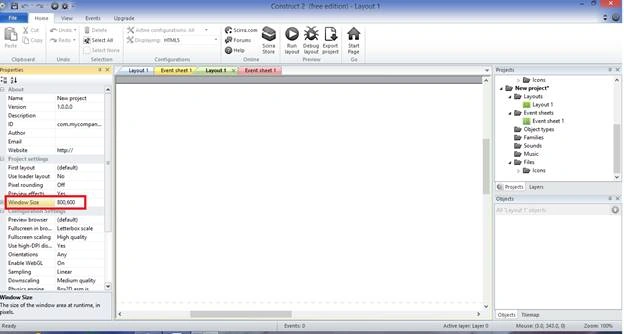
An empty layout will be displayed. Now, we need to change the size of the layout in Layout Properties, the layout is (800, 600), and a new event sheet must be added.
Step 3 Insert Title Background object
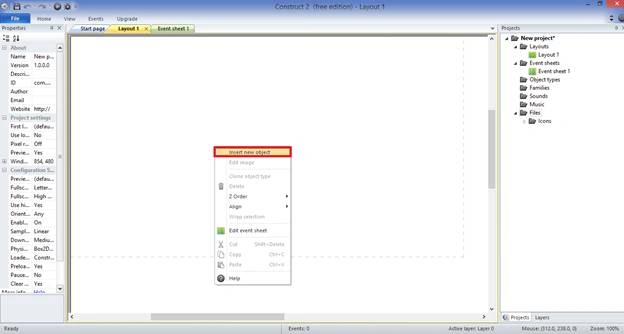
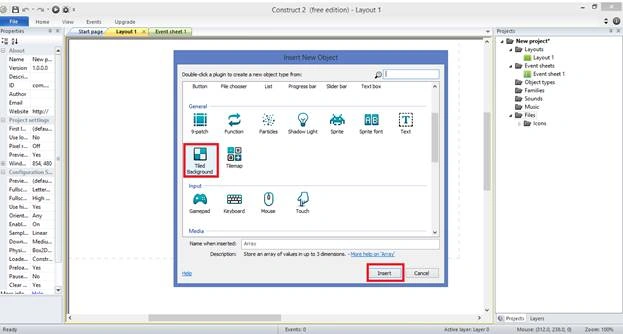
For adding the Background object, double click on the Layout sheet and insert a new object in dialog box. Now, we can select the Background object. Then click Insert.
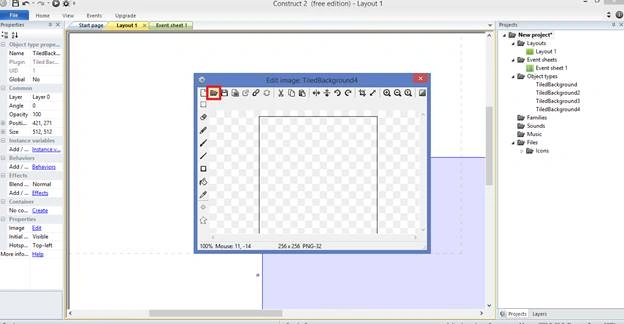
Now Click the left mouse button on the empty layout, the Background dialogue box will be displayed. Choose the image from the file.
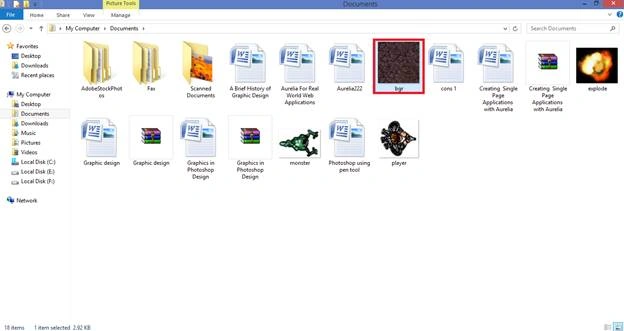
Choose the needed image from the file.
Step 4
The Background image can open and close within the Background dialogue box .
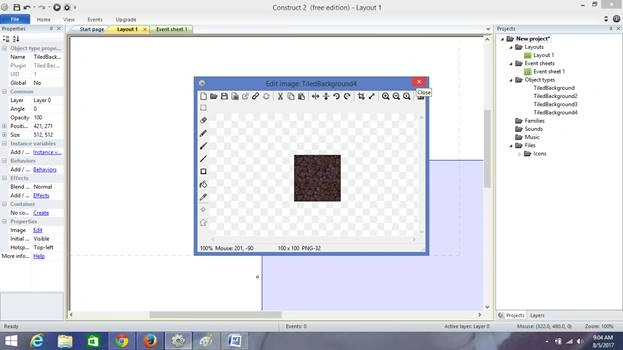
Then, the background image can be displayed in the window. We must change the position size of the layout in Layout Properties.
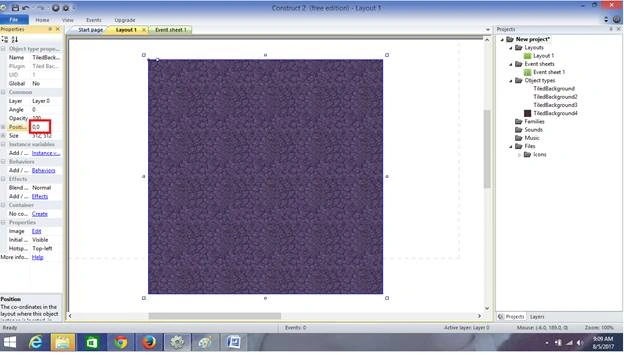
The image will be displayed at the top of the screen.
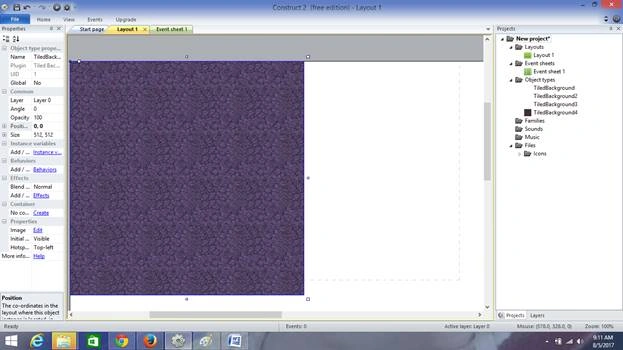
Resize the background image
To resize the background image, drag a mouse on the image.
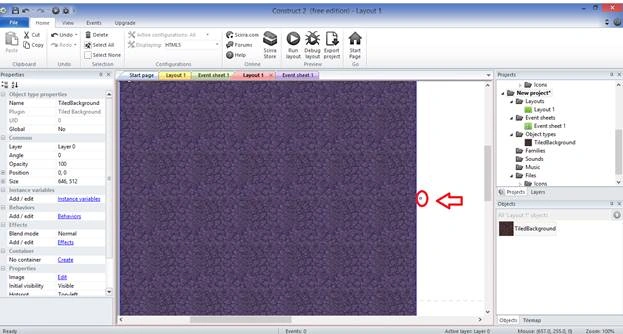
Step 6
While adding a Sprite object, right click on the background image and insert a new object in the dialog box. Now, we can select the Sprite object.
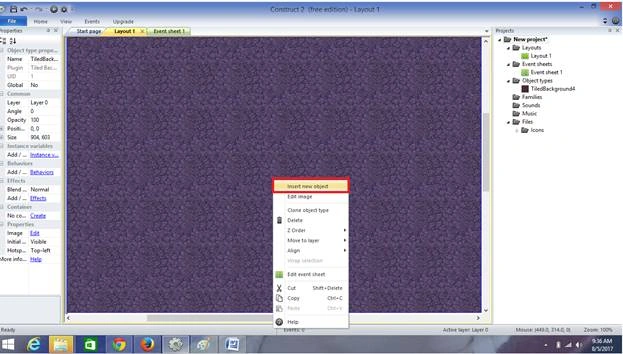
Select the Sprite object and click Insert.
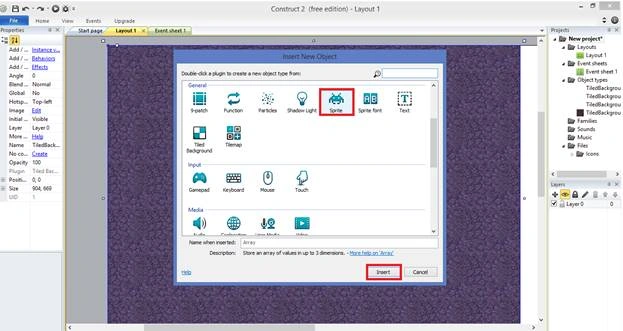
Double click on the background image and a background dialogue box will be displayed. Choose the image from the file.
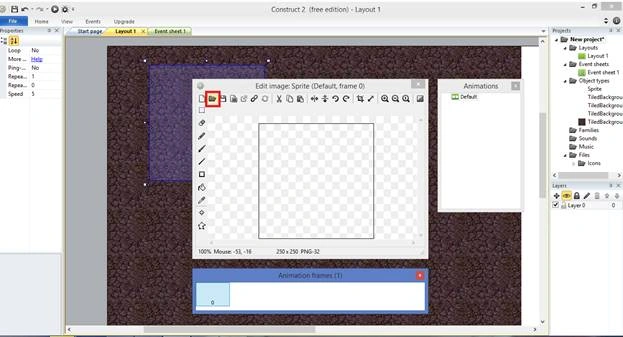
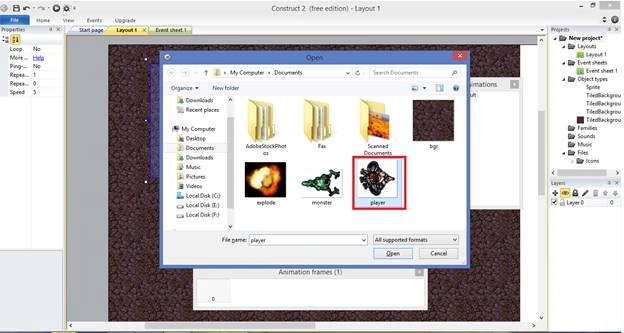
Now, let's drag the needed image with the mouse and insert the Background image.
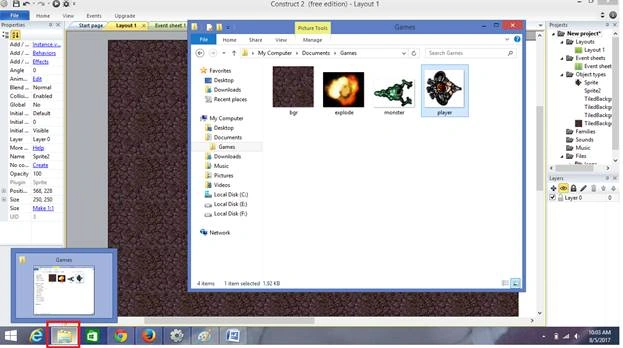
Now, we have selected images such as Player, Monster, Bullet, and Explode. They can be displayed on the screen. Now let's select the player. Click "Behaviors" in the left side and insert a new “Sprite” behavior dialog box.
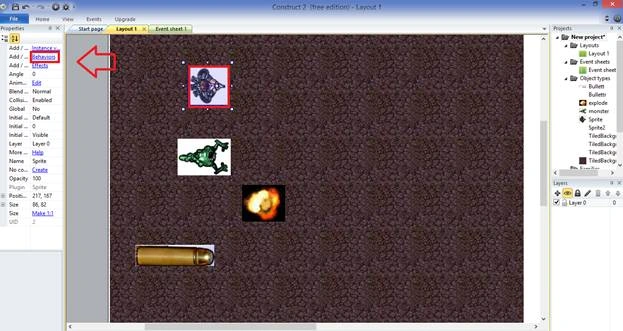
Click Add >> New.
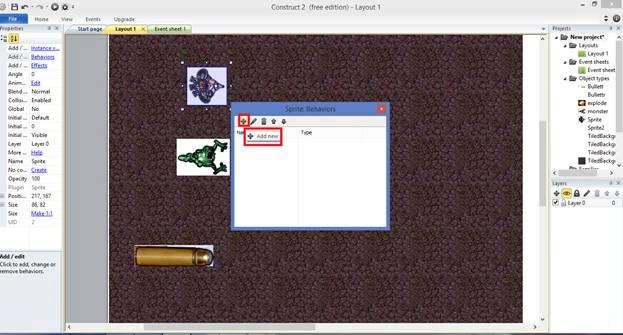
Add needed objects on the Behavior Dialogue box.
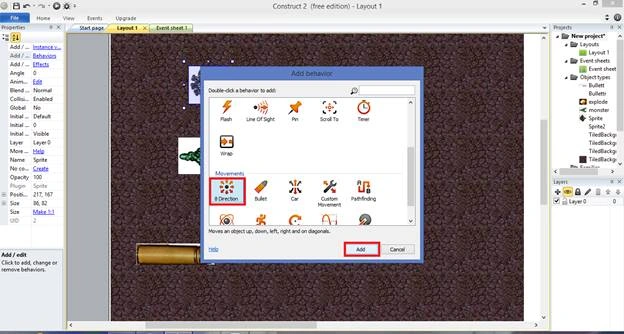
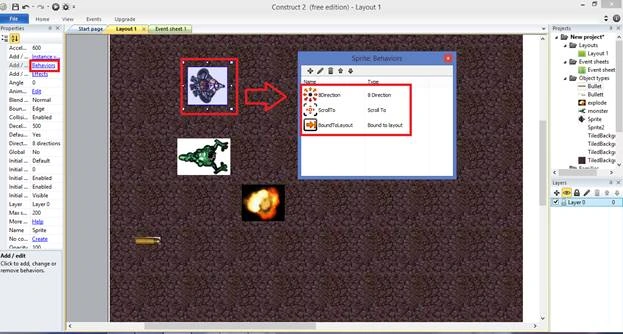
Select Bullet and add the needed objects on the Behavior Dialogue box.
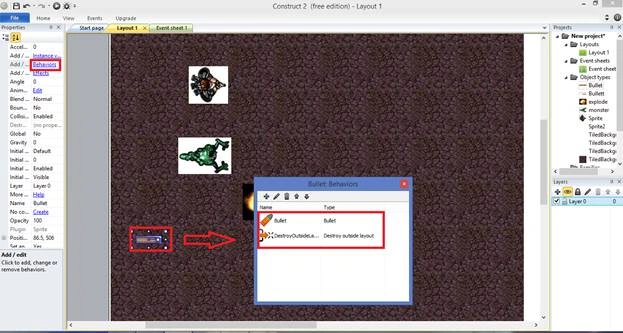
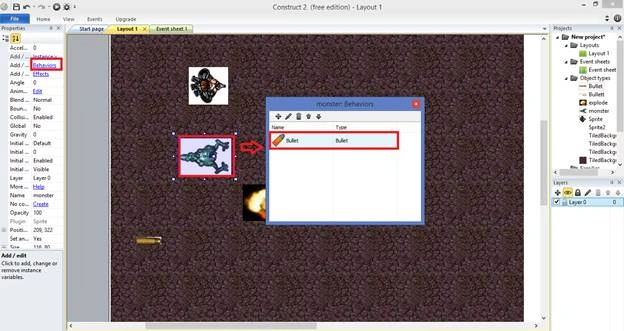
Select Monster and add the Bullet objects on the Behavior Dialogue box.
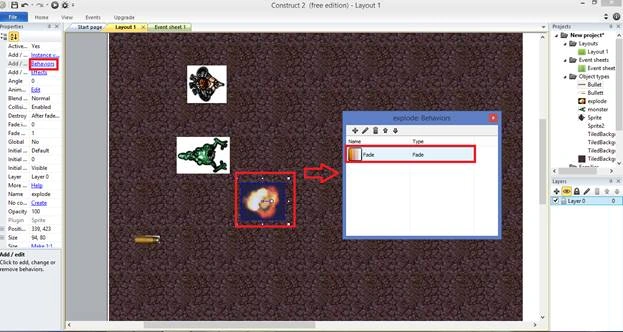
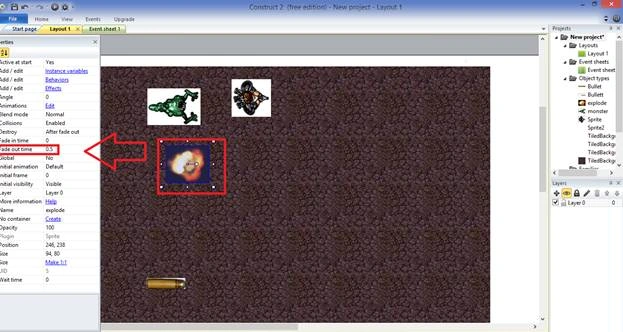
Select Explode and add the Fade object on the Behavior Dialogue box.
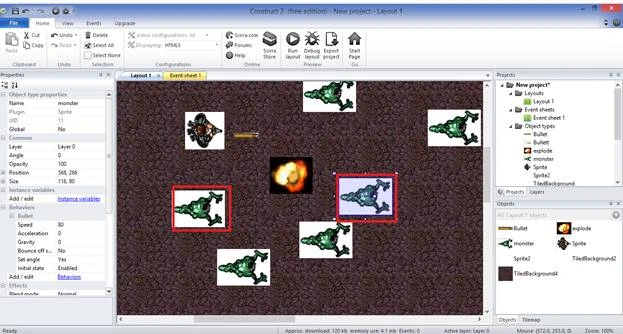
We can change the Monster Speed to 80.
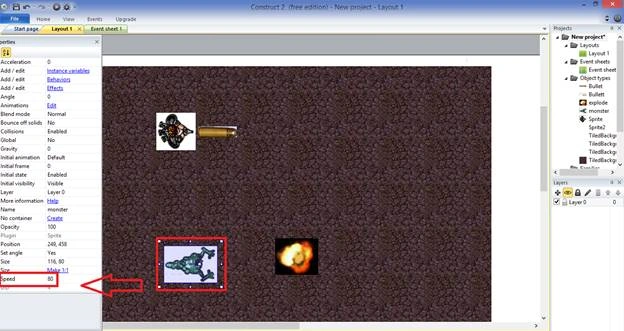
We can change the Bullet Speed to 600.
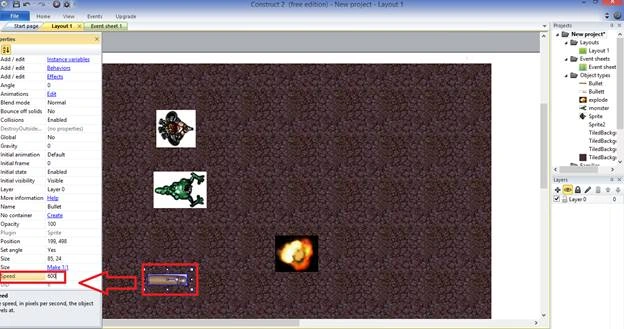
We can change the Explode Speed to 0.5.
Select the monster and press Ctrl on the keyboard and drag the explode image.
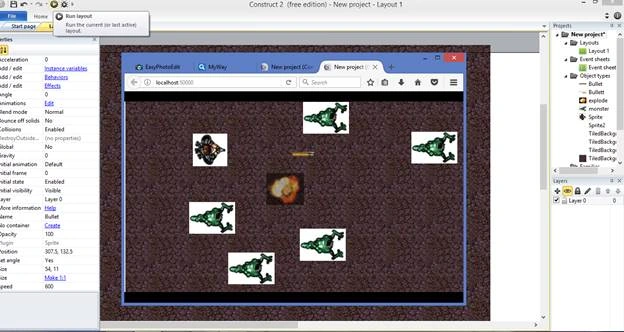
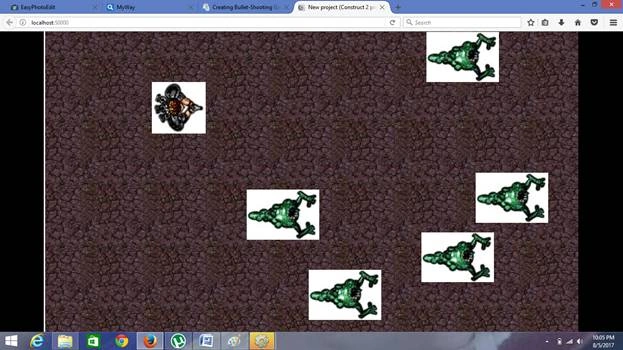
Finally, press F5 to run the layout. Your browser will display the following output.
Summary
Chittaranjan SwainPosted Oct 19, 2019, 3:47 AM
Nice article.
Hadshana KamalanathanPosted Jul 22, 2018, 4:17 AM
Good one...
Rafnas T PPosted Apr 9, 2018, 2:01 AM
Wow, nice share ,something interesting keep sharing...
Prakashraj PPosted Aug 15, 2017, 6:56 AM
Nice one thanks for sharing
Gayathri AnbazhaganPosted Aug 10, 2017, 7:51 PM
Nice article....nandhini.....thanks for sharing and keep it.....
Manav PandyaPosted Aug 9, 2017, 7:27 AM
Nice share .............