
Here we will be learning about the Dynamic Layout Transitions in
Silverlight. Dynamic layout Transition is a very interesting topic. It brings
the concept of Fluid UI to Silverlight.
You could find out lots of stuff about Dynamic Layout Transitions on the internet . What I
have tried to do with this post is break down each key feature of the Fluid UI
Concept in Silverlight.
In this post I am going to discuss about the Transition Effect between states.
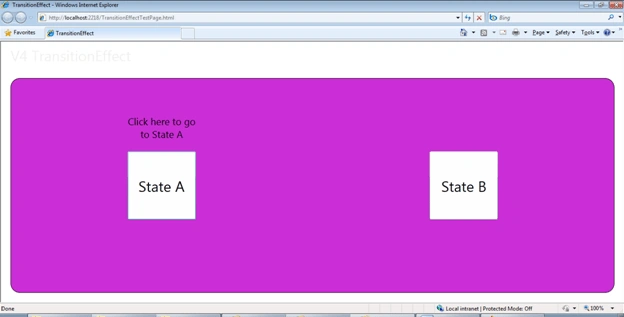
Please find the screenshots below:
We have two states, A and B as shown below:
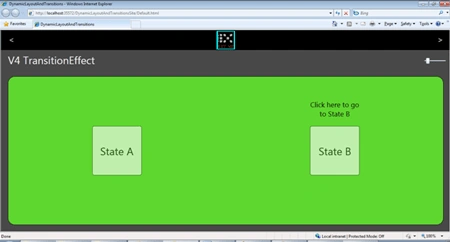
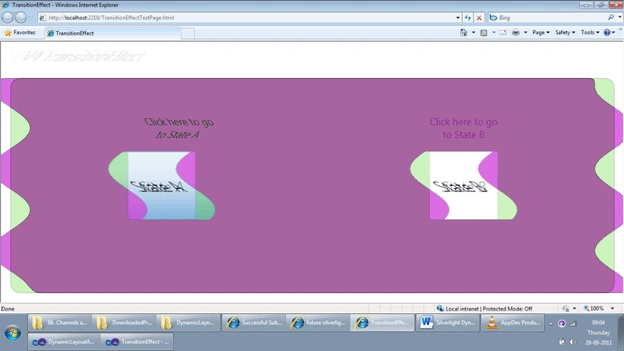
Clicking on B would take us to the State, but with a cool transition effect; caught live below :
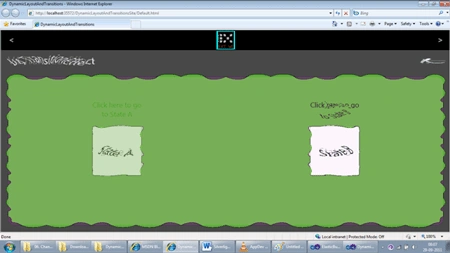
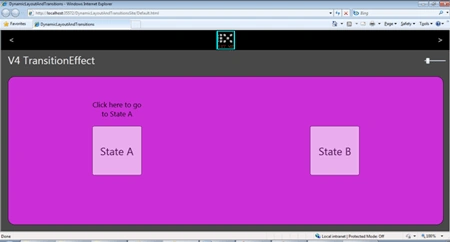
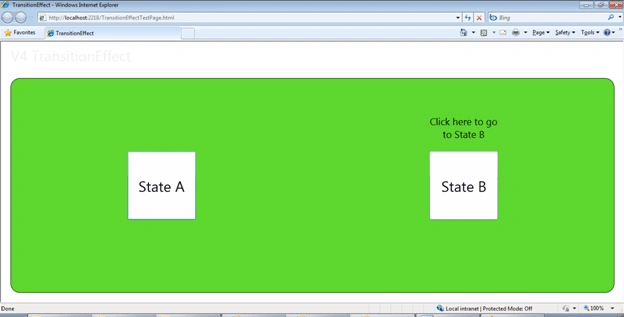
Finally the Transition is made and we reach State B. Clicking on A would
give us another Transition effect and we move to State A.
Now let's check out how we can achieve this.
First Step lets add a few References as shown below: These are Blend Dlls. As
we are going to use some Expression Blend SDK stuff here.
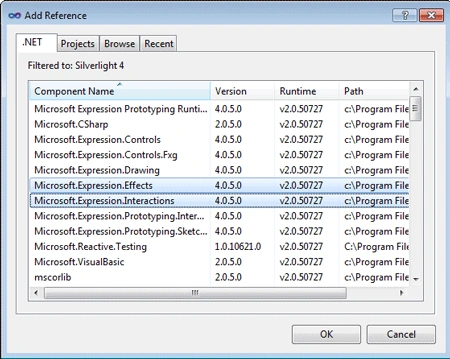
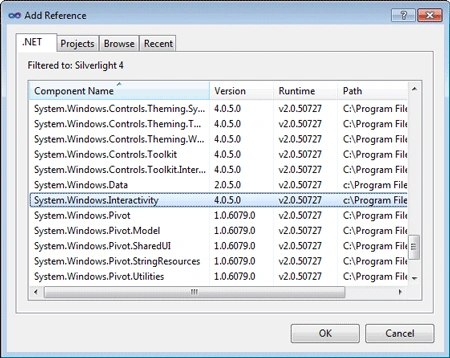
Make sure the following namespaces are added .
xmlns:ei="http://schemas.microsoft.com/expression/2010/interactions"
xmlns:ee="http://schemas.microsoft.com/expression/2010/effects"
xmlns:i="http://schemas.microsoft.com/expression/2010/interactivity"
Let's get into the Visual State Manager.
In my VisualStateManager I have created two states as shown below:
State A:
<VisualTransition
From="StateA"
GeneratedDuration="0:0:1"
To="StateB">
<VisualTransition.GeneratedEasingFunction>
<CubicEase
EasingMode="EaseOut"/>
</VisualTransition.GeneratedEasingFunction>
<ei:ExtendedVisualStateManager.TransitionEffect>
<ee:SmoothSwirlGridTransitionEffect/>
</ei:ExtendedVisualStateManager.TransitionEffect>
</VisualTransition>
In the
State A I have used a
SmoothSwirlGridTransitionEffect
Transition Effect.
State B:
<VisualTransition
From="StateB"
GeneratedDuration="0:0:1"
To="StateA">
<VisualTransition.GeneratedEasingFunction>
<CubicEase
EasingMode="EaseOut"/>
</VisualTransition.GeneratedEasingFunction>
<ei:ExtendedVisualStateManager.TransitionEffect>
<ee:WaveTransitionEffect/>
</ei:ExtendedVisualStateManager.TransitionEffect>
</VisualTransition>
Mahesh ChandPosted Sep 30, 2011, 8:32 AM
Well written. Do you need to download Effects separately or they are a part of VS?