

Introduction and Goal
This FAQ is completed dedicated to animations and transformations using SilverLight. The tutorial starts with animation basics like timelines and storyboard. Later the article moves ahead to talk about different animations supported and we finally end the tutorial with a simple rectangle animation.
I have collected around 400 FAQ questions and answers in WCF, WPF, WWF, SharePoint, design patterns, UML etc. Feel free to download these FAQ PDF's from my site http://www.questpond.com/
Some news about Silverlight which is floating around
I know I need to concentrate on technical for this article but still I found something interesting to share about achievements and news about SilverLight , just thought it should be shared. If you are still thinking SilverLight is not that worth putting effort then below are some news which can excite you :-
-
300 Million Installations of silverlight, not bad as compared to flash which is now there for years. We are not trying to underestimate flash but the start of flash was definitely not so good.
-
Ooooh Silverlight covered the last Olympics and NBC.
-
3000 developers and designers behind this initiative.
-
Netfix CEO redhastings joins on the Microsoft board of directors
Still not convinced read detail report at the end of this article here . Ok just that I am not biased I have also covered some bad news of Silverlight.
Other silverlight FAQ
Silverlight FAQ Part 1:- This tutorial has 21 basic FAQ's which will help you understand WPF , XAML , help your build your first silverlight application and also explains the overall silverlight architecture.
What is the definition of animation from Silverlight perspective?
Animation is modification of a value over a period of time. Due to the modification of value over a period of time it creates an illusion of animation. For instance you can place a circle and modify the 'Canvas.Right' property to create an animation which moves the circle to the right.
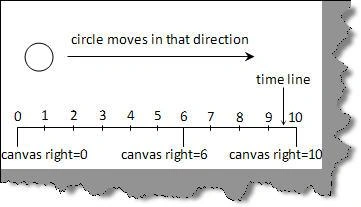
Figure: - Canvas right direction
What is a timeline in Silverlight?
Time represents a segment / unit of time on which the animation will move. The unit of time can be in seconds, minutes or hours. The unit depends on the animation nature. 'System.Windows.Media.Animation.Timeline' class represents the time line.
What are the different kinds of animation supported by Silverlight?
As said previously animation is all about a start value and the moving towards some new value and thus providing illusion. Silver light uses three properties for it 'From', 'To' and 'By'. 'From' specifies the start of the animation and 'To' specifies till where the animation should run. 'By' is relative animation. When we specify the 'From' and "By' animation progresses from the value specified by the 'From' property to the value specified by the sum of the 'From' and 'By' properties.
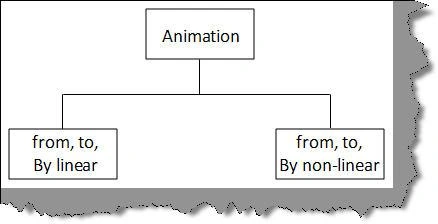
Figure :- Different kind of animations
Now again using 'From', 'By' and 'To' you can have linear animation or you can non-linear animation. In linear animation everything is straight forward while non-linear animation changes as per animation needs.
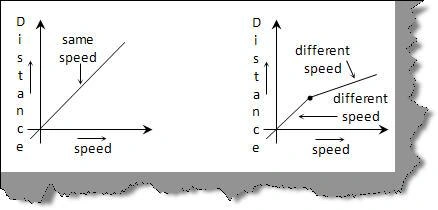
Figure :- Linear and Non-linear
Can you explain doubleanimation , coloranimation and pointanimation ?
As discussed in the previous question silverlight animation is all about specifying 'From' ,'To' and 'By' value for a property. Now the property can be a simple double value, can be color or can be a point. Silverlight has categorized these properties in to three sections as explained below.
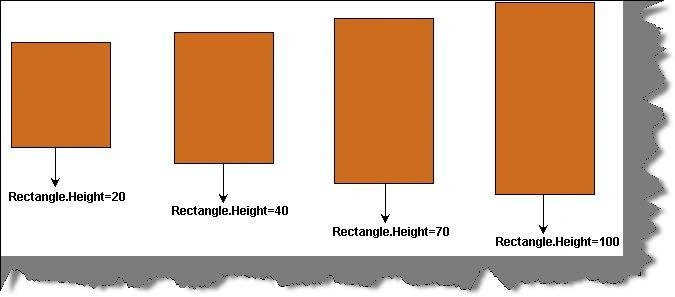
'DoubleAnimation' uses properties with double value, for instance Rectangle.Height or width. You can specify double values by using 'From','To' and 'By'.
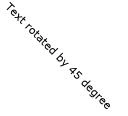
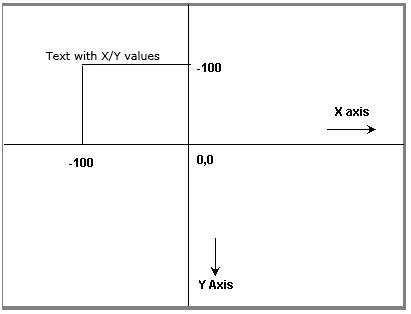
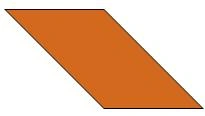
'PointAnimation' uses point value i.e. X, Y values for line segments and curves.
'ColorAnimation' helps to alter the value of color value of an object.

Gowtham RajamanickamPosted May 20, 2015, 12:58 AM
good