

This article demonstrates how to use RIA services with ADO.NET Entity Data Model
and how to use page navigation in Silverlight.
First of all as usual make a new Silverlight project and put name of project and
location. By default is creates 2 project like this.
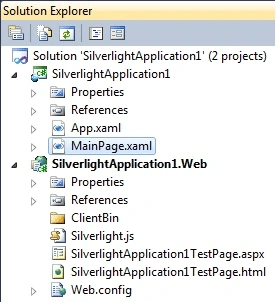
Image1.
There are two projects created there one is works as client and another one web
project works as server.
Now add data model in web project and configure it to database.
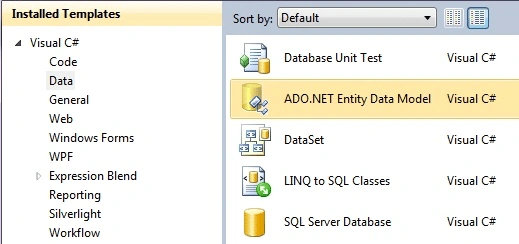
Image2.
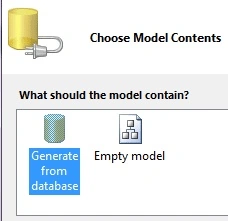
Image3
Click Next.
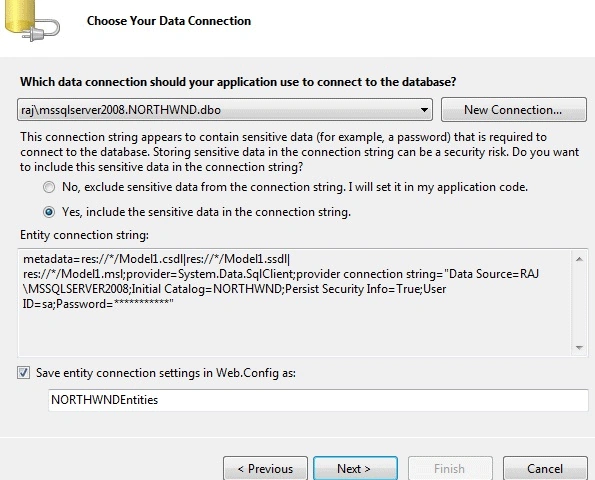
Image4.
Click Next. And choose database objects and click finish.
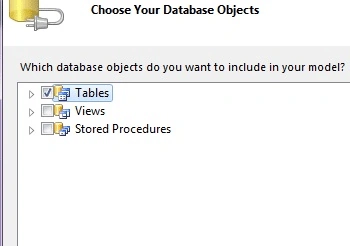
Image5
Now let's start working on client project.
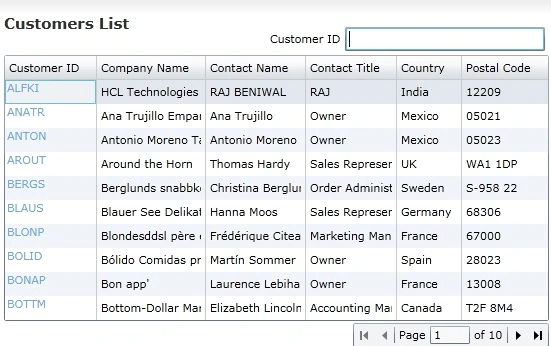
First of all we have to fetch data on a grid. So declare some namespace on page.
xmlns:riaControls="clr-namespace:System.Windows.Controls;assembly=System.Windows.Controls.DomainServices"
xmlns:dataform="clr-namespace:System.Windows.Controls;assembly=System.Windows.Controls.Data.DataForm.Toolkit"
xmlns:my1="clr-namespace:RIAExample.Web.Services"
xmlns:my2="clr-namespace:RIAExample.Controls"
xmlns:sdk="http://schemas.microsoft.com/winfx/2006/xaml/presentation/sdk"
here is DomainDataSurce
<riaControls:DomainDataSourceAutoLoad="True"
d:DesignData="{d:DesignInstancemy:Customer,CreateList=true}"Height="0"LoadedData="customerDomainDataSource_LoadedData"
Name="customerDomainDataSource"LoadSize="10"QueryName="GetCustomersQuery"
Width="0">
<riaControls:DomainDataSource.DomainContext>
<my1:CustomerDomainContext
/>
</riaControls:DomainDataSource.DomainContext>
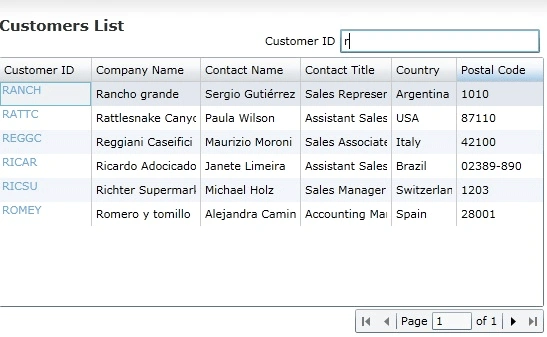
Filtering based on customer id with text box value
<riaControls:DomainDataSource.FilterDescriptors>
<riaControls:FilterDescriptor
PropertyPath="CustomerID"
Operator="StartsWith"
Value="{BindingElementName=customerIDText,
Path=Text}">
</riaControls:FilterDescriptor>
</riaControls:DomainDataSource.FilterDescriptors>
<riaControls:DomainDataSource.GroupDescriptors>
<riaControls:GroupDescriptorPropertyPath="CustomerID"
/>
</riaControls:DomainDataSource.GroupDescriptors>--></riaControls:DomainDataSource>
DataGrid part
<my2:BusyIndicator
x:Name="busyIndicator1"
Width="400"IsBusy="{BindingElementName=customerDomainDataSource,
Path=DomainContext.IsLoading}" />
Almond MonteagudoPosted Jun 7, 2012, 1:45 AM
Hello, I am new with silverlight. Would like to ask if you have implemented a text box search where in the field type is of date. Also, can it be done using related field such a customer table where there is a fields name cust_supplier_idno which is related to the supplier table's supplier_idno. I have been looking for such a solution and having a hard time looking for one. Most of the solutions are in MVVM and i wondering if it could be implemented using EF an RIA Services. Thanks in advance guys. almond
habPosted Jun 15, 2010, 10:39 AM
I have an iissue that is caused after update a model from the database. Here are the sequence of events. 1) Open the *.edmx file (e.g. Model1.edmx) from the Web project 2) Right-Click and slect “Update Model from the Database” 3) Follow the wizard and updated the changes I’ve made to the database (for example , adding a new column) 4)At this point I see the tables my Model1.edmx are successfully updated (I could see the extra column I’ve added) Also, I can retrieve (read) data and display it on my DataGrid 5) BUT, could not update, delete or add records back to the database. Please note that before I have execute the “Update Model from the Database” (#2), I was able to do update , delete and remove.
m lPosted Jun 3, 2010, 7:20 AM
Thanks Raj, I cannot find the attached project mate. Has it been uploaded? Thanks Mick