

Introduction
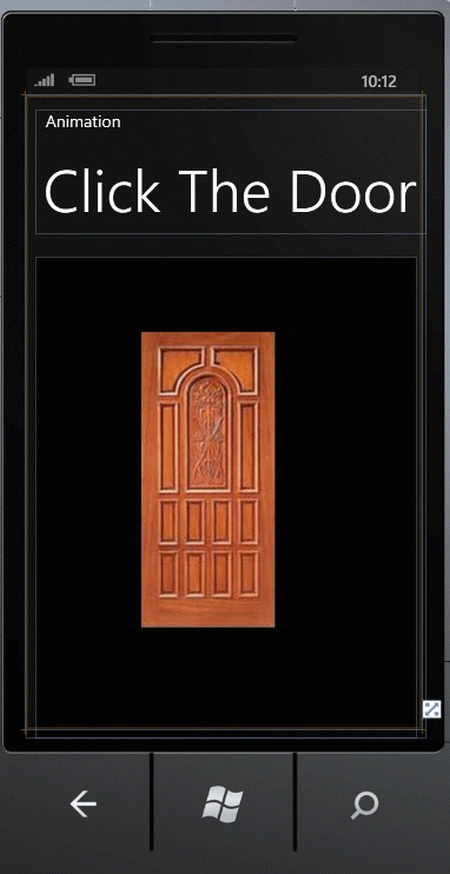
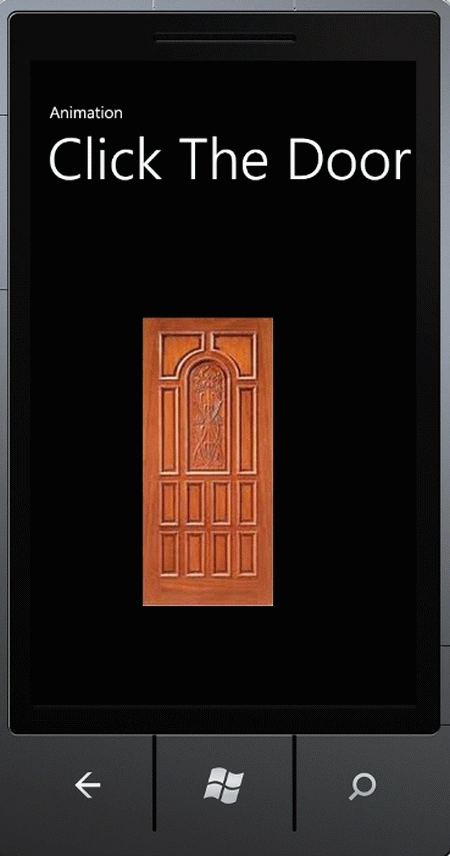
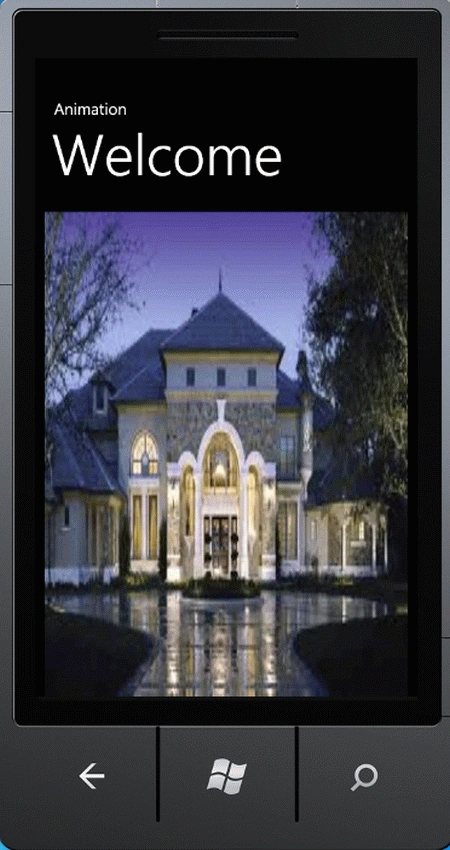
In this article we will create a simple animation in a Windows Phone 7 application. In this animation we will click on a door, then the door will be open and show a dream home. To do this we will need to use the namespace System.Windows.Media.Animation and the class DoubleAnimation. An animation updates the value of a property over a period of time. An animation effect can be subtle, such as moving a Shape a few pixels left and right, or dramatic, such as enlarging an object to 200 times its original size while spinning it and changing its color. The DoubleAnimation class creates a transition between two target values. To set its target values, use its From,To, and By properties. The following table summarizes how the From, To, and By properties may be used together or separately to determine an animation's target values.
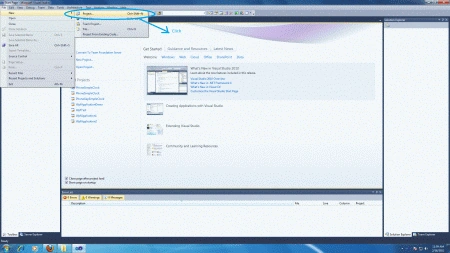
Step 1: In this step first of all we have to open a Windows Phone application.
- Go to Visual Studio 2010
- File->New->Project
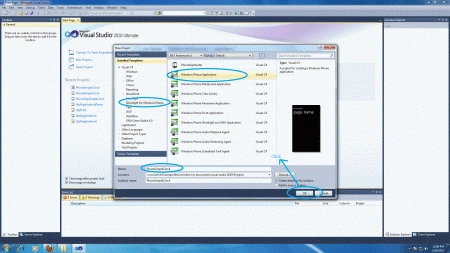
- Select the template named as Silverlight for Windows Phone
- Select the Windows Phone application
- Give it a name as you want.
Step 2: In MainPage.xaml we will use a storyBoard control to create an animation with sub control double animation within the Application.Resources Control. The customize code is written below:
Code
<phone:PhoneApplicationPage.Resources>
<Storyboard x:Name="DoorOpen">
<DoubleAnimation Duration="0" To="0" Storyboard.TargetProperty="(UIElement.Projection).(PlaneProjection.CenterOfRotationX)" Storyboard.TargetName="LayoutRoot" d:IsOptimized="True"/>
<DoubleAnimationUsingKeyFrames Storyboard.TargetProperty="(UIElement.Projection).(PlaneProjection.RotationX)" Storyboard.TargetName="LayoutRoot">
<EasingDoubleKeyFrame KeyTime="0" Value="0"/>
<EasingDoubleKeyFrame KeyTime="0:0:0.5" Value="0"/>
</DoubleAnimationUsingKeyFrames>
<DoubleAnimationUsingKeyFrames Storyboard.TargetProperty="(UIElement.Projection).(PlaneProjection.RotationY)" Storyboard.TargetName="LayoutRoot">
<EasingDoubleKeyFrame KeyTime="0" Value="0"/>
<EasingDoubleKeyFrame KeyTime="0:0:0.5" Value="90"/>
</DoubleAnimationUsingKeyFrames>
</Storyboard>
</phone:PhoneApplicationPage.Resources>
Step 3: Complete Source code of Design page.
Code
<phone:PhoneApplicationPage
x:Class="Animations.MainPage"
xmlns="http://schemas.microsoft.com/winfx/2006/xaml/presentation"
xmlns:x="http://schemas.microsoft.com/winfx/2006/xaml"
xmlns:phone="clr-namespace:Microsoft.Phone.Controls;assembly=Microsoft.Phone"
xmlns:shell="clr-namespace:Microsoft.Phone.Shell;assembly=Microsoft.Phone"
xmlns:d="http://schemas.microsoft.com/expression/blend/2008"
xmlns:mc="http://schemas.openxmlformats.org/markup-compatibility/2006"
mc:Ignorable="d" d:DesignWidth="480" d:DesignHeight="768"
FontFamily="{StaticResource PhoneFontFamilyNormal}"
FontSize="{StaticResource PhoneFontSizeNormal}"
Foreground="{StaticResource PhoneForegroundBrush}"
SupportedOrientations="Portrait" Orientation="Portrait"
shell:SystemTray.IsVisible="True">
<phone:PhoneApplicationPage.Resources>
<Storyboard x:Name="DoorOpen">
<DoubleAnimation Duration="0" To="0" Storyboard.TargetProperty="(UIElement.Projection).(PlaneProjection.CenterOfRotationX)" Storyboard.TargetName="LayoutRoot" d:IsOptimized="True"/>
<DoubleAnimationUsingKeyFrames Storyboard.TargetProperty="(UIElement.Projection).(PlaneProjection.RotationX)" Storyboard.TargetName="LayoutRoot">
<EasingDoubleKeyFrame KeyTime="0" Value="0"/>
<EasingDoubleKeyFrame KeyTime="0:0:0.5" Value="0"/>
</DoubleAnimationUsingKeyFrames>
<DoubleAnimationUsingKeyFrames Storyboard.TargetProperty="(UIElement.Projection).(PlaneProjection.RotationY)" Storyboard.TargetName="LayoutRoot">
<EasingDoubleKeyFrame KeyTime="0" Value="0"/>
<EasingDoubleKeyFrame KeyTime="0:0:0.5" Value="90"/>
</DoubleAnimationUsingKeyFrames>
</Storyboard>
</phone:PhoneApplicationPage.Resources>
<!--LayoutRoot is the root grid where all page content is placed-->
<Grid x:Name="LayoutRoot" Background="Transparent" Height="780" Width="486">
<Grid.Projection>
<PlaneProjection/>
</Grid.Projection>
<Grid.RowDefinitions>
<RowDefinition Height="196"/>
<RowDefinition Height="572*"/>
</Grid.RowDefinitions>
<!--TitlePanel contains the name of the application and page title-->
<StackPanel x:Name="TitlePanel" Grid.Row="0" Margin="12,17,0,28">
<TextBlock x:Name="ApplicationTitle" Text="Animation
" Style="{StaticResource PhoneTextNormalStyle}"/>
Join the conversation! Your thoughts help the community grow.