

Introduction
In this article, we are learning how to create dropdown with the help of Entity Framework from database. We will be using select-View. Let’s start.
Step 1
Firstly, we are creating a table in our database. Here, my table name is college.
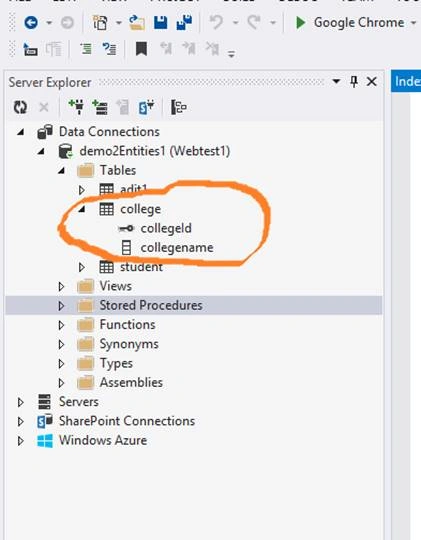
The college table has two files named - collegeid and collegename.
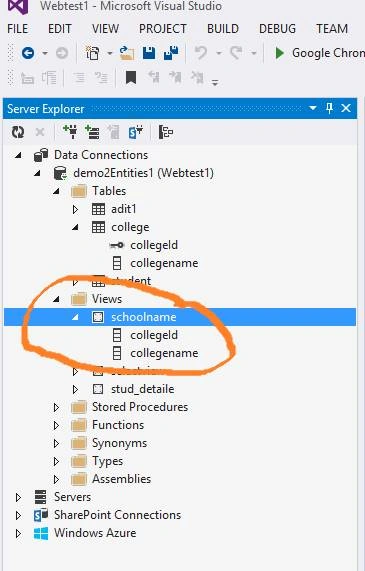
Now, we have created select-view in database.
- CREATE VIEW [dbo].[schoolname] AS SELECT collegeId,collegename FROM [college]
Step 2
Let's go to Solution Explorer and here, we are going to create a Home controller. After that, select Model and right click.
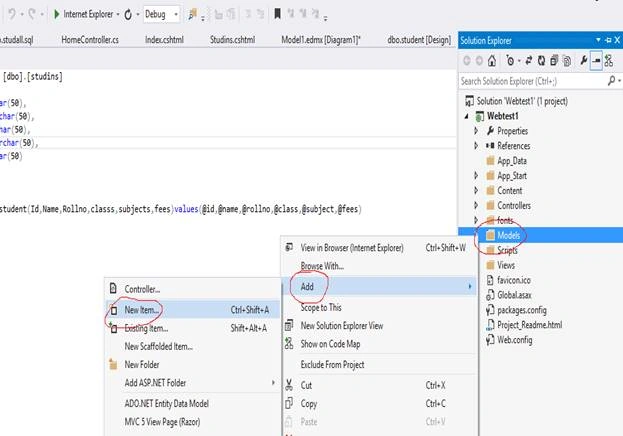
After that, select the ADO.NET Entity Data Model and click on "Add" button.
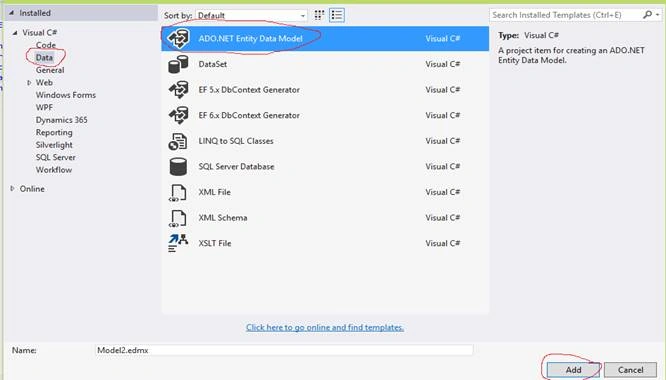
Now, Entity Data Model Wizard is open. Select -> "The Generate from database" option and click Next.
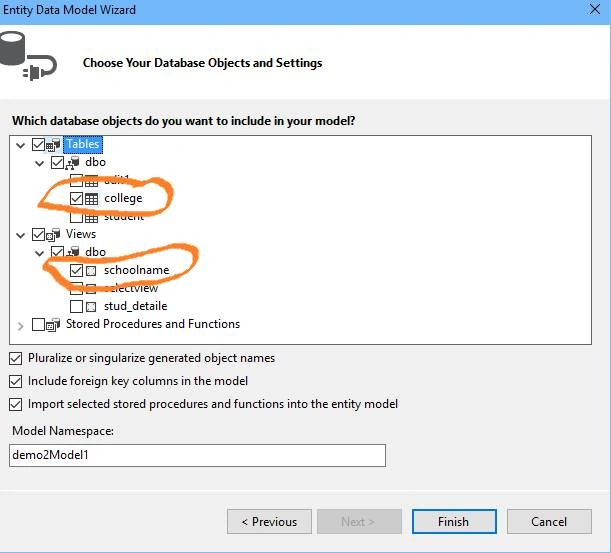
Here, check the college table and in View, we have checked our View with the name schoolname.
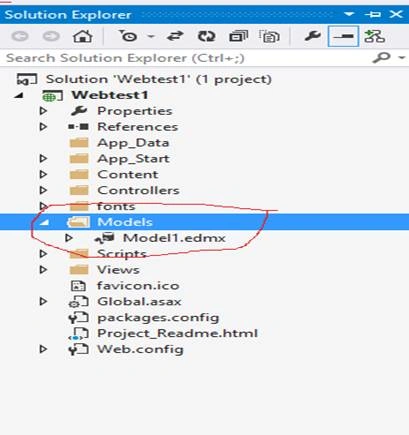
Now, our model is ready.
Step 3
Now, we are going to Controllers folder.
- using System;
- using System.Collections.Generic;
- using System.Linq;
- using System.Web;
- using System.Web.Mvc;
- using Webtest1.Models;
- namespace Webtest1.Controllers
- {
- public class HomeController : Controller
- {
- demo2Entities1 ds = new demo2Entities1();
- public ActionResult Index()
- {
- return View();
- }
- }
- public ActionResult Studins()
- {
- var items = ds.schoolnames.ToList();
- if(items!=null)
- {
- ViewBag.data = items;
- }
- return View();
- }
And now, add new View.
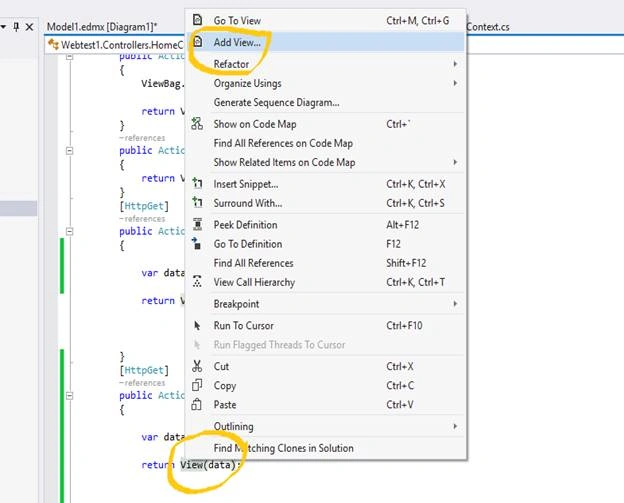
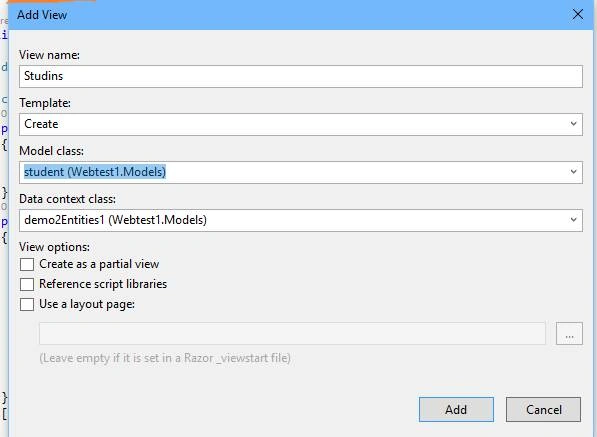
Now, click on "Add" button. After that, your View is ready. And here, your dropdown list is created; bind it with View bag.
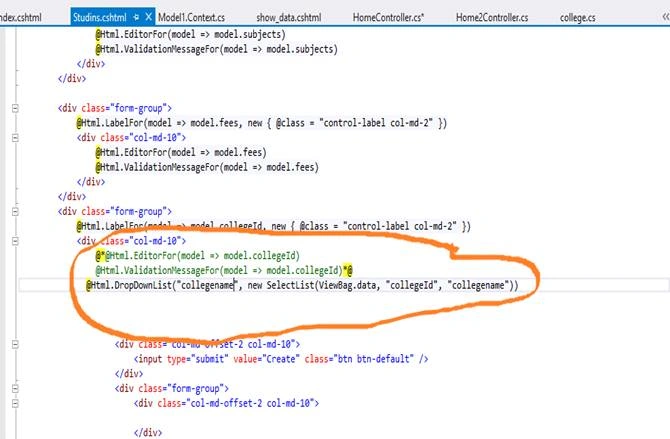
Compile your code and run it.
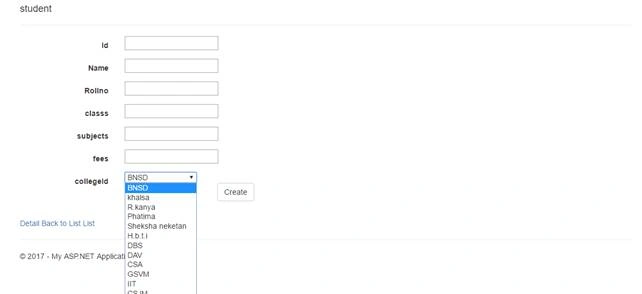
Now, you can see that the dropdown is simply ready!!!.
Abdurahman Yusuf AbdiPosted Aug 14, 2018, 8:01 PM
It does not work sir he show this error @Html.DropDownList("semester", new SelectList(ViewBag.data, "Sno", "SemesterName")) DataBinding: 'OnlineExams.Models.Program' does not contain a property with the name 'SemesterName'.
Satyendra PatelPosted May 3, 2017, 4:26 AM
thanks for comment
Manav PandyaPosted May 3, 2017, 4:22 AM
Nice one ..............................