

This ultimate product will be there with us for a long time in the future so let's see what can it do.
Below you can see a screen shot on the site settings page in SharePoint 2013. I will divide this page into parts so that I may cover each of them in an easy way for my readers to understand.
So in Part 1 I will cover up to Users and Permissions.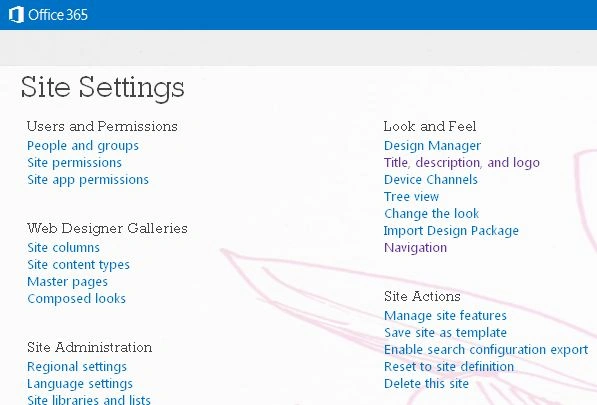
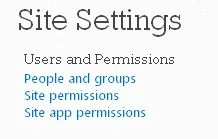
First under site settings we have People and groups where we have default groups as well as custom groups that are added through site permissions.
So, it's like a place having all the users and groups in one place.
Then we have Site Permissions.
First we have Manage Parent where you can add Users and Groups and assign them to the parent level of permissions.
Then we have in there as Stop Inheriting Permissions where you can provide your site a unique set of permissions or can inherit from the Top Level site.
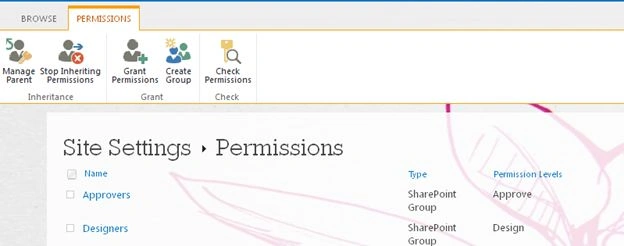
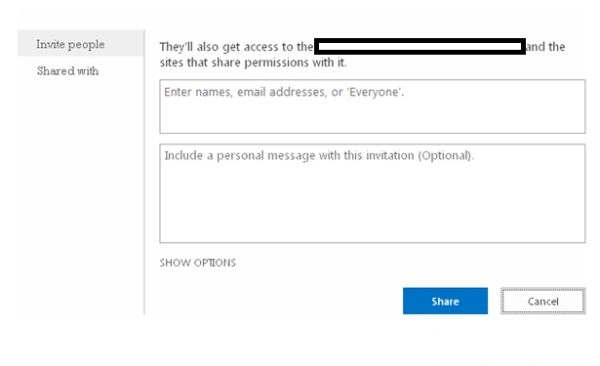
Then we have Grant Permissions where you can provide permissions to users as well as groups as Owners, Approvers, Designers, Full Control, Read, Contribute and View Access.
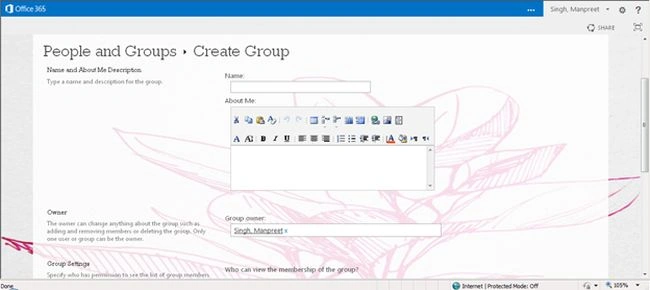
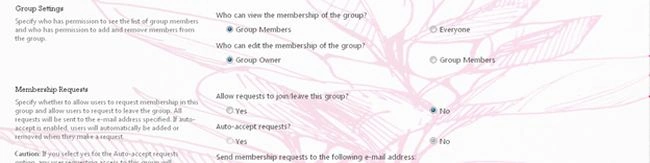
Then we have Create Groups. As we can see we have the following input form to fill in the details as name, about it, the group owner, who can view the membership, who can leave the membership, who can allow users to join or leave the group, Auto accept requests and finally who should receive an email to approve users to join the group.
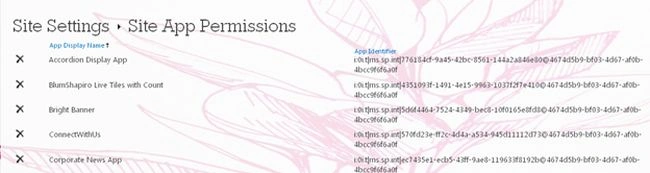
Finally we have Site App Permissions that are new in the 2013 version. Here it displays all the app's permission levels with the identifier.
So here we have completed Part 1. Be there for other parts coming up.
Until then, keep Learning.
Join the conversation! Your thoughts help the community grow.