
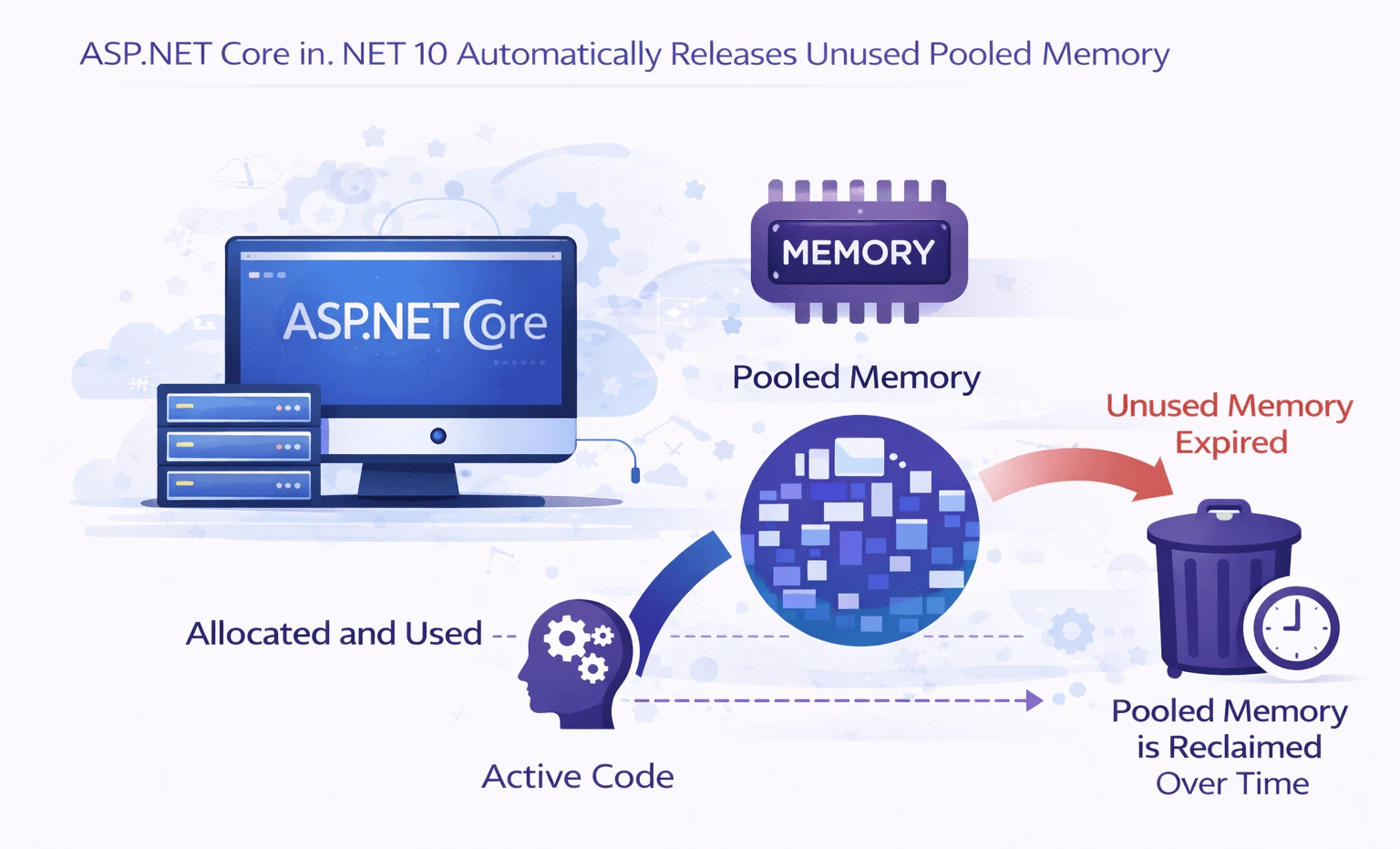
In high-performance web applications, memory management is often the silent bottleneck. Long-running apps—APIs, gRPC services, and real-time applications—rely heavily on pooled buffers to reduce allocations and minimize GC overhead. Historically, these pools could grow aggressively under load and retain large chunks of memory even during idle periods, which often led to confusing memory footprints, container OOM issues, or high Gen 2 heap usage.
With .NET 10, the runtime introduces automatic trimming of unused pooled memory. This enhancement is runtime-wide, so any C# application using pooled buffers benefits. However, ASP.NET Core sees the most dramatic improvements because its request/response pipelines, Kestrel buffers, JSON serialization, and networking I/O frequently rent large buffers under load. Now, after bursts of traffic, idle buffers are released automatically, lowering memory usage and GC pressure— all without changing your application code.
In this article, we’ll explore how pooling works in ASP.NET Core, show real before-and-after scenarios, and highlight best practices and anti-patterns to maximize the benefits of smarter memory management in .NET 10.
In this post, we’ll explore:
Why pooled memory has historically been a problem
What changed in .NET 10
How ASP.NET Core benefits automatically
What this means for your own code
Real-world examples and best practices
The Hidden Cost of Memory Pools in Long-Running Apps
Memory pooling is one of the reasons ASP.NET Core is so fast. Internally, it uses pools for:
ArrayPool<T>Kestrel buffers
Request/response pipelines
JSON serialization
Networking and I/O
The idea is simple:
Reuse memory instead of constantly allocating and freeing it.
The Problem
In long-running applications, memory pools tend to grow to peak usage and then never shrink, even when traffic drops.
This leads to:
Higher steady-state memory usage
Larger GC heaps
More GC pause time
Increased container and VM costs
Risk of OOM in Kubernetes environments
Historically, once a pool grew, it stayed big forever.
What’s New in .NET 10
Starting with .NET 10, pooled memory management becomes adaptive and self-correcting.
Key Improvement
Unused pooled memory is automatically released back to the GC when it is no longer needed.
This applies to:
ArrayPool<T>and internal framework poolsASP.NET Core request infrastructure
Kestrel’s buffer management
The runtime now:
Tracks real usage patterns
Detects sustained idle memory
Gradually trims pools under low pressure
Cooperates with the GC instead of fighting it
⚠️ Important: This behavior is automatic. Most applications require zero code changes.
Why This Matters for ASP.NET Core
Before .NET 10
Traffic spike → pool grows → traffic drops → memory stays allocated With .NET 10
Traffic spike → pool grows → traffic drops → pool shrinks → memory released 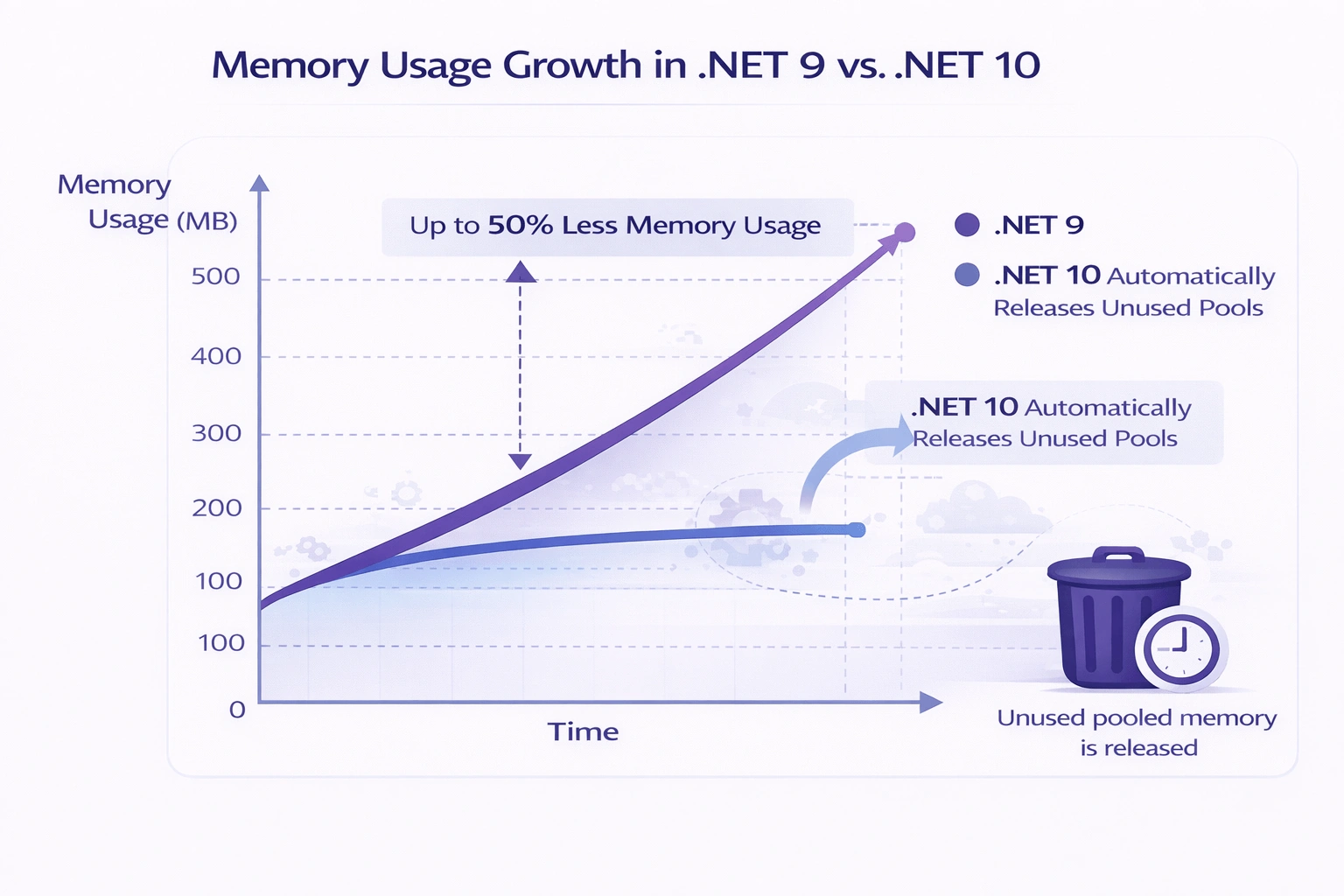
This is a huge win for:
APIs running 24/7
Background services
Multi-tenant systems
Kubernetes and container-based hosting
Azure App Services with memory limits
ASP.NET Core Pooling Examples:
1. ArrayPool<T> – Manual Buffer Pooling
Scenario
You need temporary buffers for CPU or I/O heavy operations without allocating repeatedly.
Example
using System.Buffers;

public static class BufferProcessor
{
    public static void Process()
    {
        var pool = ArrayPool<byte>.Shared;
        byte[] buffer = pool.Rent(1024 * 1024); // 1 MB

        try
        {
            // Simulate work
            buffer[0] = 42;
        }
        finally
        {
            pool.Return(buffer, clearArray: false);
        }
    }
}
Why This Matters
Avoids frequent allocations
Reduces GC pressure
In .NET 10, unused buffers are now automatically released during idle periods
2. Kestrel Buffers – High-Performance Request Handling
Scenario
Kestrel internally pools buffers for handling HTTP requests and responses.
Example (Custom Server Limits)
var builder = WebApplication.CreateBuilder(args);

builder.WebHost.ConfigureKestrel(options =>
{
    options.Limits.MaxRequestBufferSize = 1024 * 1024; // 1 MB
    options.Limits.MaxResponseBufferSize = 1024 * 1024;
});

var app = builder.Build();

app.MapGet("/", () => "Hello from pooled Kestrel buffers!");

app.Run();
Why This Matters
Kestrel uses pooled memory for socket reads/writes
Buffers scale under load
.NET 10 trims unused buffers automatically
Especially impactful for APIs with burst traffic
3. Request/Response Pipelines – Stream & Buffer Reuse
Scenario
Reading and writing request/response bodies efficiently.
Example
app.MapPost("/upload", async (HttpRequest request) =>
{
    using var memory = new MemoryStream(); // Internally uses pooled buffers
    await request.Body.CopyToAsync(memory);

    return Results.Ok(new
    {
        Size = memory.Length
    });
});
What’s Happening Internally
ASP.NET Core rents buffers during
CopyToAsyncBuffers are returned to the pool after request completion
.NET 10 ensures idle buffers are released over time
Best Practice
Avoid keeping streams alive beyond the request
Never store request buffers in static fields
4. JSON Serialization – Pooled Buffers via System.Text.Json
Scenario
Serializing and deserializing JSON at high throughput.
Example
using System.Text.Json;

app.MapGet("/json", () =>
{
    var model = new
    {
        Id = 1,
        Name = "ASP.NET Core",
        Version = ".NET 10"
    };

    return Results.Json(model);
});
Under the Hood
System.Text.Jsonuses pooled buffersUTF-8 encoding avoids string allocations
Shared buffer pools are reused across requests
Advanced Example (Explicit Options)
var options = new JsonSerializerOptions
{
    PropertyNamingPolicy = JsonNamingPolicy.CamelCase
};

var json = JsonSerializer.Serialize(model, options);
.NET 10 Benefit
Large serialization buffers are now trimmed when idle
Improves long-running API memory stability
5. Networking and I/O – Socket & Stream Pooling
Scenario
Reading data from network streams efficiently.
Example
using System.Buffers;

public static async Task ReadFromStreamAsync(Stream stream)
{
    var pool = ArrayPool<byte>.Shared;
    byte[] buffer = pool.Rent(8192);

    try
    {
        int bytesRead;
        while ((bytesRead = await stream.ReadAsync(buffer, 0, buffer.Length)) > 0)
        {
            // Process buffer
        }
    }
    finally
    {
        pool.Return(buffer);
    }
}
Why This Matters
Common in:
gRPC
WebSockets
HTTP/2
Custom protocols
Avoids per-read allocations
.NET 10 releases unused buffers during idle periods
Key Best Practices Across All Pooling Scenarios
✅ Do
Always return rented buffers
Keep pooled objects short-lived
Let ASP.NET Core manage pooling when possible
❌ Don’t
Cache pooled buffers in static fields
Assume pooled memory is infinite
Hold buffers across async boundaries longer than needed
Anti-Patterns to Avoid
Even with automatic trimming, poor pooling practices can negate benefits:
Holding pooled buffers in static fields → Prevents trimming.
Treating pooled memory as long-term state → Data corruption risk.
Forgetting to return buffers → Memory leaks under exceptions.
Pooling tiny allocations unnecessarily → Adds overhead.
Ignoring
Dispose()for pooled objects → Native resources not released.Holding request buffers beyond request lifetime → Undefined behavior.
Creating custom pools without justification → Hard to maintain.
Clearing buffers unnecessarily → CPU overhead; only do for sensitive data.
Using pools to mask memory leaks → Fix lifetimes instead.
Ignoring idle memory in long-running services → Wasteful, even with .NET 10 improvements.
👉 Learn more about common Anti-Patterns in ASP.NET Core memory management.
Rule: Rent late, return early, dispose properly, and let .NET 10 handle trimming.
Kubernetes & Containers: Where This Shines
In containerized environments:
Memory limits are strict
Over-allocation can trigger restarts
Idle memory still counts against limits
With .NET 10:
ASP.NET Core returns unused memory
Containers stabilize at realistic memory baselines
Fewer unexpected OOM kills
This makes .NET far more competitive with traditionally “lighter” runtimes in cloud-native workloads.
Do You Need to Change Your Code?
Short Answer: No.
However, good practices still matter:
✅ Do
Continue using pooling APIs
Return rented buffers promptly
Dispose streams and writers
Avoid static caches with unbounded growth
❌ Don’t
Hold pooled buffers longer than necessary
Store pooled arrays in static fields
Assume pools are infinite
Advanced Scenario: Custom Pools
If you’ve implemented your own pooling logic, consider whether you still need it.
In many cases:
Built-in pooling + .NET 10 trimming
Outperforms custom implementations
Is safer and more memory-efficient
Key Takeaway
After years of profiling memory dumps, analyzing GC traces, and debugging “why does my app use 3 GB after a week?” issues, this change is long overdue.
.NET 10’s smarter pooled memory management:
Reduces operational risk
Improves cloud efficiency
Makes ASP.NET Core even more production-friendly
If you build long-running services, this is one of the most impactful runtime improvements you’ll benefit from—often without even realizing it.
Happy Coding!
I write about modern C#, .NET, and real-world development practices. Follow me on C# Corner for regular insights, tips, and deep dives.
Join the conversation! Your thoughts help the community grow.