Introduction
In this article I describe snap view in Windows Store Apps. The snap view allows us to create a targeted view of 320px wide. A width of 320px is a common and familiar size that we are already designing for on various platforms.
When we use grid apps or Split Apps than we will get all the code that shows a different view in Snap View.
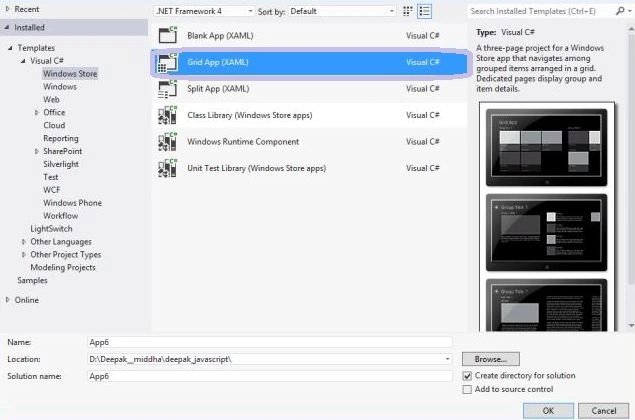

When we use a blank app to create a Windows Store App then we make some changes, first we change the page to a Layoutaware page. For this make the following change:
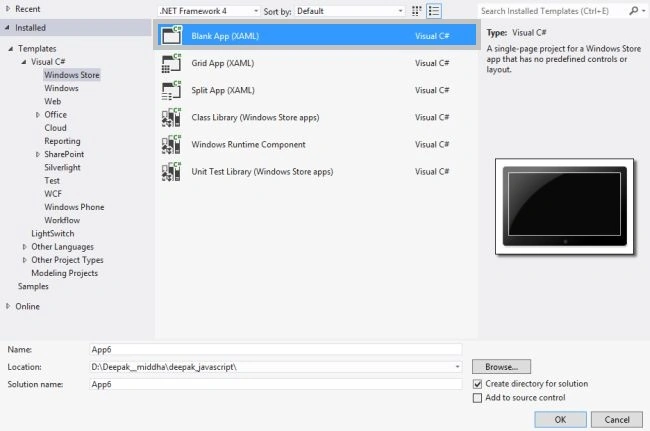
Change in the Blackpage.xaml.cs:
change the following:
public sealed partial class MainPage : Page
to:
public sealed partial class MainPage : LayoutAwarePage
changes in blankpage.xml:
Change the following:
<Page
x:Class="Application1.BlankPage"
xmlns="http://schemas.microsoft.com/winfx/2006/xaml/presentation"
xmlns:x="http://schemas.microsoft.com/winfx/2006/xaml"
xmlns:local="using:Application1"
xmlns:d="http://schemas.microsoft.com/expression/blend/2008"
xmlns:mc="http://schemas.openxmlformats.org/markup-compatibility/2006"
mc:Ignorable="d">
to
<common:LayoutAwarePage
x:Name="pageRoot"
x:Class="Application1.BlankPage"
xmlns="http://schemas.microsoft.com/winfx/2006/xaml/presentation"
xmlns:x="http://schemas.microsoft.com/winfx/2006/xaml"
xmlns:local="using:Application1"
xmlns:common="using:Application1.Common"
xmlns:d="http://schemas.microsoft.com/expression/blend/2008"
xmlns:mc="http://schemas.openxmlformats.org/markup-compatibility/2006"
mc:Ignorable="d">
Adding of visual State manager:
Now we add A visual state manager. The Visual state manager manages the various views in various sizes automatically. The XAML for it is:
<VisualStateManager.VisualStateGroups>
<VisualStateGroup>
<VisualState x:Name="FullScreenLandscape"/>
<VisualState x:Name="Filled"/>
<VisualState x:Name="FullScreenPortrait"/>
<VisualState x:Name="Snapped">
<Storyboard>
<ObjectAnimationUsingKeyFrames Storyboard.TargetName="MyListScroller" Storyboard.TargetProperty="Visibility">
<DiscreteObjectKeyFrame KeyTime="0" Value="Visible"/>
</ObjectAnimationUsingKeyFrames>
<ObjectAnimationUsingKeyFrames Storyboard.TargetName="MyGridScroller" Storyboard.TargetProperty="Visibility">
<DiscreteObjectKeyFrame KeyTime="0" Value="Collapsed"/>
</ObjectAnimationUsingKeyFrames>
</Storyboard>
</VisualState>
</VisualStateGroup>
</VisualStateManager.VisualStateGroups>
Summary
In this article I described how to create a Windows StoreApp for Listview Rating using JavaScript. I hope this article has helped you in understanding this topic. Please share it. If you know more about this, your feedback and constructive contributions are welcome.


JustinPosted Aug 14, 2013, 4:14 PM
One issue I sewe with this article is that you talk about changing the page to inherit from LayoutAwarePage - yet you do not provide any information about that class or what it does.