

This is a continuation of the Snapshot Replication in SQL Server 2008: Part 1. In these articles I'll shed light on setting up a publisher in Snapshot Replication and recommend that you read the article shown as a link. I thought to keep the pictorial concept so that anyone can easily setup and map at their end.
Publisher
The Publisher can be denoted as Origin of the database on which the schema or record amendments take place. The Publisher is a point that manages the data for replication and sends commands to the distributor for further processing. For example, S1.
Subscriber
The Subscriber is a point where the subscriber database incurs the notification and a copy of the data from the distributor about the changes that have happened in the publisher database. The subscriber database generally lives on a different system, for example S2.
Setting up the Publisher
Step 1
Open the replication node in your database and choose the option Local Publications.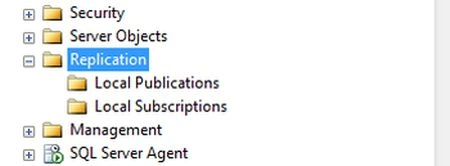
Step 2
Right-click on Local Publications and click on New publication.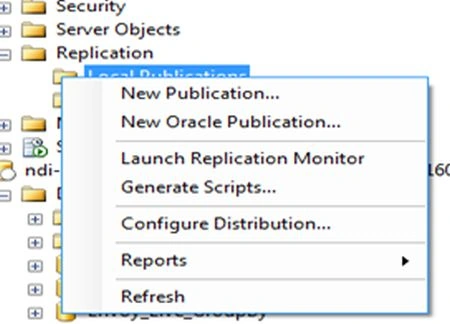
Step 3
After clicking on the new publication tab the following window will appear and click on the “Next” button.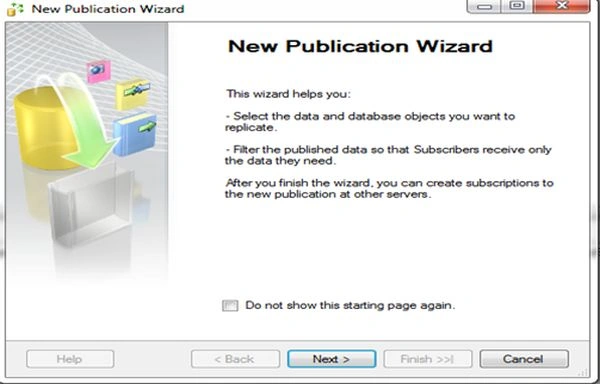
Step 4
Select the database that will act as a publisher. I've chosen DBCompany on my server machine. Then click on the “Next” button.
Step 5
The following window appears. Choose a snapshot replication option out of 4 options there and click on the “Next” button.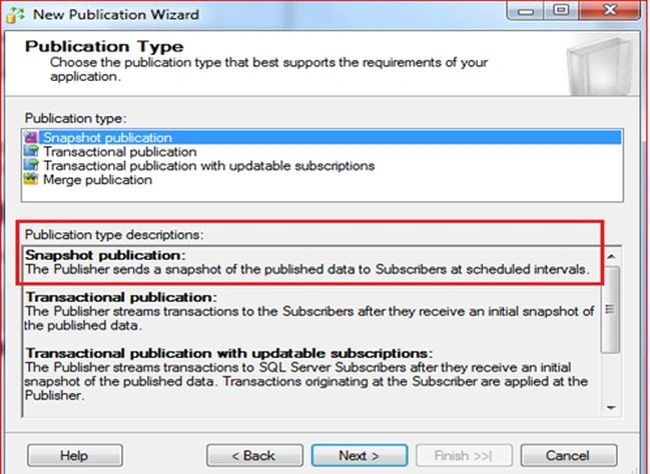
Step 6
Select the objects you want to publish. For example I've selected the employee and Incentive table that need to replicate. (Kindly refer to the depicted image below.) Then click on the “Next” button.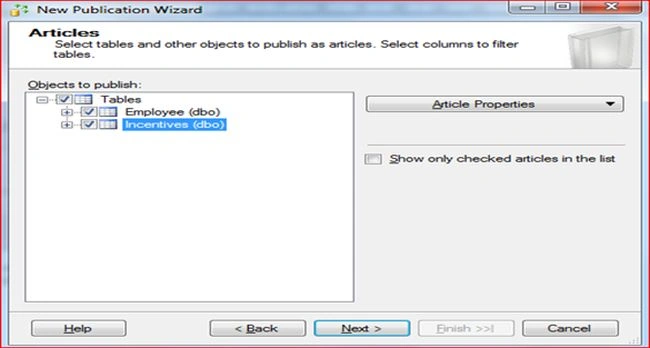
Step 7
The following window will appear. Click on the “Next” button.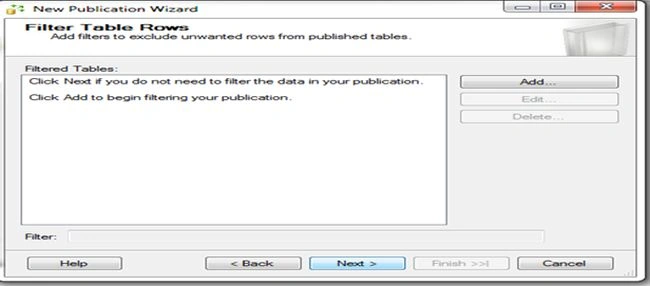
Step 8
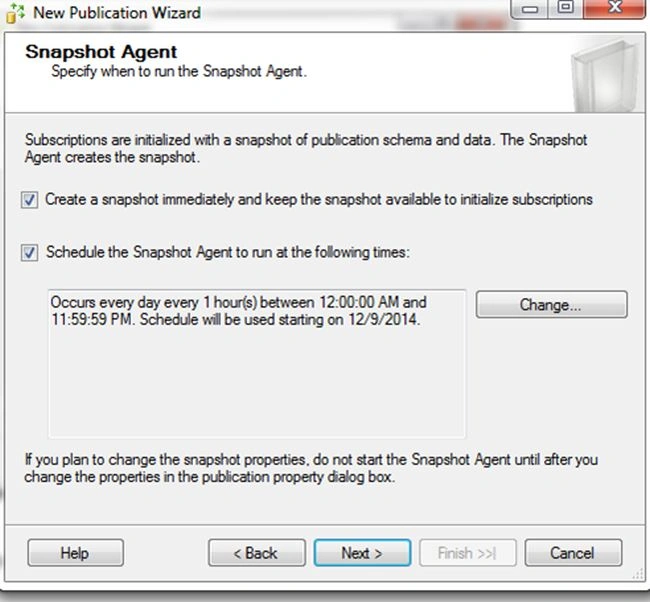
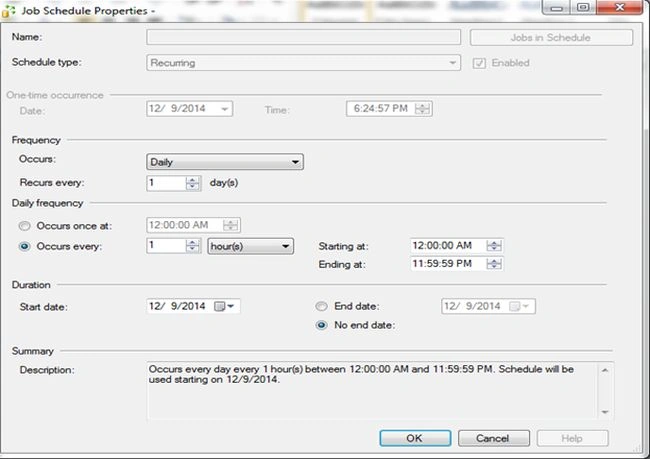
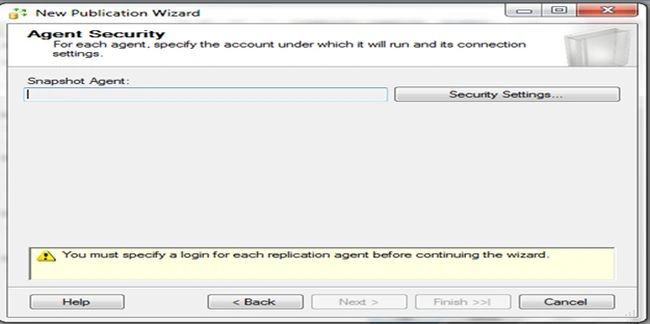
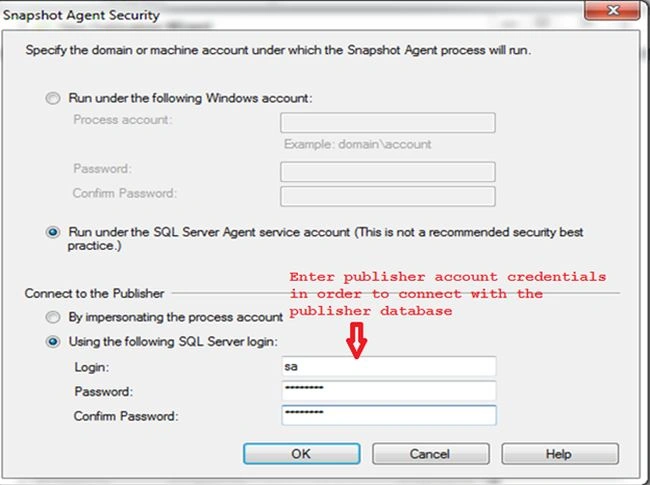
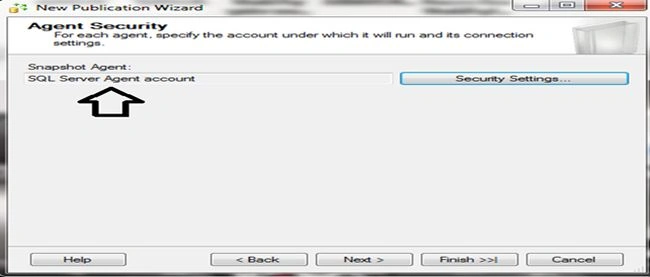
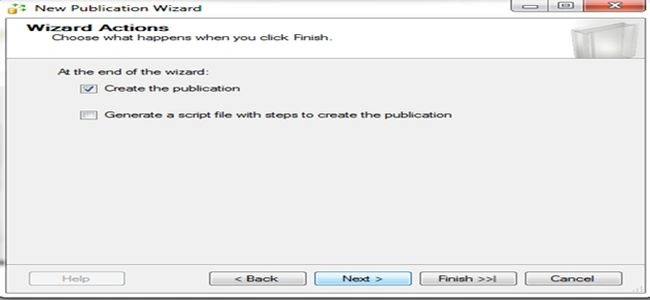




Join the conversation! Your thoughts help the community grow.