

Introduction
Recently, I got the below error while I was connecting to SharePoint Online Tenant using PnPjs.
Error message
Connect-PnPOnline: AADSTS50076: Due to a configuration change made by your administrator, or because you moved to a new location, you must use multi-factor authentication to access '00000003-0000-0ff1-ce00-000000000000'.
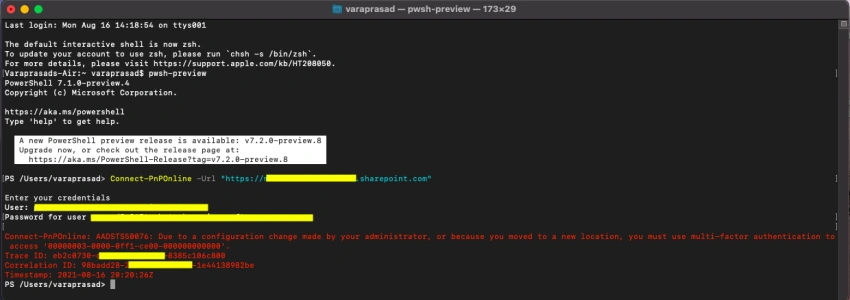
Let's see the steps to resolve this error.
Solution
Step 1
Go to https://portal.azure.com/#home
Step 2
Search for Azure Active Directory.
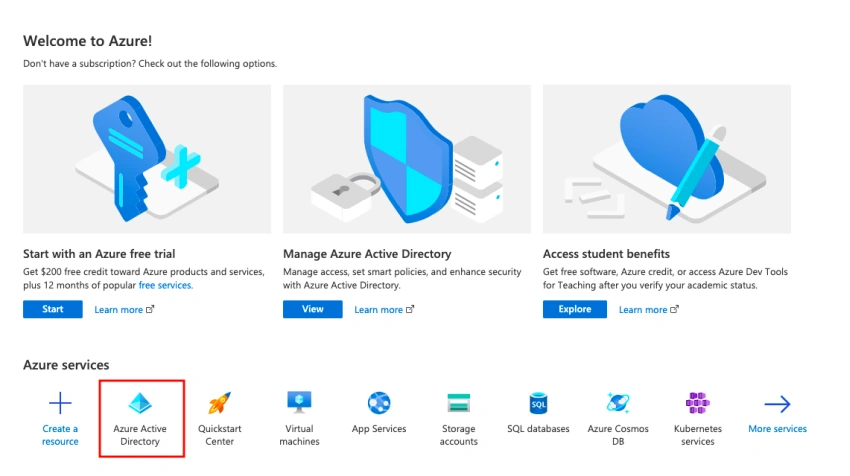
Step 3
Once you are in the Azure Active Directory pane, click on Properties in the left navigation menu.
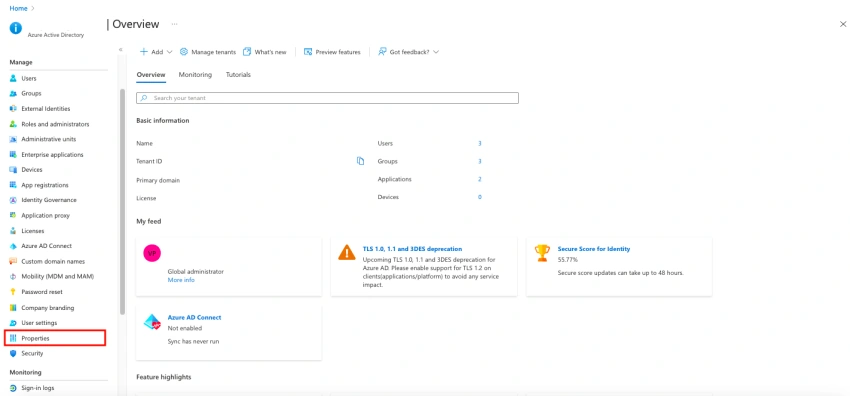
Step 4
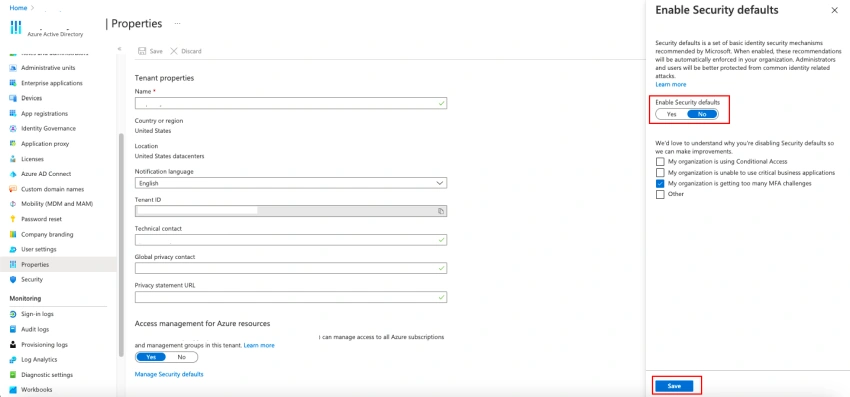
On the Properties page, click on Manage Security defaults at the bottom of the page.
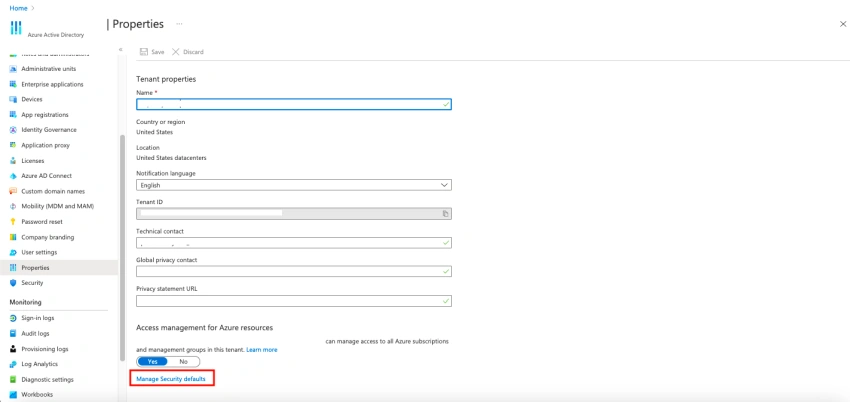
Step 5
After clicking on Manage Security defaults, a side pop-up window will appear.
Step 6
Toggle Enable Security defaults button to No.
Step 7
Click on the Save button.
Step 8
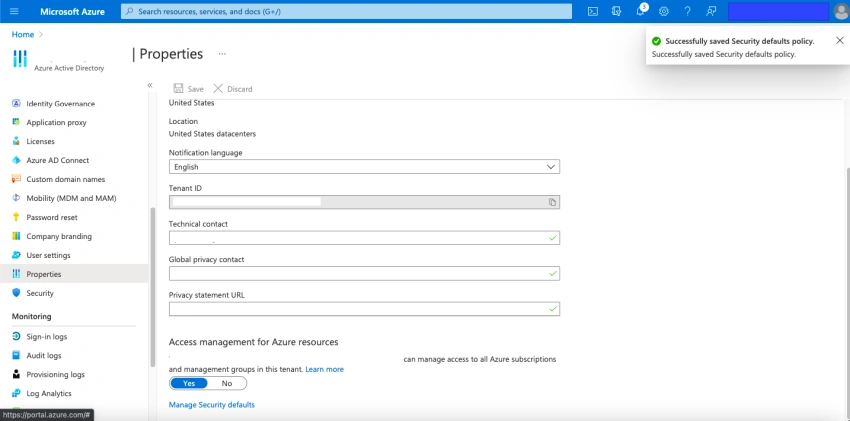
A success message will show up after the security defaults option is disabled.
Step 9
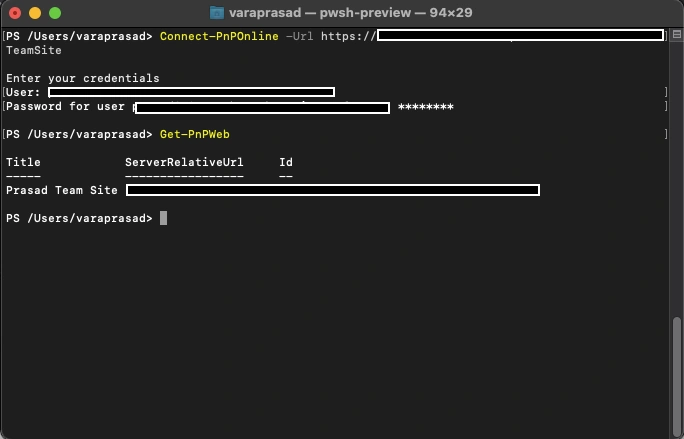
Now we should be able to connect to SharePoint Online tenant using PnPjs without any error.
Thanks for reading and I hope you enjoyed this article. Follow C# Corner for more technology-related articles.
Sushi BurritoPosted May 4, 2022, 6:14 PM
Please update this post or remove it. Suggesting people disable security features to access SharePoint is not the answer. You can easily use the add-ins model to generate a client ID and secret. Last resort would be to use an app password, but that again is not advised. Someone else on this site has outlined the exact steps necessary to create a client ID and secret: https://www.c-sharpcorner.com/article/how-to-perform-sharepoint-app-only-authentication-in-power-automate/