

Introduction
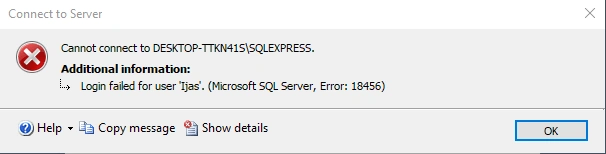
Login failed for user 'sa'. (Microsoft SQL Server, Error 18456)" is the most common error in SQL server login. There are multiple reasons for this error. One potential reason is you are trying to use SQL Server Authentication, but the SQL server instance is configured for Windows Authentication mode.
SQL Server Login failed Resolving Problem Guide
Step 1
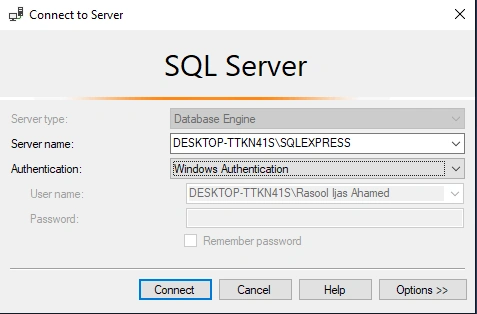
First, Connect the Windows Authentication SQL Server
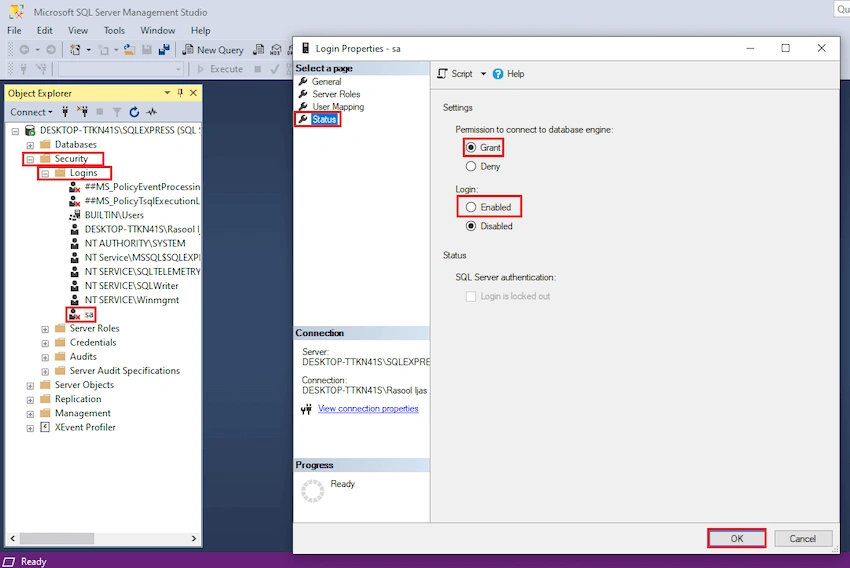
Next, select the security tap, then the Logins Tab, select the sa username properties, select the permission grant option, and Login Enable the click OK.
Step 2
Select the server, right-click, Select the properties
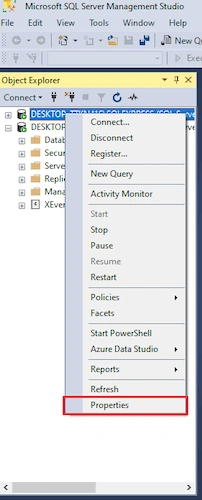
Next, select the Security Tab -> SQL server and Windows Authentication mode option select, then Click OK.
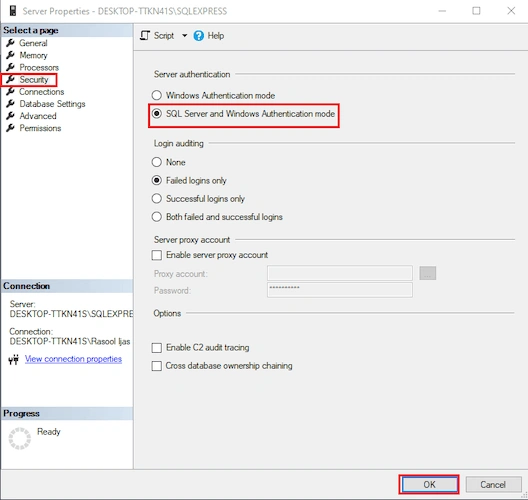
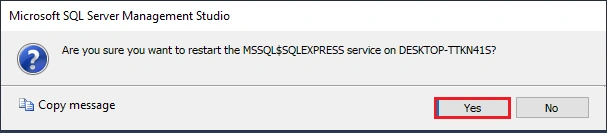
Next, Restart the SQL Server. Click the Yes button
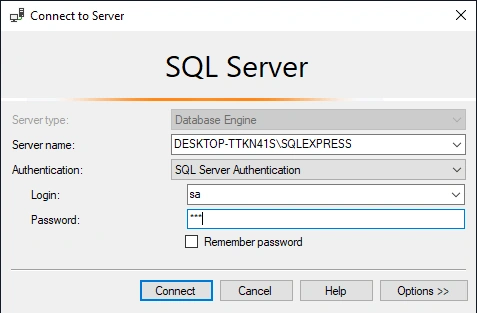
Next, Connect the SQL Server Authentication
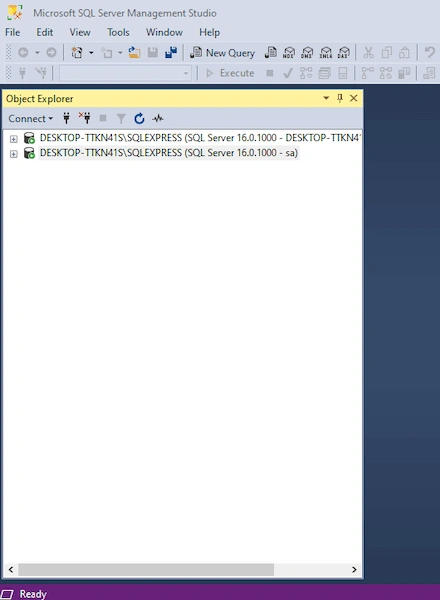
Then successfully connected
Conclusion
This article taught us Login Failed SQL Server authentication 18456 code error. If you have any questions, please contact me.
Thanks.
Join the conversation! Your thoughts help the community grow.