

In build 2015, Scott Hanselman announced the availability of Visual Studio 2015 RC. To download Visual Studio 2015 RC click here. This Release candidate (RC) includes many new features and updates. So let's have a look what new we have in this release.
Big Rename
In the previous release of Visual Studio 2015, all the command line utilities (Project K executable) that helps in compiling and hosting/running the ASP.NET 5 application are renamed as in the following.
- k/ klr (K Language Run time) is now dnx that stands for .Net execution environment.
- kvm (k Version manager) is now dnvm that stands for .Net version manager.
- kpm (k Package Manager) is now dnu that stand for .Net utility.
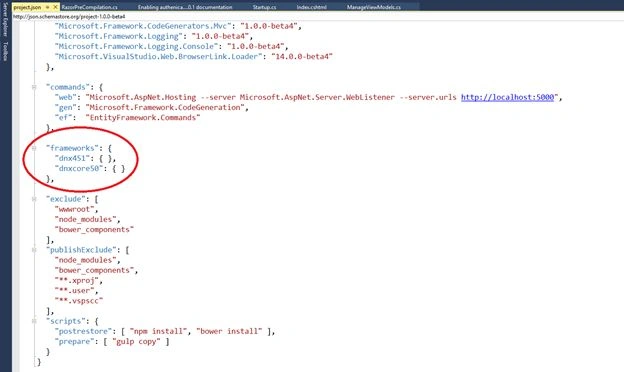
- Framework aspnet50 and aspnetcore50 in project.json are renamed to dnx451 and dnxcore50 respectively (F:1).
Updated Project Templates
The ASP.NET 5 template is also updated with some additional security and JavaScript features. Let's create a new ASP.NET 5 project to see the new changes. To create a new ASP.NET 5 project, open Visual Studio 2015 and create a new project via File => New Project. Ensure the "Web" option is selected in the C# language templates on left part of the project window. Then choose ASP.NET Web Application, enter the project name and then click on the OK button as shown below (F:2).
This will open up an ASP.NET project template dialog as shown below (F:3).
Select the "Web Site" option under the ASP.NET 5 Preview Templates section and then click on the OK button. At this point, the project is being created, it may take a few moments. Once the project is created it should look like this (F:4).
Now let's have a look at the Solution Explorer to determine the new changes (F:5).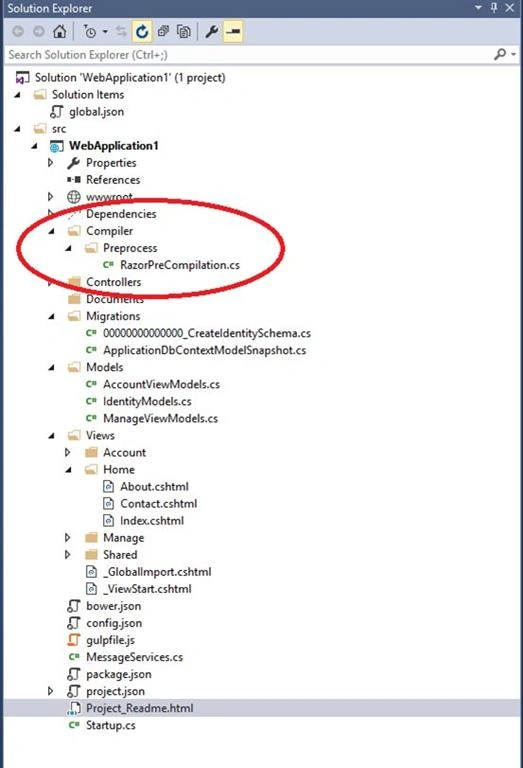
Most of the elements are the same as in the previous version of Visual Studio 2015 except the new folder called "Compiler". The Compiler folder contains one .cs file called "RazorPreCompilation.cs" in the sub-folder called "Preprocess". Let's open the "RazorPreCompilation.cs" to see what it contains. The contents of the file is as shown below (F:6).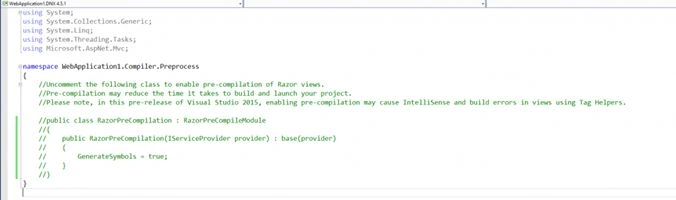
Razor View Compilation (F:6)
As in the comments shown in the image, this file is used for the pre-compilation of Razor Views. That means we will able to detect the errors in views at compile time. Previously, to enable this feature, we need to edit the project file and change the value of the "MvcBuildViews" tag from false to true. Let's uncomment the code and have a look at the definition of the "RazorPreCompileModule" class. The definition of the "RazorPreCompileModule" class is as shown below (F:7).
As shown in the image the "RazorPreCompileModule " class implements the "ICompileModule" interface. This is an extensibility point in this release. We can implement our own compile module by implementing the " ICompileModule" interface and can put that in the compiler/preprocess or compiler/postprocess folder in our project.
Automatic File Nesting Feature
File nesting means any file with an extension of min.css or min.js will be nested under an un-processed version of that file as shown below (F:8).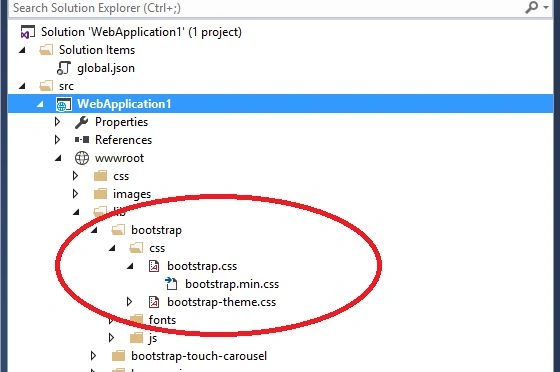
File Nesting Feature (F:8)
In previous versions of Visual Studio, to enable this feature we were required to install an extension called "File Nesting By Mads Kristensen" but now its included in Visual Studio 2015 RC.
Security Updates for ASP.NET 5
- Developer can now configure a social login (Facebook, Gmail, Twitter and Microsoft) , account confirmation and two-factor authentication.
- SSL and Windows Authentication can also be configured for a web project using a project properties window as shown below (F:9).
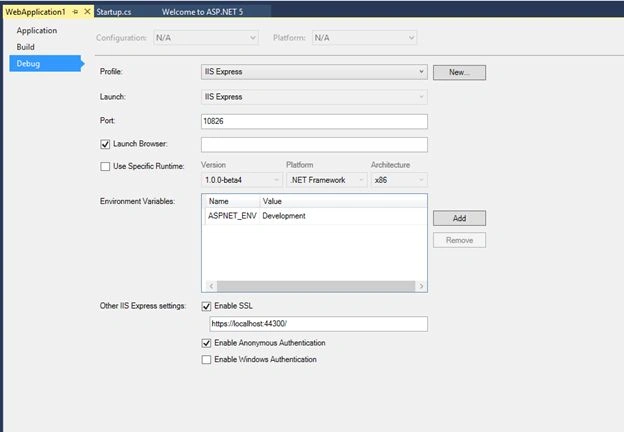
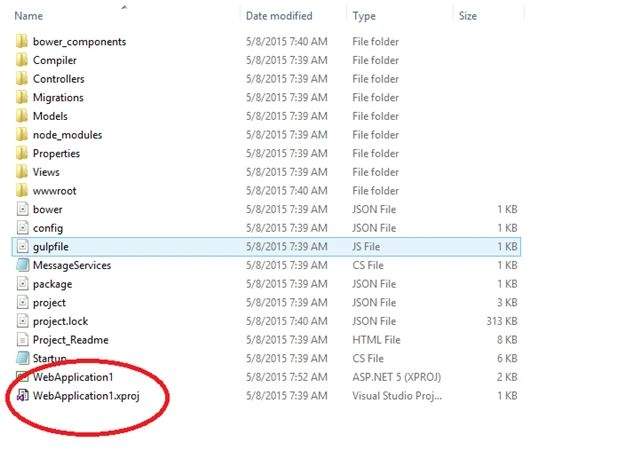
- There is one more change. Open the Windows Explorer and navigate to the project location. You will not be able to see the .csproj file. Instead it is now .xproj file as shown below (F:10).
I hope you enjoyed the article. If I am missing something please comment below.
Santhakumar MunuswamyPosted May 9, 2015, 3:06 AM
Thanks for good work. keep it up.