

With the release of ASP.NET 2.0, Microsoft has greatly increased the power of ASP.NET by introducing a suite of new features and functionalities.
ASP.NET defines several special folders. When a new Web site is created the App_Data folder is created by default; it can contain a SQL Server 2005 Express Edition database, another database, or an XML data file that will be used in the Web site.
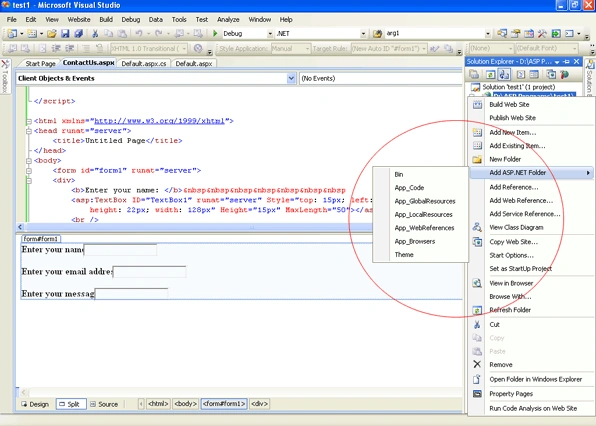
From ASP.NET 2.0 versions Microsoft provided 8 integration directories to integrate different resource in your application.
It is also called Data Directory.
Special folders that exist in ASP.NET that can be added to your Web site are as below:
App_Browsers
ASP.net reserve this folder name for storing browser definition files. Browser definition files are used to determine the client browser capabilities. Browser definition files have .browser extension.
These files are often used to help support mobile application.
App_Code
App_code folder can contain source code for utility classes as well business objects (.cs, .vb and .jsl files). Classes that are present in App_Code folder are automatically complied when your web application complied.
Arbitrary file types can be placed in the App_Code folder to create strongly typed objects.
For example: placing Web service files (.wsdl and .xsd files) in the App_Code folder creates strongly typed proxies. Code present in App_Code is automatically referenced by ASP.net Application.
App_Data
App_Data is used to store file that can be used as database files (.mdf and xml files).
App_Data folder is used by ASP.NET application for storing ASP.NET application local database. Developers can also use this folder for storing data for their ASP.NET Application.
harish kumarPosted Sep 4, 2009, 9:09 AM
This is what i want exactly..... what type of folders does it have in an ASP.NET application