

Introduction
With IR Sensor we can detect the speed of motor. I have a small rover which is powered by Intel Edison and I was curious to know its speed so let us create a device that will detect the speed of a vehicle. In this application we will be using LinkIt One board. If you want to know more about LinkIt One you can go through the previous articles of this series:
- Pointing the Spotlight on LinkIt ONE
- Getting Started with LinkItOne
- Getting Familiar with Arduino IDE: LinkItOne
- Hello World With LinkIt One
- Grove Starter Kit With LinkIt One
Requirements
- LinkItOne Board
- IR Sensor
- USB Cable
IR Sensor
The reflectivity of infrared light varies with the color and distance of the reflecting surface. The Grove Infrared Reflective sensor is based on the same principle. It has a RPR220 reflective photosensor module which detects color and distance. When a light-colored object approaches, the signal intensity received by infrared reflective sensor increases and the indicator LED on board turns red. When a dark-colored object approaches, the intensity decreases and the LED turns off.
Specifications
- Voltage: 4.5-5.5V
- Current: 14.69 - 15.35 mA
- Effective Distance: 4-15 mm
- Detectable Length(black line): 1 mm
Features:
- Operating voltage: 4.5 V - 5.5 V
- Digital output, 0 or VCC
- High-resolution sensor
- Indicator LED on board
- Sensitivity adjustable via potentiometer
- Small Grove 1X1 compatible interface


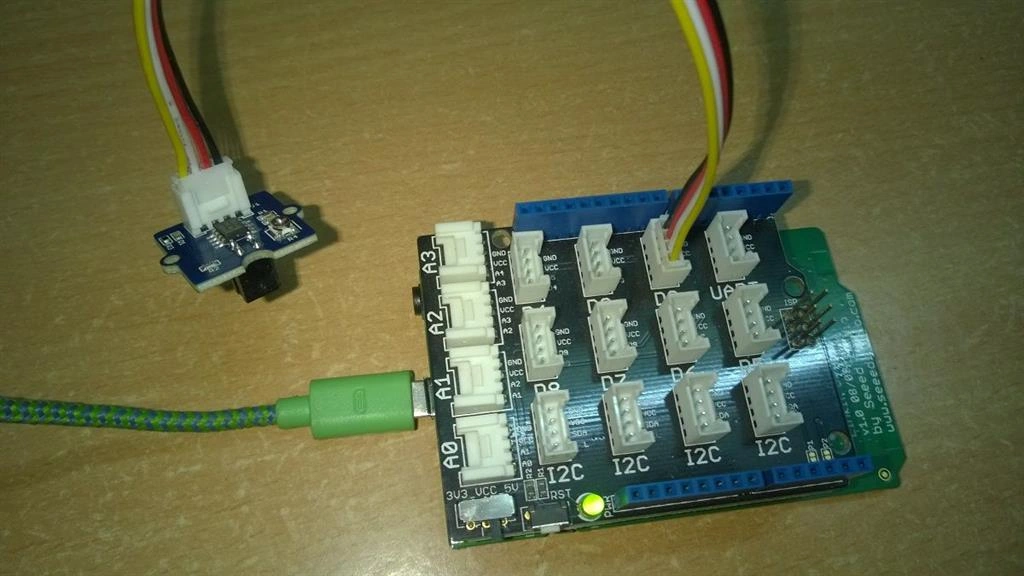
- Connect LinkIt One to your computer using a USB A to micro B cable.
- Connect the Infrared Reflective Sensor onto the D2 port of Grove Base Shield.
- In the Arduino IDE, go to the Tools pull-down menu at the top, select Board, and make sure “LinkIt One” is checked.
- Then pull down the Tools menu again, and select appropriate Serial Port.
If you have multiple serial ports to choose from and aren’t sure which to choose, try unplugging the board from your computer and plugging the board back again to see which port gets added.
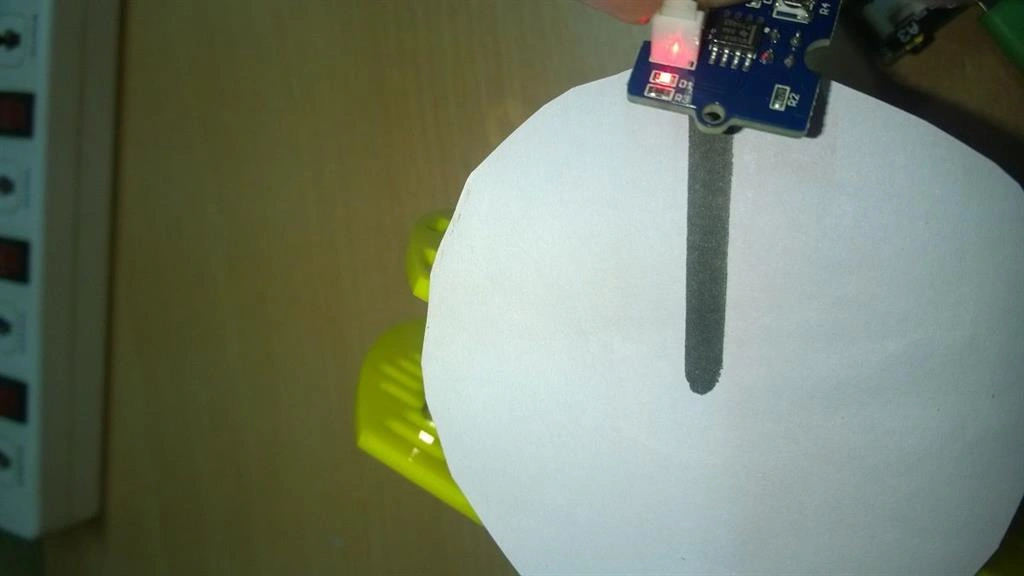
Download the Timer Library from the Arduino timer1 library and add it to the Arduino Library folder. I have marked a black line on a circular piece of paper and attached it to a servo which is controlled by my Intel Edison so that the sensor can get one signal when the circle rotates a round.
 Code
Code
- #include < TimerOne.h >
- unsignedint counter = 0;
- void blink()
- {
- counter++;
- }
- voidtimerIsr()
- {
- Timer1.detachInterrupt(); //disable the timer1
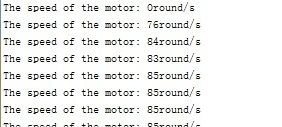
- Serial.print("The speed of the motor: ");
- Serial.print(counter, DEC);
- Serial.println("round/s");
- counter = 0;
- Timer1.attachInterrupt(timerIsr); //enable the timer1
- }
- void setup()
- {
- Serial.begin(9600);
- Timer1.initialize(1000000); // set a timer of length 1sec
- attachInterrupt(0, blink, RISING); //INT0
- Timer1.attachInterrupt(timerIsr); // attach the service routine here
- }
- void loop()
- {; //do nothing
- }
- Line-following robots
- Rotary speed detection
- Auto data logging on utility meters
Sr KarthigaPosted Jan 23, 2016, 5:32 AM
Good one
Pooja BaraskarPosted Dec 29, 2015, 9:05 AM
Thanks everyone :)
Gowtham KPosted Dec 28, 2015, 10:47 AM
Good One, Thanks for sharing
Kiranteja JallepalliPosted Dec 28, 2015, 8:21 AM
nice article pooja
Sibeesh VenuPosted Dec 28, 2015, 5:27 AM
Nice Share
Gowtham RajamanickamPosted Dec 28, 2015, 5:11 AM
Good One
Hemant JoshiPosted Dec 28, 2015, 1:09 AM
Nice WriteUp