

Introduction
In this article I will tell you how to implement splash and how it works in iPhone. Here I will give you a step-by-step process.
Step 1
Initially select a project name.

Step 2
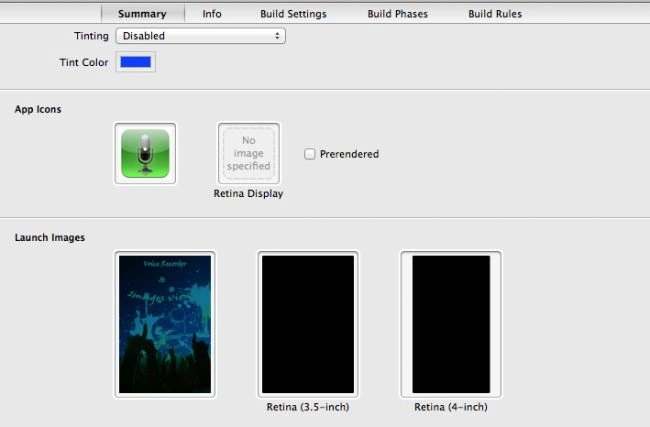
Now click on Summary.

Step 3
Go to the launch images option.

Step 4
To add an image right-click the mouse and click on "Select File".
Step 5
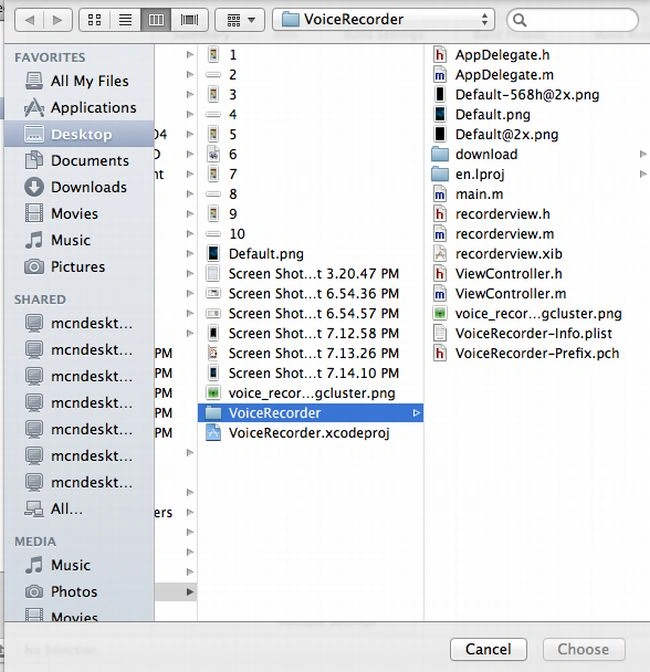
Now we choose an image to add to the splash screen. Before adding an image save it to the project supporting file folder and give it the name "Default.png".
Step 6
Now choose Selected file Default.png.

Step 7
In the same way we save an app icon image.
Step 8
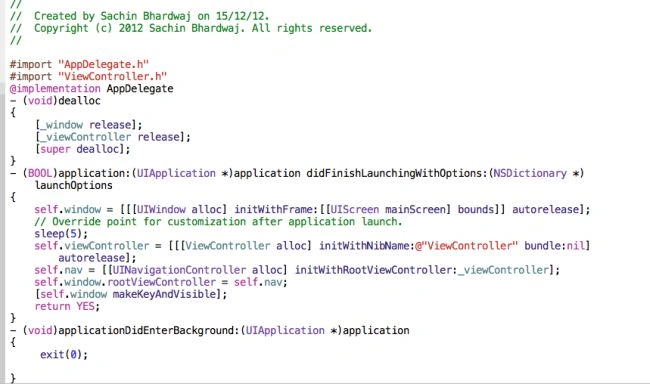
At last we write code in the app's delegate.h file to set the time duration of the splash; here we set it to 5 seconds.
Join the conversation! Your thoughts help the community grow.