

This article is in continuation of SplitView control in Universal app platform - Part 1.
This article will cover how to add Menu & Sub menu in the HamBurgerMenu using SplitView control.
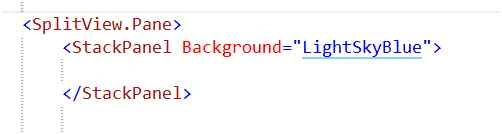
- In the SplitView pane create StackPanel control,
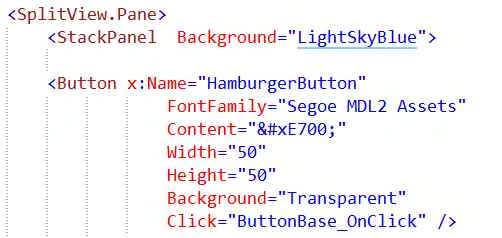
- In this stack panel firstly add the Hamburger Menu button.
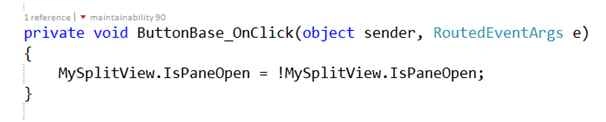
- Once button created add the click event to handle the IsPaneOpen item (this covered in the first article),
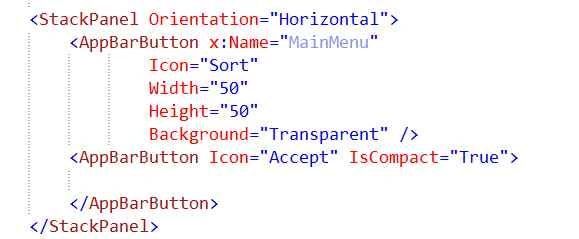
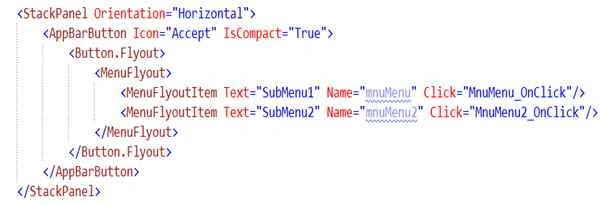
- In this StackPanel add one more stack panel with Horizontal orientation below the Hamburger Menu button.
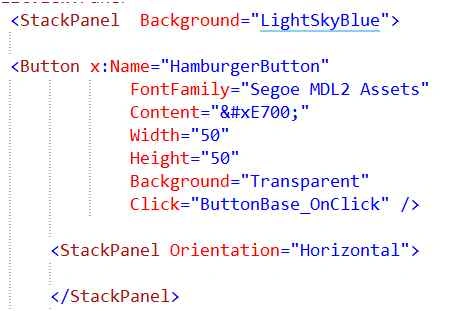
- Add two new button inside StackPanel control.
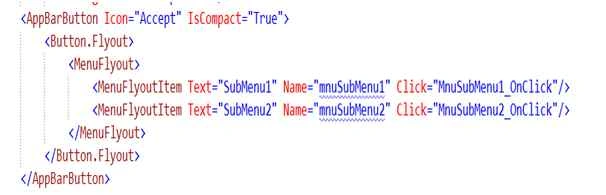
- Add MenuFlyout control inside the second button.
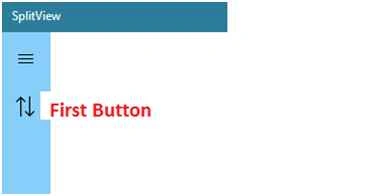
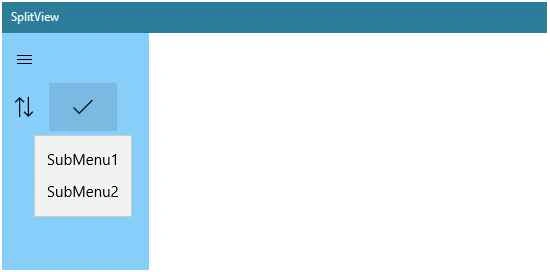
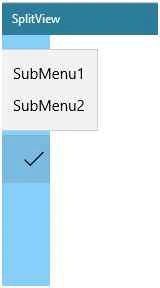
Note: First button available in pane closed view, when pane area is open second button visible to the user. On click the second button submenu will open.
Submenu
- Add more buttons in pane close area and repeat the same step 4.
- Add submenu in pane close area perform the menu flyout concept inside the first button.
Join the conversation! Your thoughts help the community grow.