

As data may come from several sources into the data warehouse, there is often a need to import data from flat files into the system. These flat files may be text files or csv files. The question that arises is, how do we import the data into database. The easiest solution is to use SQL Server Integration Services that is shipped along with MS SQL server. In order to demonstrate the solution, I am using SQL Server 2008 here.
Problem Description
We have a list of customers in a text files. Every row, but the first one, describes the customer details such as customer’s:
- FirstName
- LastName
- Address
- PhoneNumber
These values are separated by commas for simplicity. However, you are free to choose any punctuation. It’s always advisable to keep column name also in the very first row so that they give some meaning to values separated by commas in the rows below.

Approach
SQL Server integration services (SSIS) facilitates transporting data from source to destination but it is much more than that. We will see that shortly. Destination can be any database, Excel file or flat files itself. However, that depends on the business needs.
I shall limit my approach to a set of tools for this article and will take them to a higher level gradually in future articles.
- Firstly, create a SSIS project.
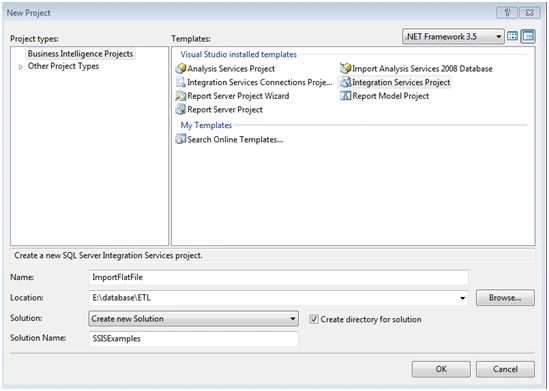
- Name it and save it.
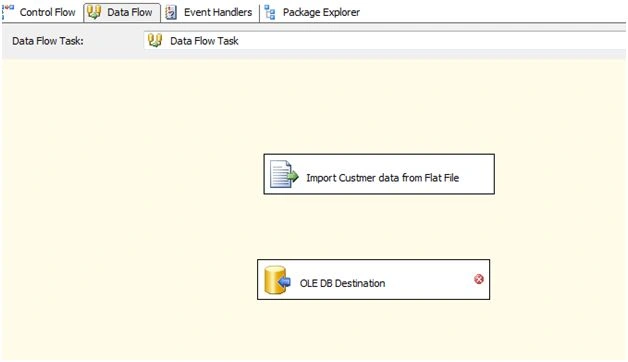
- On the dataflow tab in the middle, drag and drop a flat file source.
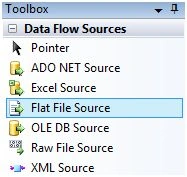
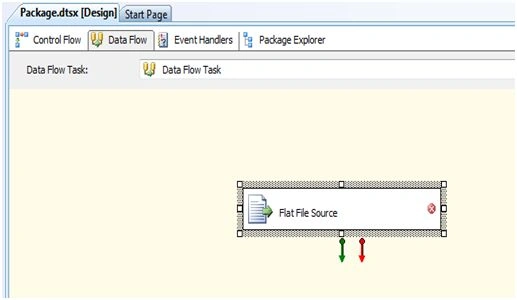
- Give flat file source a name and double click on it.
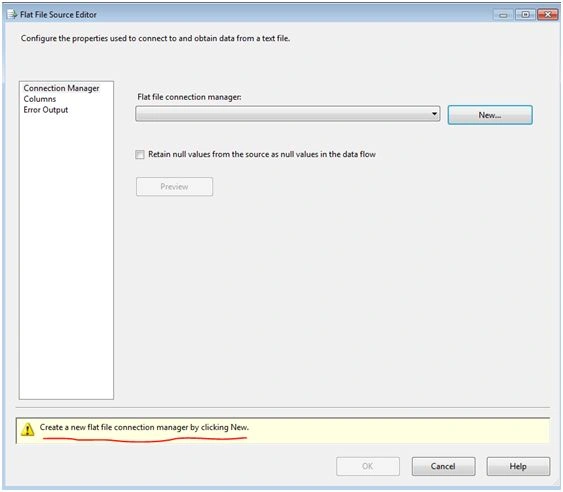
- If necessary, give connection a name and click on New to create a flat file source connection.
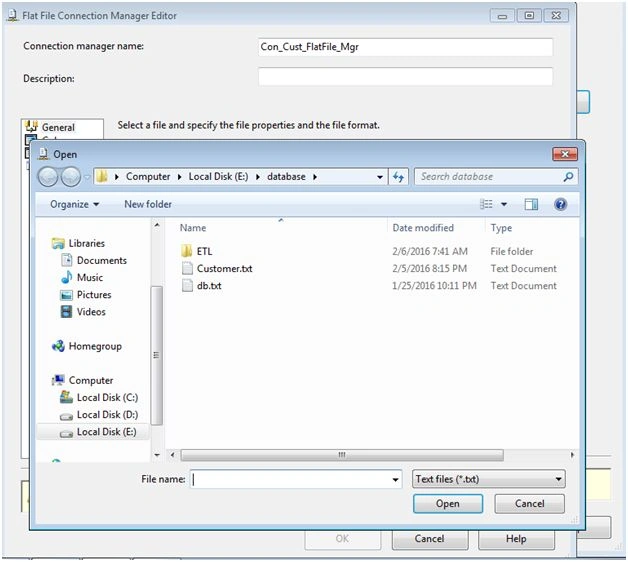
- Browse to the flat file on the disk.
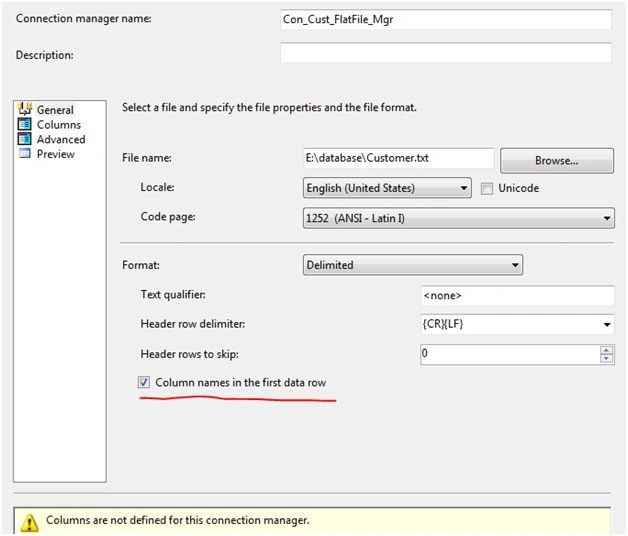
- Select the check box to consider the first row of the flat file for column names.
- Click on the mapping in the left hand pane and change names in the output column if you wish to.

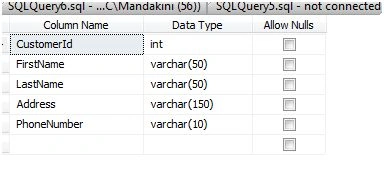
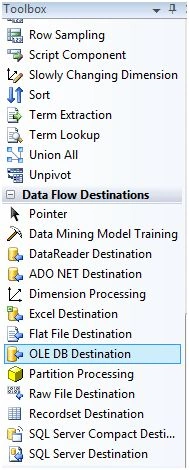
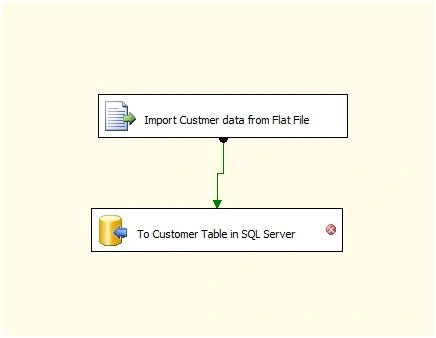
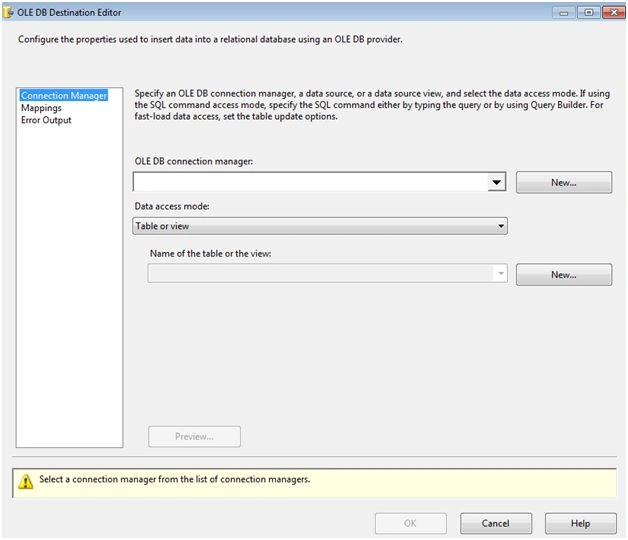
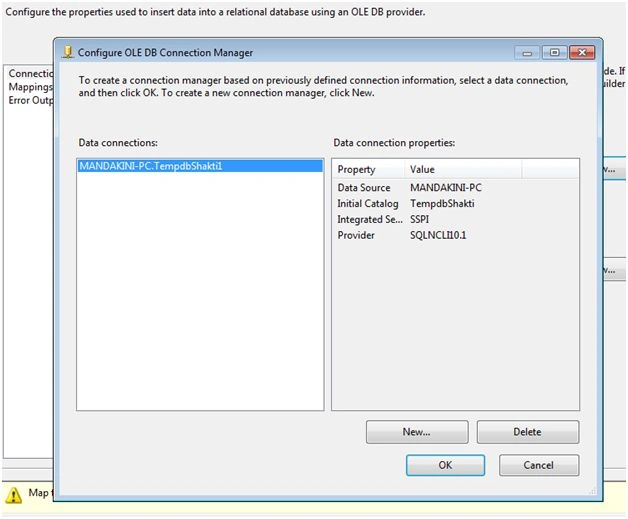
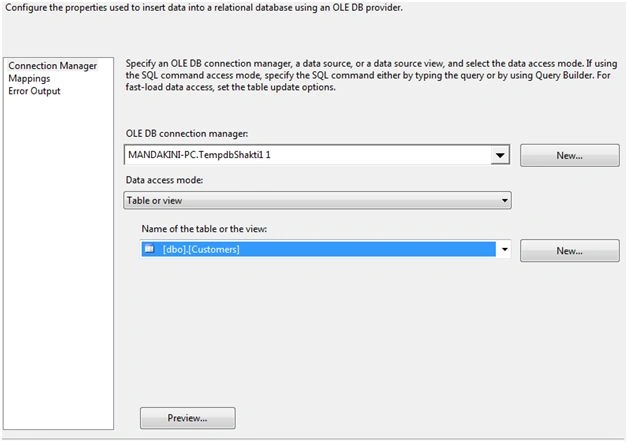
After performing the above steps, our job is to bring the data from our source flat file to our destination. Let’s say our destination is a table named “Customer” in a database in SQL Server. Before you drag a destination OLE DB on to data flow tab, make sure you have created a customer table in SQL Server. If not, do it using the script below. For the easiness, I have created an auto created Customer ID in the table. Feel free to have it in the flat file directly.


Jainish ShahPosted Feb 9, 2016, 1:29 PM
Nice One
Raja TPosted Feb 9, 2016, 8:50 AM
Nice, Thanks for sharing
Ankur MistryPosted Feb 8, 2016, 3:08 AM
nice share
Yashwant VishwakarmaPosted Feb 8, 2016, 1:16 AM
Nice one , thanks for sharing!!
Sibeesh VenuPosted Feb 8, 2016, 12:05 AM
Nice Share
Debasis SahaPosted Feb 7, 2016, 11:58 PM
Good One..
Santhakumar MunuswamyPosted Feb 7, 2016, 12:54 PM
Thanks for good article
sreenivasa kPosted Feb 7, 2016, 12:26 PM
good. looking for more like this.
Pramod ThakurPosted Feb 7, 2016, 8:55 AM
nice..
Humayun Kabir MamunPosted Feb 7, 2016, 7:34 AM
Nice...
Kumaresh RajalingamPosted Feb 7, 2016, 7:08 AM
Good Explanation