

This article describes how to start up a shutdown database in Oracle 11g.
Starting up an Oracle database instance
Assuming you have installed Oracle for the first time and are about to start the database instance. Briefly, this can be done through the three modes NOMOUNT, MOUNT and OPEN. Let us see how it is done.
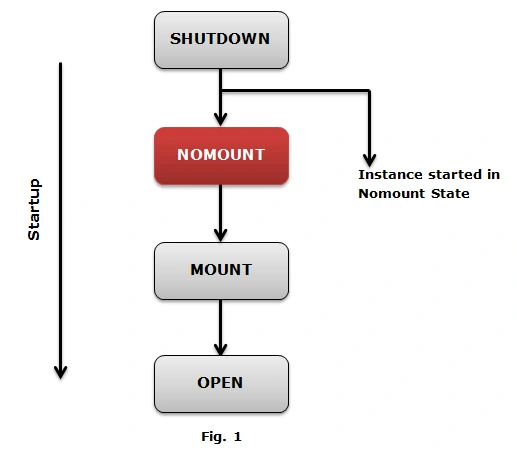
Database instance startup in NOMOUNT mode
Only during the database creation, recreation of control files, backups and recovery. The instance startup includes the following steps.
Note. SID is the system identifier, by default it is ORCL.
Step 1. Look for the spfileORCL.ora that is present at $ORACLE_HOME/DB.
Step 2. If the file in the Step 1 is not present then look for spfile.ora.
Step 3. And if both files are not present then search for initORCL.ora that contains initialization parameters for the instance also specifying the PFILE parameter during startup and change the default behavior.
Step 4. SGA is allocated.
Step 5. Background Process is started.
Step 6. Alert_ORCL.log files and trace files are created.
Syntax
STARTUP NOMOUNT PFILE = 'initORCL.ora'
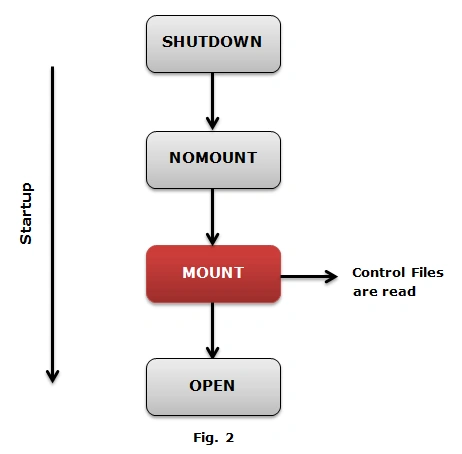
Database instance startup in MOUNT mode
The following is the procedure to mount a database.
Step 1. In the mount state control files specify in the parameter file provided during startup are located and read.
Step 2. Control files are read to obtain the names and states of the data files andredo log files, but they are not verified for their existence.
Step 3. This state is efficiently used for the specific maintenance operation like
- Renaming datafiles for an offline tablespace.
- Online redo log file archive option can be enabled or disabled.
- Full data recovery can be performed.
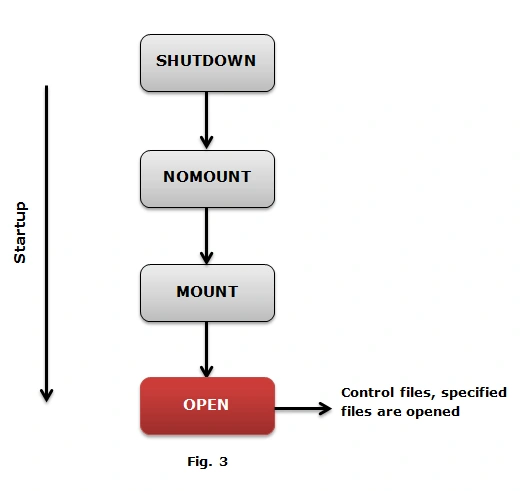
Database instance startup in OPEN mode
For normal database functions, an instance is started and the database will be mounted and opened. The database in an open mode includes the following tasks
- Datafiles are opened, and if any of the datafile is missing then Oracle server returns an error.
- Online redo log file is opened and if any file is not present and you attempt to open the database, it throws an error.
- All datafiles and redo log files are checked for their consistency.
- SMON background process may initiate instance recovery if the database was brought down abruptly.
Syntax for SQL PLUS Database startup
- SQL>startup (This command automatically starts up the database from NOMOUNT mode to MOUNT mode and to open mode in one go).
- SQL>startup nomount (Instance started database not mounted)
- SQL>alter database mount (Database is mounted)
- SQL>alter database open (Database is opened and can be used by users).
In my next article I will show you the shutdown procedure of the database.
Join the conversation! Your thoughts help the community grow.