

Introduction to CRUD
CRUD - Create, Read, Update And Delete
In this article, you will learn how to make a static application that performs Select, Add, Update & Delete operations.
Let's start.
Step 1 - Add New Project
Open Visual Studio 2017 => Click Add Project => Select Web Application Template => Fill all required details.
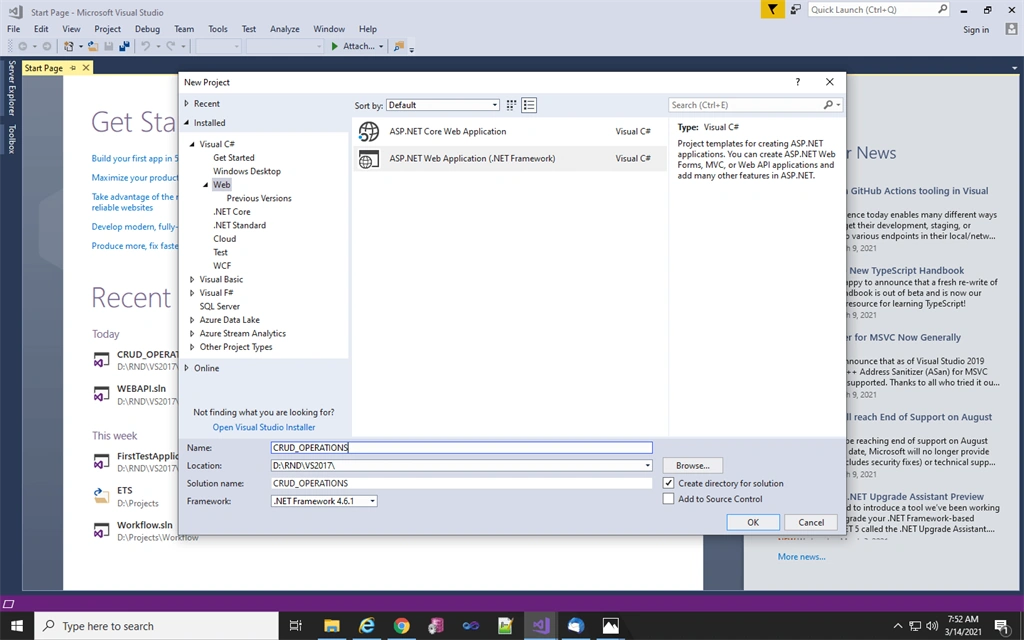
Step 2
Select Web Application Template.
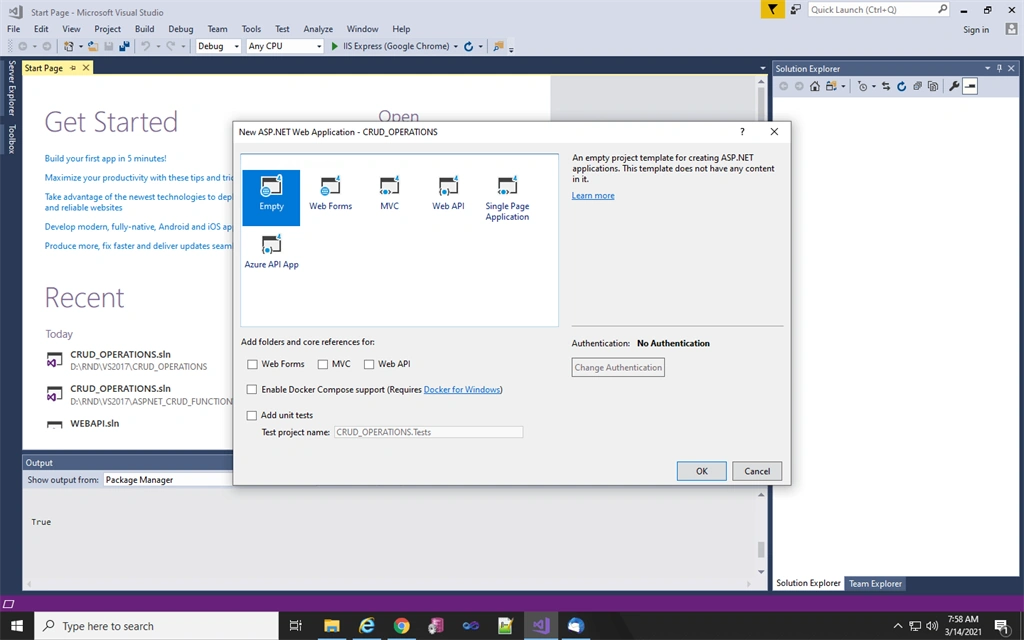
Step 3
Add new item.
Right click in project solution => Add => New Item
Right click in project solution => Add => New Item
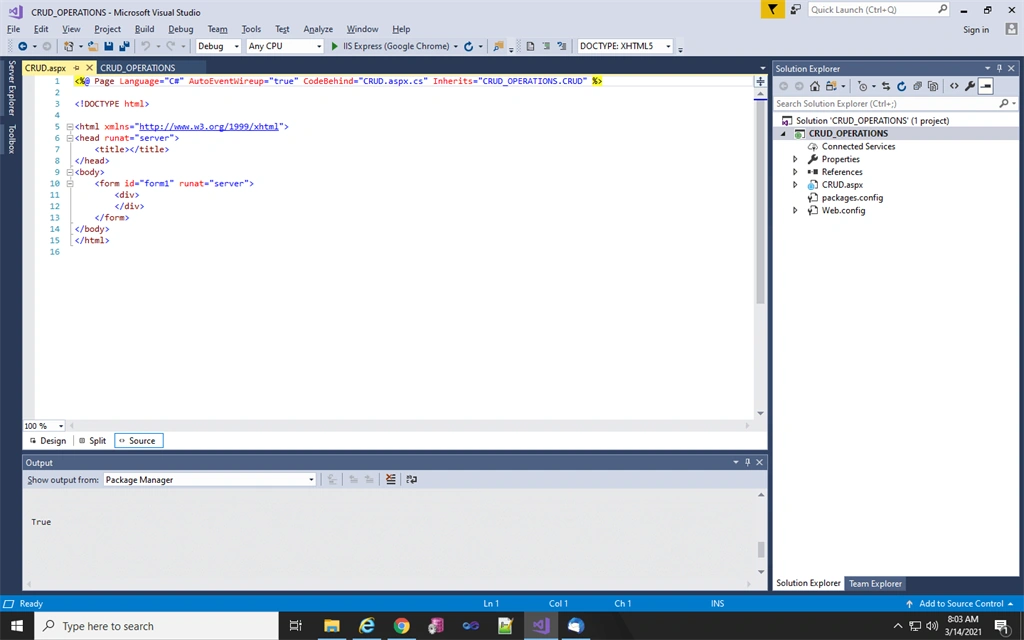
Step 4
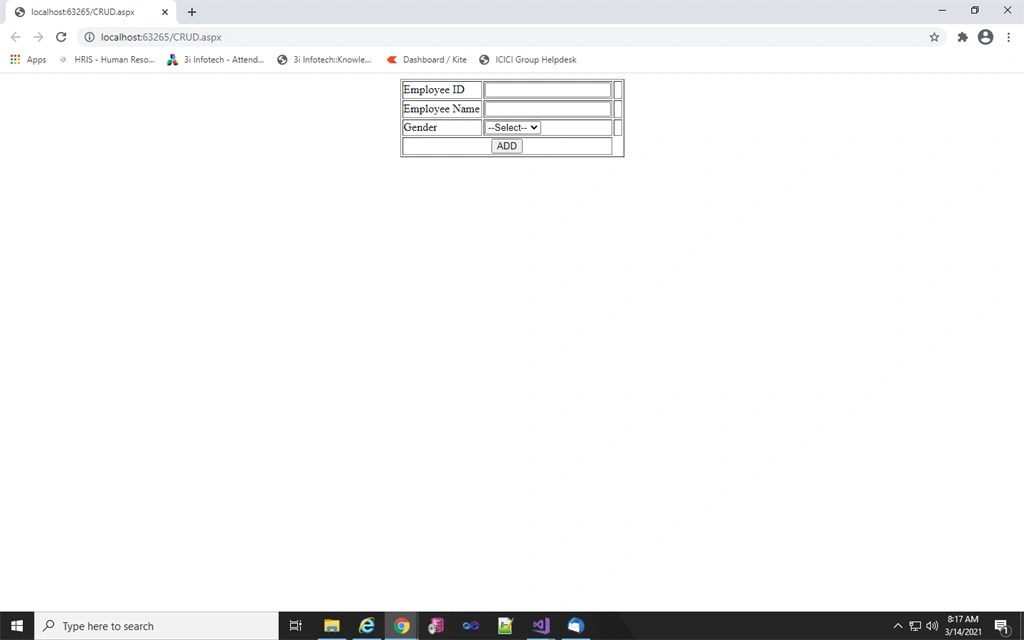
Paste the below Html code under the body tag.
- <form id="form1" runat="server">
- <div style="display: flex; justify-content: center;">
- <table border="1">
- <tr>
- <td>Employee ID</td>
- <td>
- <asp:TextBox ID="txtID" runat="server"></asp:TextBox>
- </td>
- <td>
- <asp:RequiredFieldValidator ID="rfEmpId" runat="server" ControlToValidate="txtID" ErrorMessage="*" ForeColor="Red" ValidationGroup="grpemp"></asp:RequiredFieldValidator>
- </td>
- </tr>
- <tr>
- <td>Employee Name</td>
- <td>
- <asp:TextBox ID="txtName" runat="server"></asp:TextBox>
- </td>
- <td>
- <asp:RequiredFieldValidator ID="rfEmpName" runat="server" ControlToValidate="txtName" ErrorMessage="*" ForeColor="Red" ValidationGroup="grpemp"></asp:RequiredFieldValidator>
- </td>
- </tr>
- <tr>
- <td>Gender</td>
- <td>
- <asp:DropDownList ID="ddlgender" runat="server">
- <asp:ListItem>--Select--</asp:ListItem>
- <asp:ListItem>Male</asp:ListItem>
- <asp:ListItem>Female</asp:ListItem>
- </asp:DropDownList>
- </td>
- <td>
- <asp:RequiredFieldValidator ID="rfEmpgender" runat="server" InitialValue="--Select--" ControlToValidate="ddlgender" ErrorMessage="*" ForeColor="Red" ValidationGroup="grpemp"></asp:RequiredFieldValidator>
- </td>
- </tr>
- <tr style="text-align: center;">
- <td colspan="2">
- <asp:Button ID="btnAdd" runat="server" Text="ADD" Style="cursor: pointer;" OnClick="btnAdd_Click" ValidationGroup="grpemp" CausesValidation="true" />
- </td>
- </tr>
- </table>
- </div>
- <br />
- <br />
- <div style="display: flex; justify-content: center;">
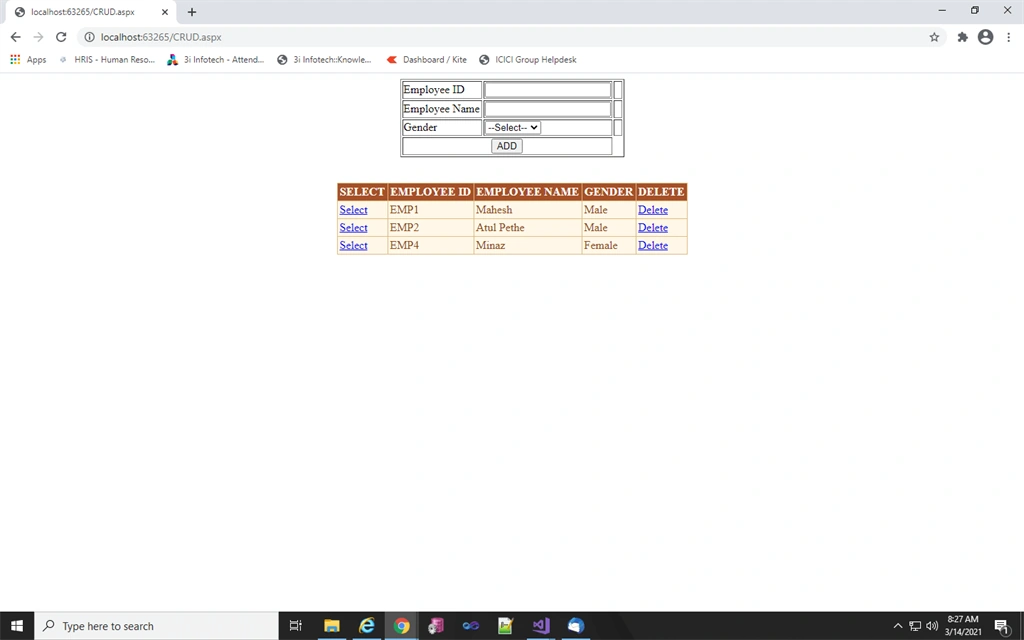
- <asp:GridView ID="gvemployee" runat="server" BackColor="#DEBA84" BorderColor="#DEBA84" BorderStyle="None" BorderWidth="1px" CellPadding="3" CellSpacing="2" OnSelectedIndexChanged="gvemployee_SelectedIndexChanged" OnRowDeleting="gvemployee_RowDeleting" AutoGenerateColumns="false">
- <Columns>
- <asp:TemplateField HeaderText="SELECT">
- <itemtemplate>
- <asp:LinkButton ID="LnkSelect" runat="server" CommandName="Select">Select</asp:LinkButton>
- </itemtemplate>
- </asp:TemplateField>
- <asp:BoundField DataField="ID" HeaderText="EMPLOYEE ID" />
- <asp:BoundField DataField="Name" HeaderText="EMPLOYEE NAME" />
- <asp:BoundField DataField="Gender" HeaderText="GENDER" />
- <asp:TemplateField HeaderText="DELETE">
- <ItemTemplate>
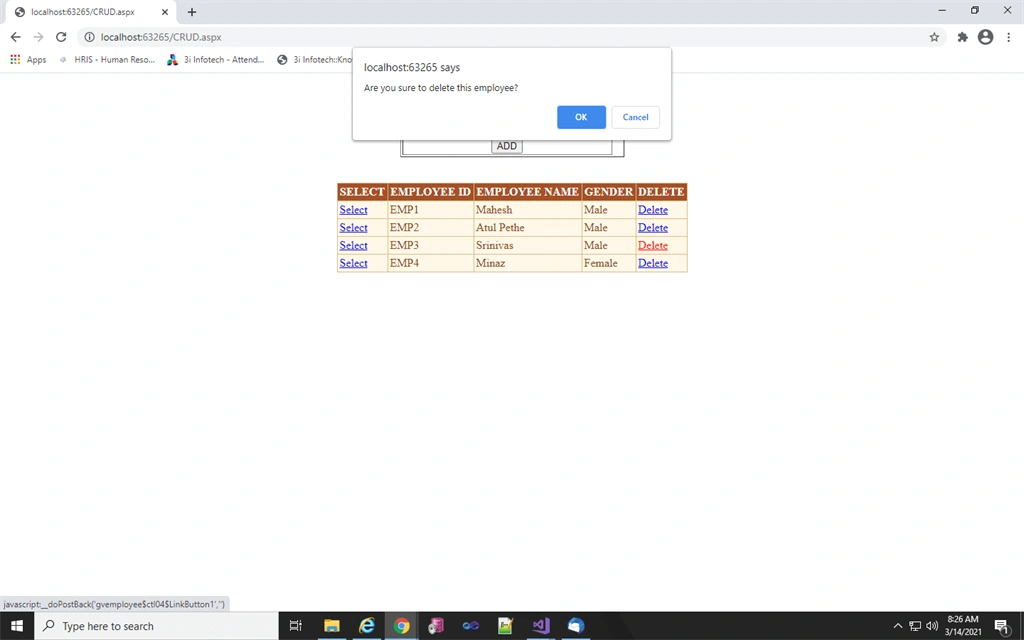
- <asp:LinkButton ID="LinkButton1" runat="server" CommandName="Delete" OnClientClick="return confirm('Are you sure to delete this employee?');">Delete</asp:LinkButton>
- </ItemTemplate>
- </asp:TemplateField>
- </Columns>
- <FooterStyle BackColor="#F7DFB5" ForeColor="#8C4510" />
- <HeaderStyle BackColor="#A55129" Font-Bold="True" ForeColor="White" />
- <PagerStyle ForeColor="#8C4510" HorizontalAlign="Center" />
- <RowStyle BackColor="#FFF7E7" ForeColor="#8C4510" />
- <%--<SelectedRowStyle BackColor="#738A9C" Font-Bold="True" ForeColor="White" />--%>
- <SortedAscendingCellStyle BackColor="#FFF1D4" />
- <SortedAscendingHeaderStyle BackColor="#B95C30" />
- <SortedDescendingCellStyle BackColor="#F1E5CE" />
- <SortedDescendingHeaderStyle BackColor="#93451F" />
- </asp:GridView>
- </div>
- </form>
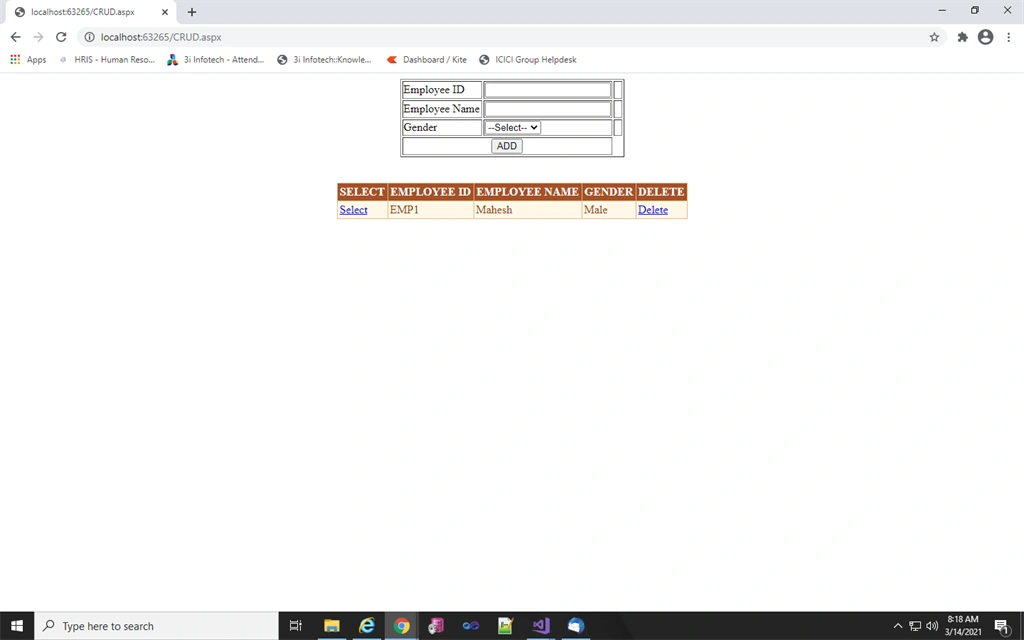
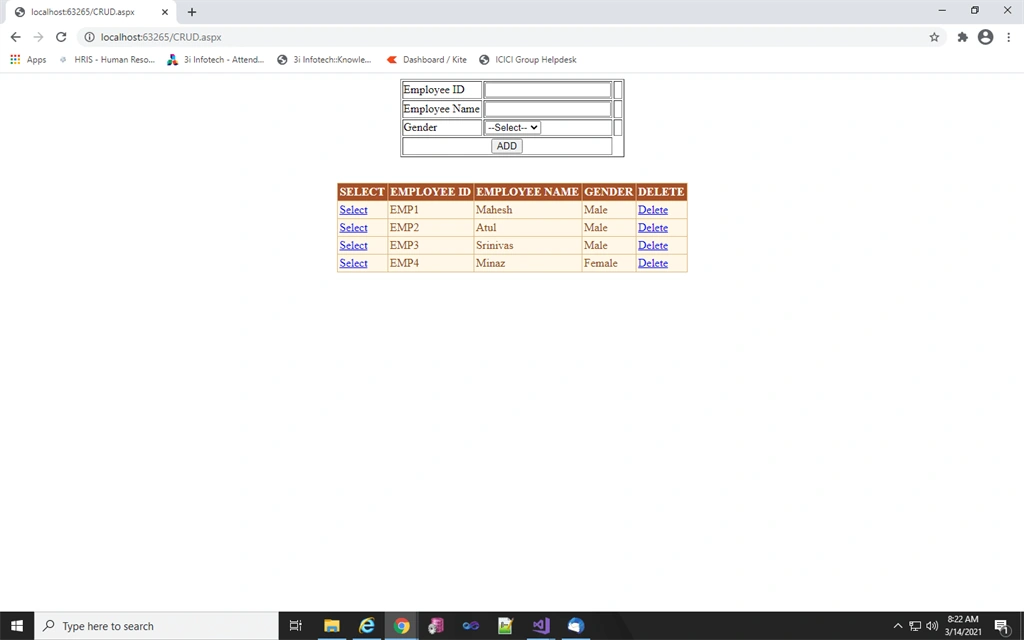
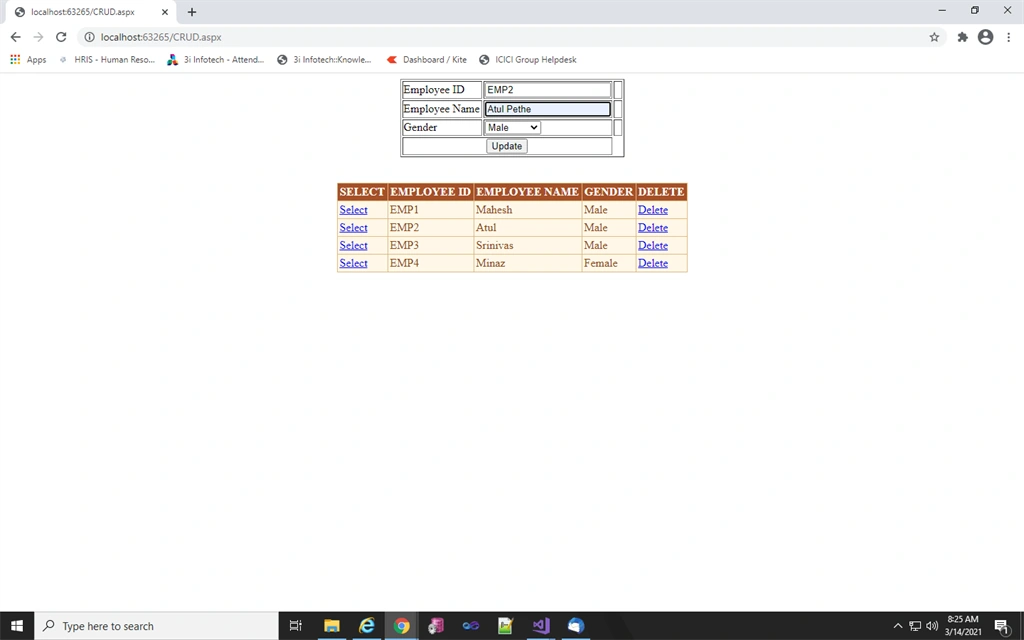
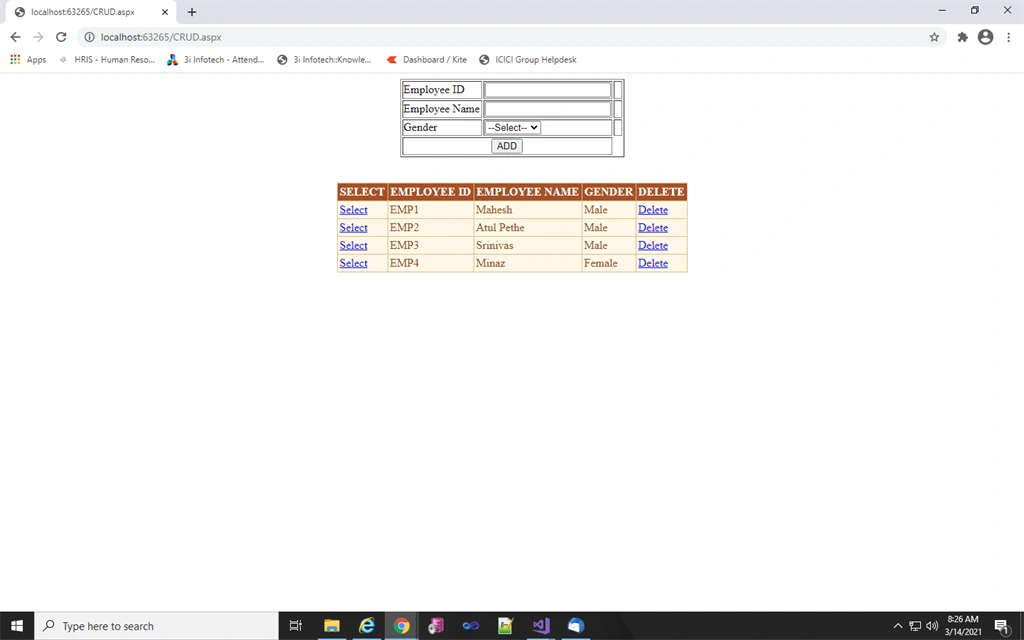
Eng Soon CheahPosted Mar 16, 2021, 2:07 AM
How about MVC?