

I will try to figure them out, one by one,
Step 1 : Create Windows Universal Project.
- Open Visual Studio 2015 -> New Project.
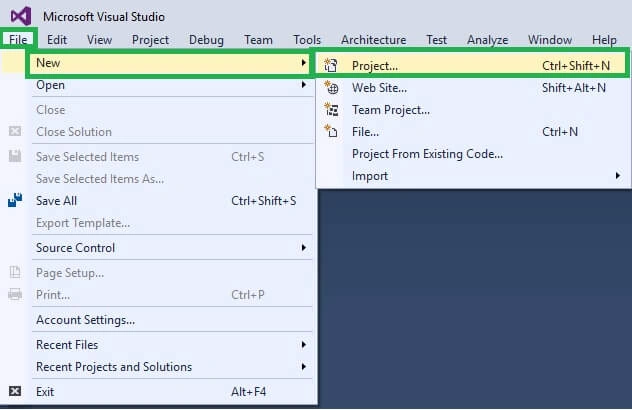
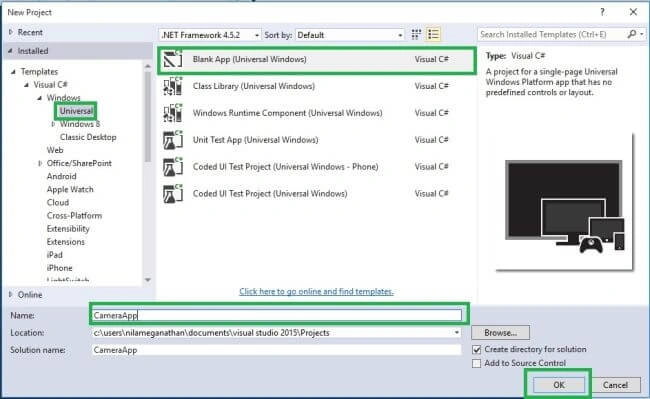
Step 2: Give the Project Name.
- New Project Window will open. You can select an installed template like “Universal” under the Windows on Visual C# Template and select a Blank app (Universal Windows).
- Type the project name CameraApp and click OK button.
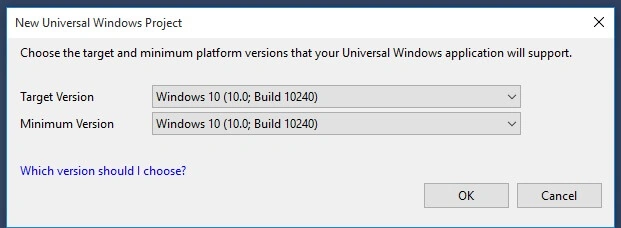
Step 3: Set the platform Versions.
- Here, we choose the Target Version and Minimum Version for our Universal Windows Application. Let it be like that and click OK.
Step 4: Choose Designer Window,
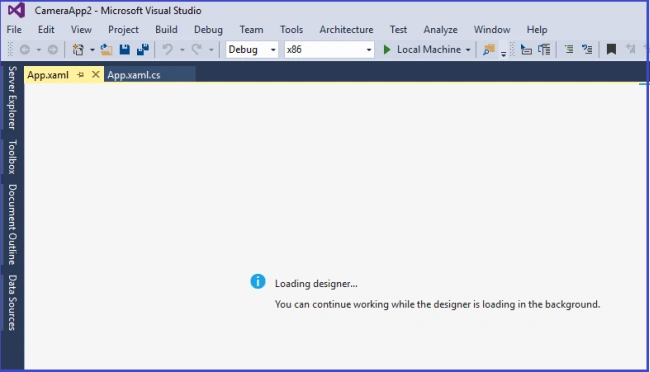
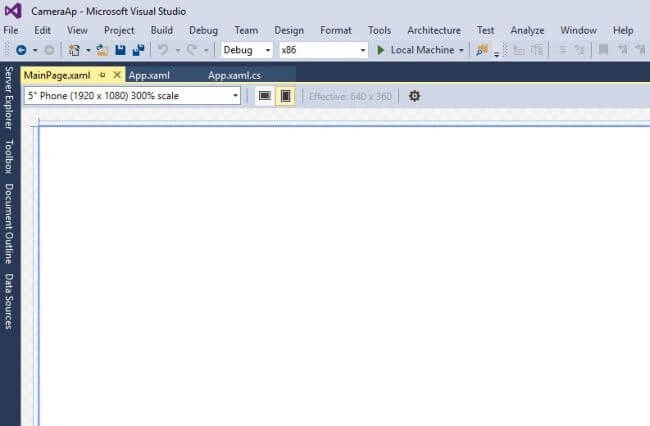
- The Project Main Window will be displayed. You can click the View - Designer.

Step 5: Designer Window Loading is given below:
Step 6 : Designing the App
- Design the app by placing the button tool from the tool box and change the name to camera in the Property Window.

- Next, place the Image tool from the tool box and change the name to capturedImage in the Property Window.

Step 7: Add the Coding
- To add coding, double click on the button. Add the mentioned source code, given below:
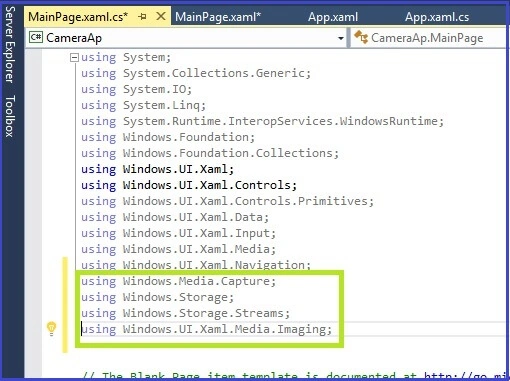
- using Windows.Media.Capture;
- using Windows.Storage;
- using Windows.Storage.Streams;
- using Windows.UI.Xaml.Media.Imaging;
- Add the code, given below, in the appropriate place (Camera Button) and added the keyword async in Camera click method.
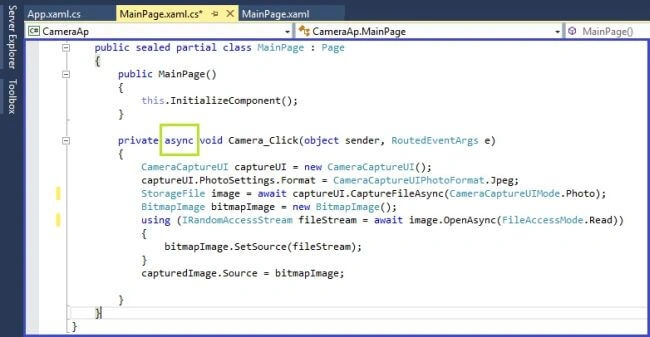
- CameraCaptureUI captureUI = new CameraCaptureUI();
- captureUI.PhotoSettings.Format = CameraCaptureUIPhotoFormat.Jpeg;
- StorageFile image = await captureUI.CaptureFileAsync(CameraCaptureUIMode.Photo);
- BitmapImage bitmapImage = new BitmapImage();
- using(IRandomAccessStream fileStream = await image.OpenAsync(FileAccessMode.Read))
- {
- bitmapImage.SetSource(fileStream);
- }
- capturedImage.Source = bitmapImage;
Step 9: Run the Application
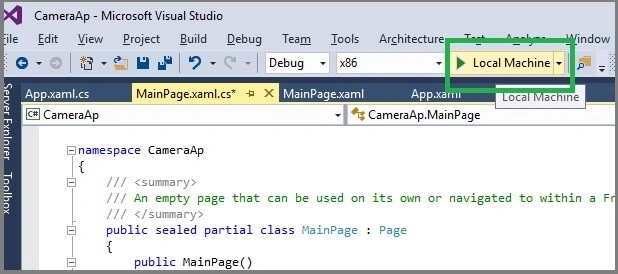
- Click the local machine on the Standard tool bar for running the Application.
Output

Conclusion
I hope you understood Camera app in Universal Window and how to run it. I have covered all the required things. If you find anything, which I missed in this article, please let me know. Please share your valuable feedback or suggestions.
Rama KrishnaPosted Aug 29, 2018, 7:35 AM
Nice, But I have one doubt like without preview it has to take, could you explain how we can achieve this
Hanif HefazPosted Aug 18, 2016, 3:23 PM
Very Nice Madam
Ramesh PalaniappanPosted Aug 10, 2016, 10:24 AM
Good one
Alagunila MeganathanPosted Aug 10, 2016, 9:30 AM
Thanks
Anbu ManiPosted Aug 10, 2016, 12:12 AM
Nice one
Inamullah KhanPosted Aug 9, 2016, 9:20 AM
Very well explaination
Vignesh ManiPosted Aug 9, 2016, 6:29 AM
Good one
Bhavik PatelPosted Aug 9, 2016, 1:33 AM
Nice
Asfend YarPosted Aug 8, 2016, 9:43 PM
How to Add the picture effects just like candy camera and prisma in this ?
Prasanna MuraliPosted Aug 8, 2016, 9:07 PM
Nice post sir....