


- /****** Object: Table [dbo].[Country] Script Date: 25-12-2015 10:00:58 ******/
- SET ANSI_NULLS ON
- GO
- SET QUOTED_IDENTIFIER ON
- GO
- CREATE TABLE [dbo].[Country](
- [CountryId] [int] IDENTITY(1,1) NOT NULL,
- [CountryName] [nvarchar](50) NULL,
- CONSTRAINT [PK_Country] PRIMARY KEY CLUSTERED
- (
- [CountryId] ASC
- )WITH (PAD_INDEX = OFF, STATISTICS_NORECOMPUTE = OFF, IGNORE_DUP_KEY = OFF, ALLOW_ROW_LOCKS = ON, ALLOW_PAGE_LOCKS = ON) ON [PRIMARY]
- ) ON [PRIMARY]
- GO


Next, Add Model, Right click on project and add ADO.NET Entity Data Model.

Give a Name to your Model.

Now, Next dialog box ask you to Choose Model Contents, here we will choose 'E F Designer from database' and click 'Next'.

Next screen, we will complete the database connectivity.

Save Connection string in Web.Config file.

Select the table you want to connect from Entity Data Model Wizard, here we will select 'Country' Table. It will Include Namespace 'DemoModel' and after that click 'Finish'.

It will create 'Model1.edmx' file in our project.
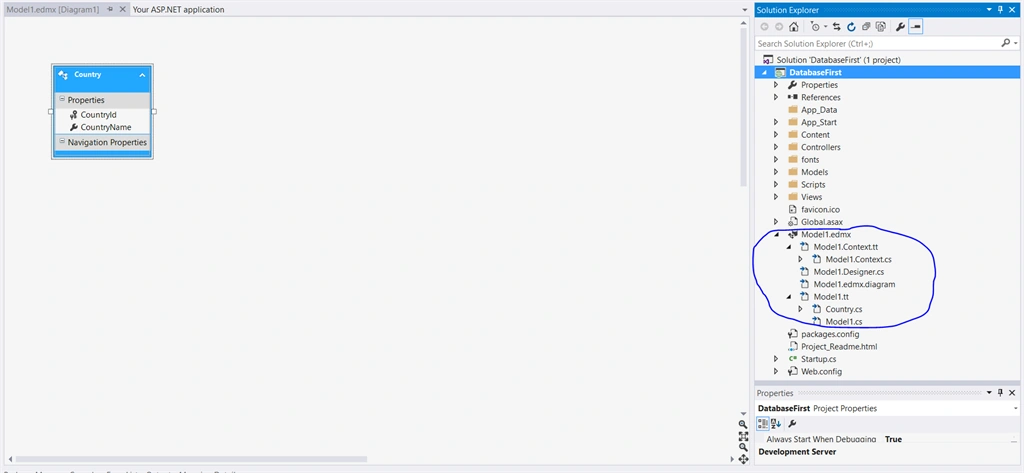
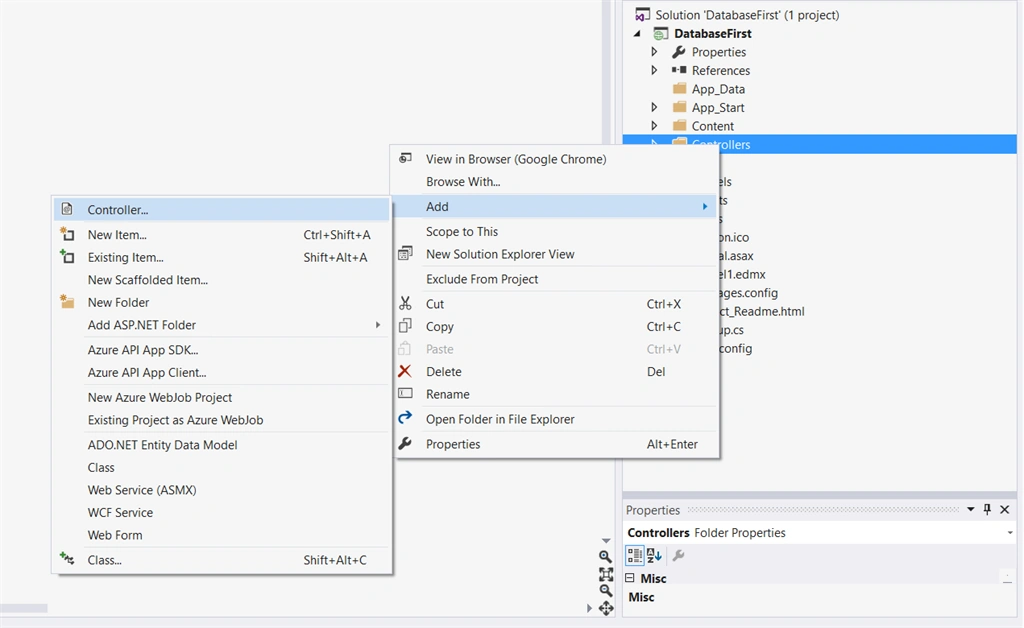
Now try to create Controller, by right click on Controllers and selecting Controller,
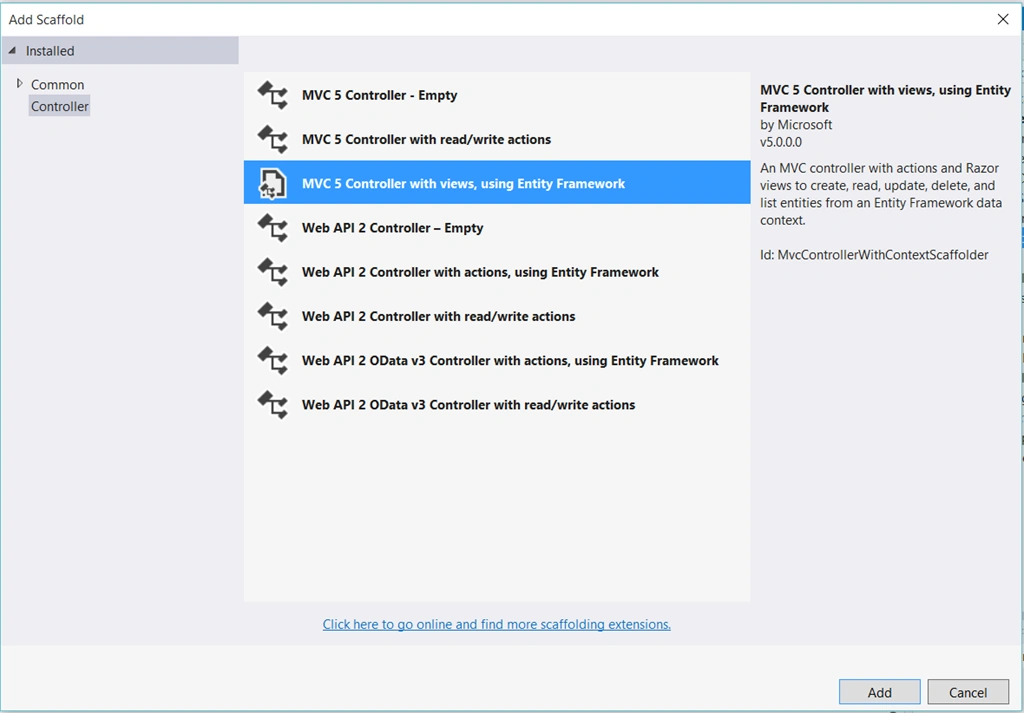
Select MVC 5 Controller with views, using Entity Framework,
Select Model Class 'Country' and Database context class as 'DemoEntities', and it will automatically assign name 'CountriesController', So our Controller name will be CountriesController.
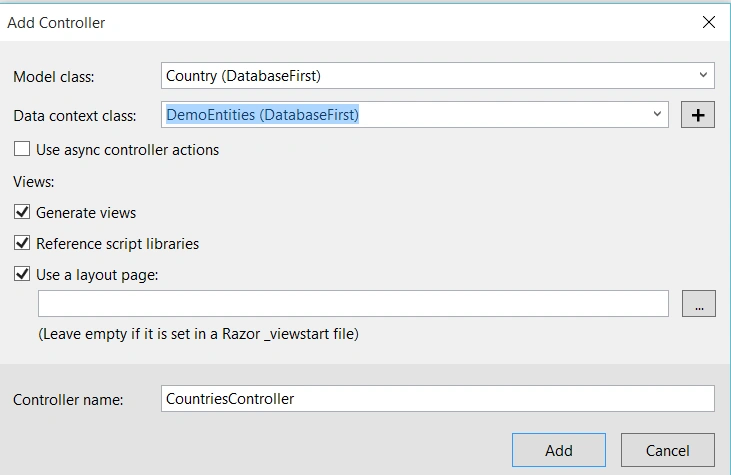
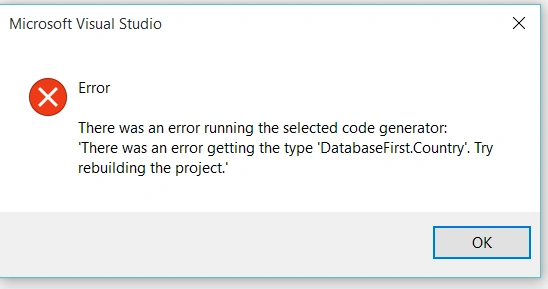
Now if you try to click on 'Ok' it will give you error message because we haven't build our project, so let's build the project and add the CountriesController.
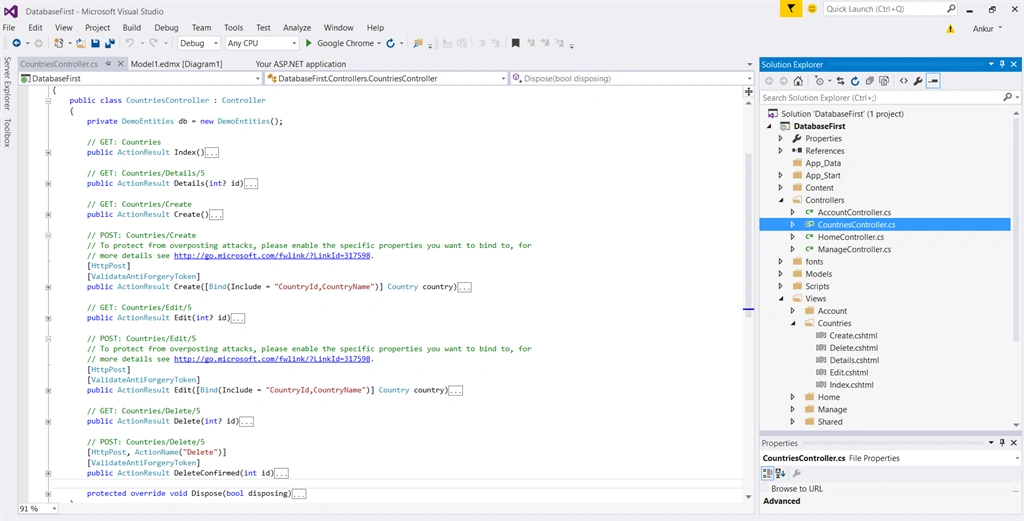
Scaffolding method will automatically create ActionResult in Controller like Create, Delete, Edit, Index and View. Also create Countries folder in View with Create.cshtml, Delete.cshtml, Details.cshtml, Edit.cshtml and Index.cshtml.
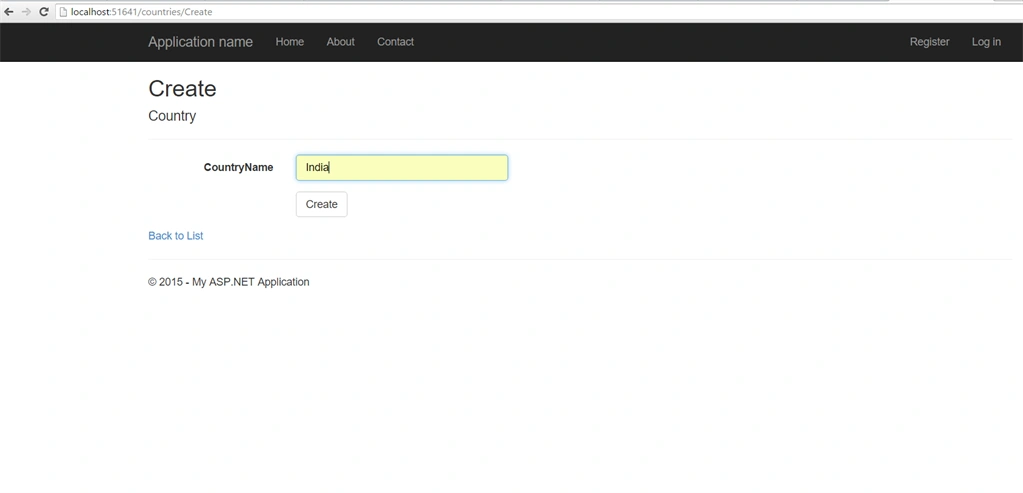
Run the application http://localhost:/Countries, Add country, Edit or Delete Country and check the application.
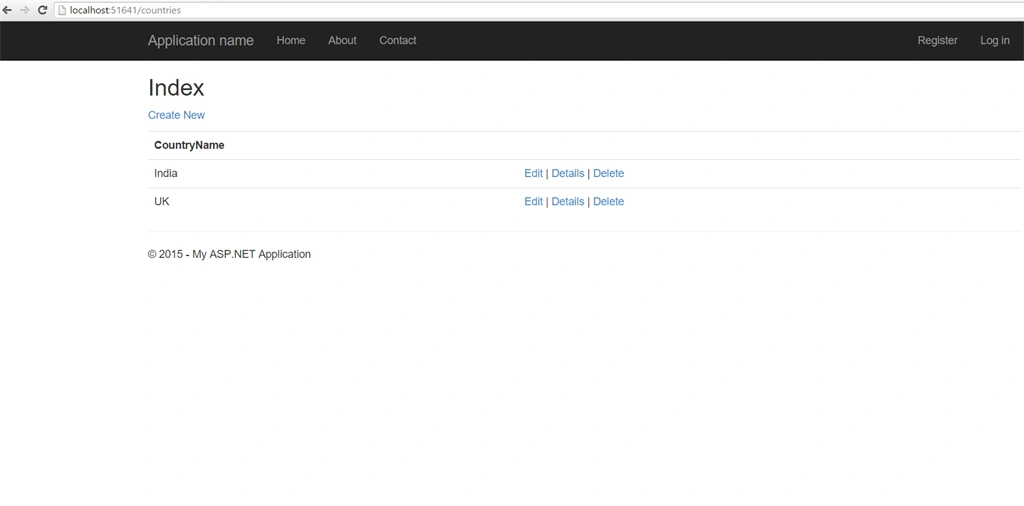
So, its easy to start with database first approach for small or mid size project using database first approach using scaffolding method.
Hope you like this article.
Former memberPosted Dec 29, 2015, 11:42 PM
Nice Article sir....
Joe WilsonPosted Dec 28, 2015, 2:20 AM
Well, it was so useful.
Humayun Kabir MamunPosted Dec 28, 2015, 1:49 AM
Nice...
Santhakumar MunuswamyPosted Dec 25, 2015, 3:20 PM
Thanks for nice article. Keep it up
Gowtham KPosted Dec 25, 2015, 10:15 AM
Good One, Thanks for sharing
Sibeesh VenuPosted Dec 25, 2015, 10:13 AM
Nice Share