

Introduction
SharePoint site definition serves as a foundation to the new SharePoint site. Site definition determines the appearance, behavior, default content (lists, content types, event receivers, images, etc.), and functionality of the SharePoint site. In this article, I will explain how to create custom Site Definition in SharePoint 2013, using Visual Studio.
Pre-requisites
- Open Visual Studio.
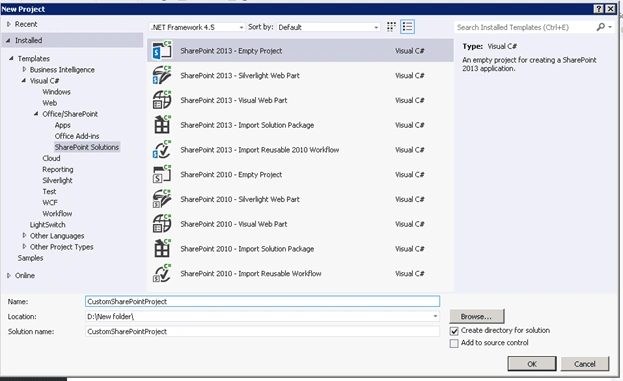
- Open "New Project" dialog box. Expand Office/SharePoint node and choose SharePoint Solutions.
- Select "SharePoint 2013 – Empty Project" template. Name the project as CustomSharePointProject.
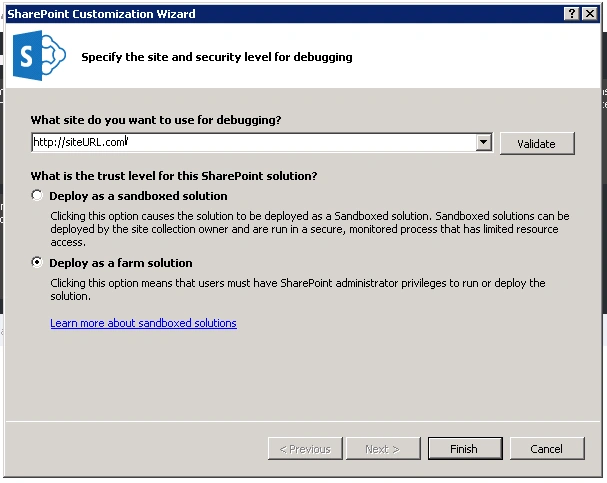
- Choose the "Deploy as a farm solution" radio button (because site definition can be added to the form solutions only) and click Finish.
- “CustomSharePointProject” SharePoint project has been created successfully.

Create Site Definition
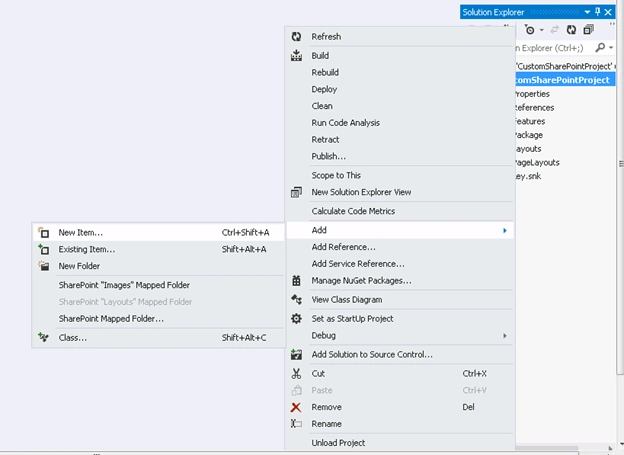
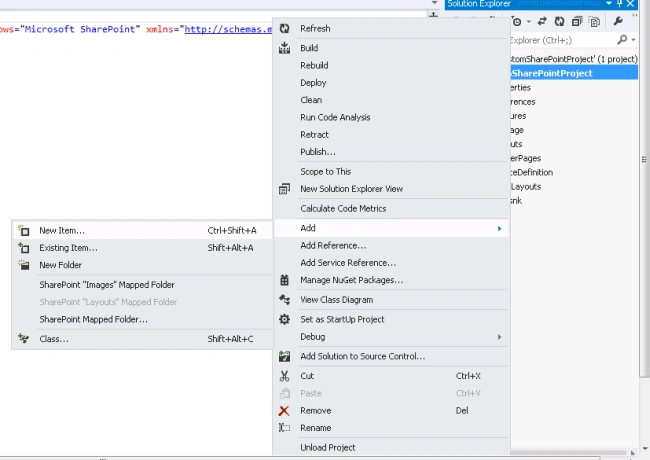
- Right click on CustomSharePointProject -> Add -> New Item.
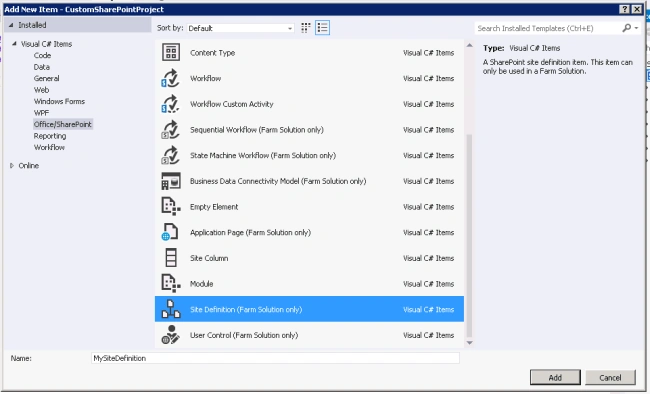
- Add Site Definition (form solution only) from the "Add New Item" window. Name it as “MySiteDefinition”.
- MySiteDefinition has got created in the following folder structure.
- Create new list definition, content type, event receiver, etc. in the SharePoint project. For example, create new list definition as follows.
- Right click on CustomSharePointProject -> Add -> New Item.
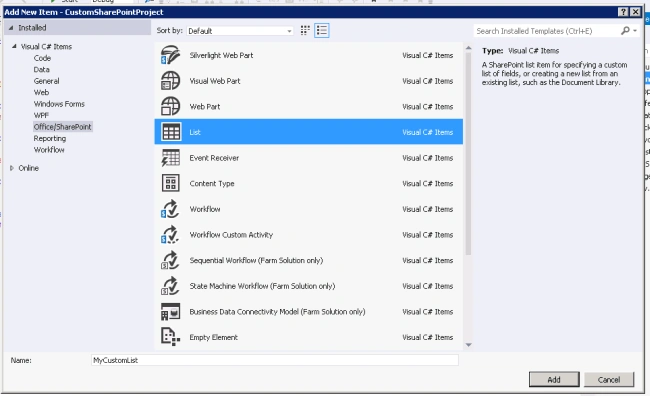
- Add List from the "Add New Item" window. Name it as “MyCustomList”.
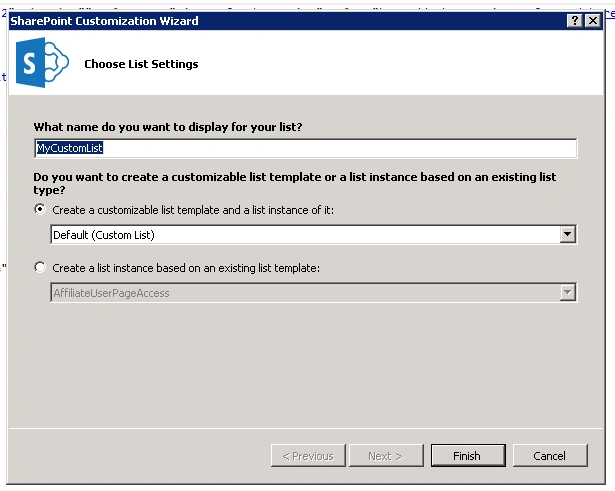
- Select customizable list template and choose Default (Custom list).
- List definition has been created.
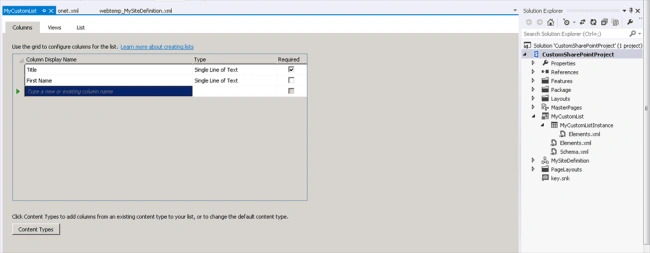
- Open onet.xml file of Site definition.
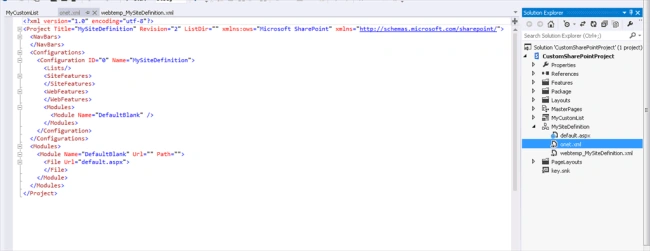
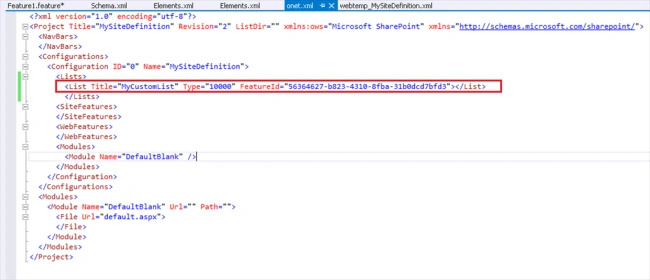
- Add your custom List definition to the <list> tag in onet.xml file. Give proper List template type and feature id (Take from default feature created).
- Build and deploy the SharePoint Solution.
- Go to SharePoint site, Site Actions -> Site Content -> New Subsite.
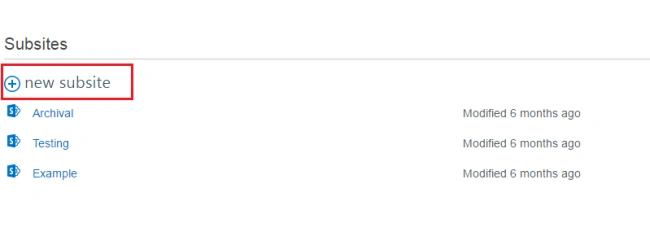
- Our custom Site definition will appear under “SharePoint Customizations” tab. Create new subsite with “MySiteDefinition” as template.
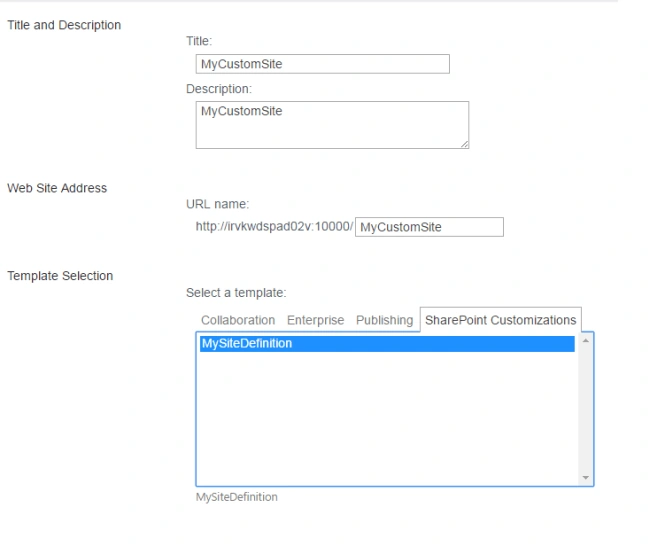
- New subsite got created with custom Site definition.
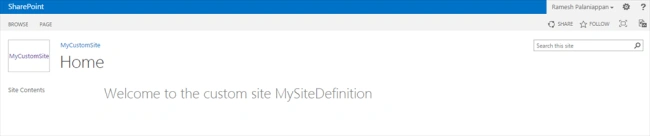
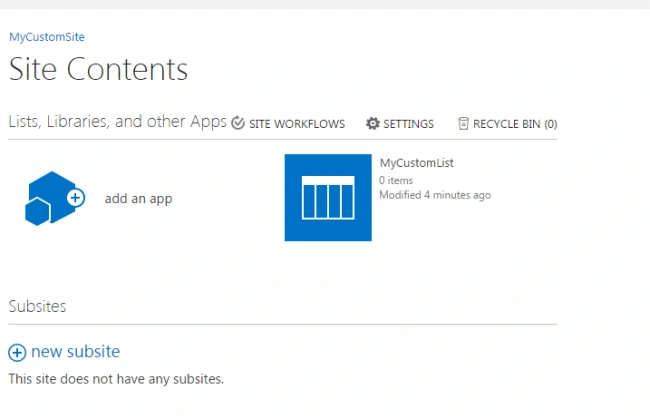
- Go to Site Action -> Site Content in the newly created site. Our custom List got created in the subsite.

Summary
Thus, you learned how to create custom Site Definition in SharePoint 2013, using Visual Studio.
Gulam MustafaPosted Aug 22, 2019, 10:49 PM
Hi Ramesh, Thank you for writing this article. I do have a quick question for you. For future updates to the template, any site created using the prior version of the template will still continue to have older template or will assume newer version once the updated template has been deployed. Please advise.
Sher E AbbasPosted Feb 7, 2018, 1:20 AM
HI Ramesh, I need to create a site template for sharepoint online. When i try the above steps the visual studio prompted that there is no installation detected of sharepoint server or foundation on my machine. Do i need sharepoint server with visual studio to develop site template? i am already working on office 365 and developing sharepoint apps. Thansk
Shekhar MishraPosted Jul 14, 2017, 6:24 AM
In the image of Point No. 10 I am unable to find the "FeatureID" and "Type" of List information in Solution. Please assist me to find that.
Vignesh ManiPosted Oct 13, 2016, 10:43 AM
Nice
Humayun Kabir MamunPosted Oct 13, 2016, 3:54 AM
Nice...
Anu VPosted Oct 12, 2016, 11:59 PM
Nice post..