

Introduction
Item Event Receivers are used to interact with SharePoint items, such as lists or list items. An event receiver responds to the events that occur in any instance of a list definition. In this article, I will explain how to create Item Event Receivers in SharePoint 2013 using C# Server Object Model.
Pre-Requisites
- Open Visual Studio.
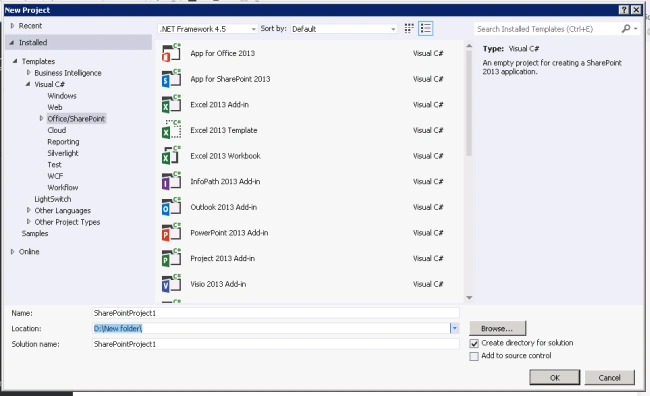
- Open New Project dialog box. Expand Office/SharePoint node and then choose SharePoint Solutions.
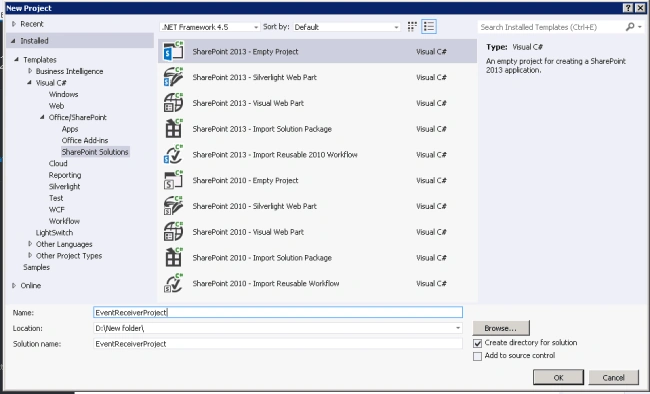
- Choose the SharePoint 2013 – Empty Project template. Name the project as EventReceiverProject.
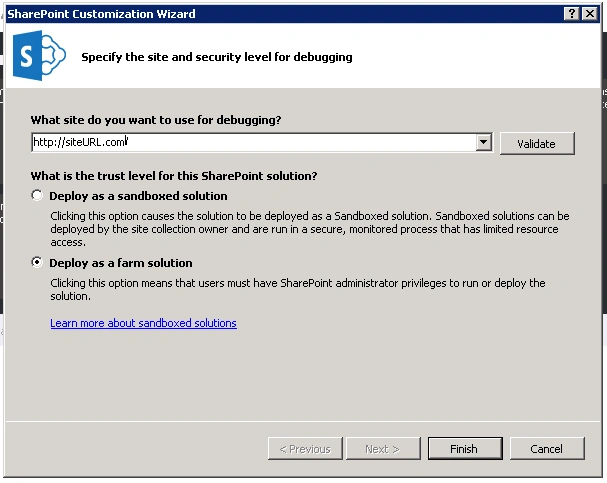
- Choose "Deploy as a farm solution" option button and choose Finish.
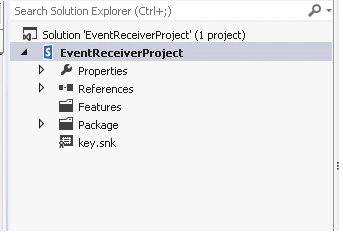
- EventReceiverProject SharePoint project got created.
Create Item Event Receiver
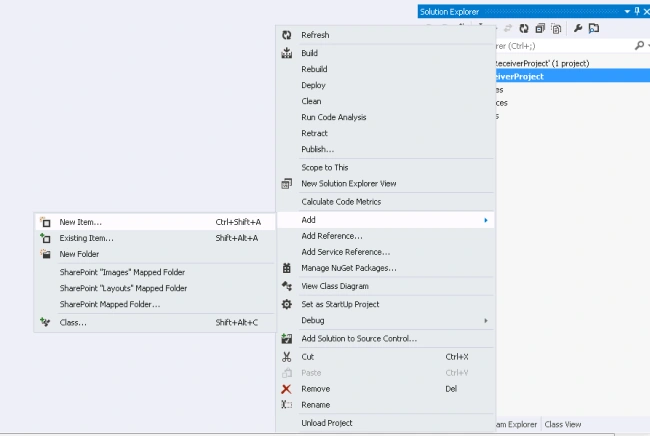
- Right click on EventReceiverProject ->Add -> New Item.
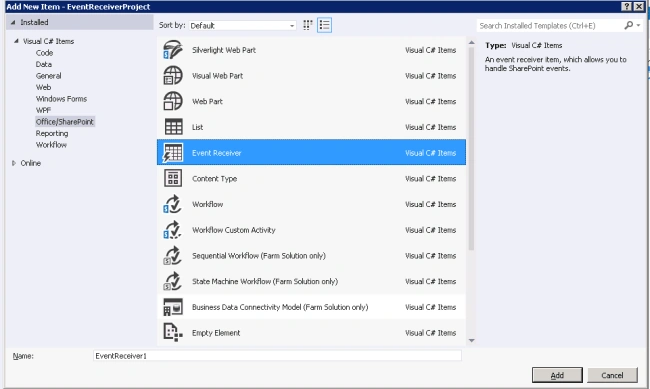
- Add Event Receiver from the "Add New Item" window.
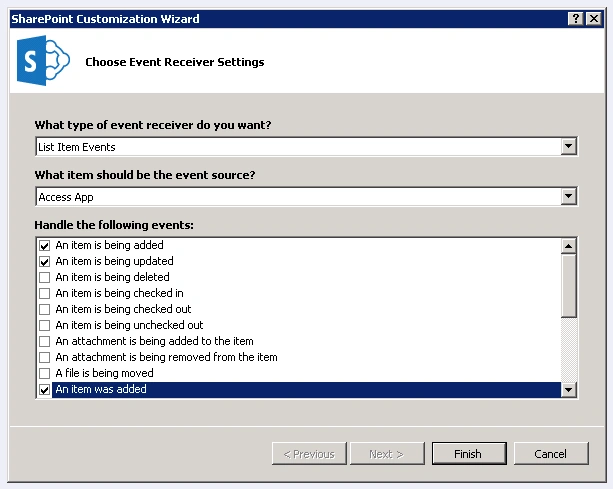
- In SharePoint Customization Wizard, click on check boxes what are the event receiver want to add on Item like below.
- An Item is being added- Event receiver will call while item adding in progress.
- An Item is being updated- Event receiver will call while item update in progress.
- An Item was added- Event receiver will call when item add completed.
- An Item was updated- Event receiver will call when item update completed.
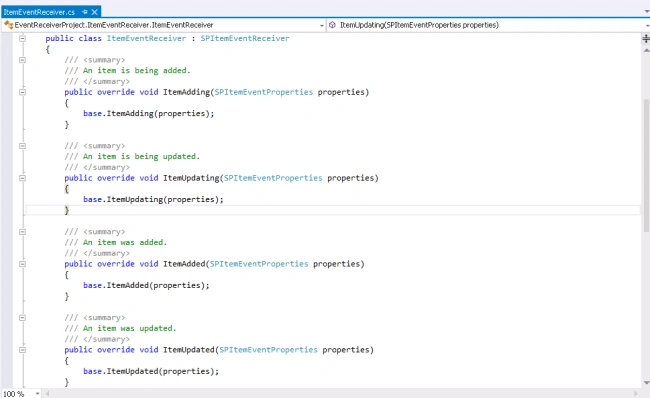
- Item event receivers are created, as shown in the below image.
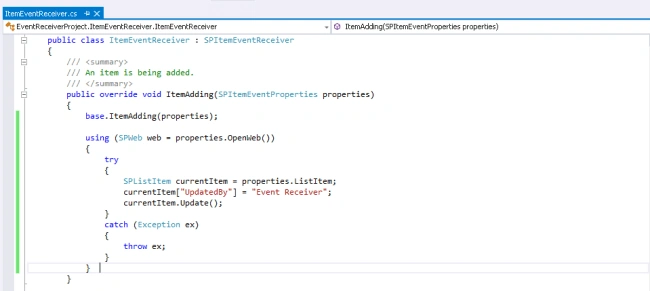
- Add the custom action to all the event receiver like ItemAdding, ItemUpdating, ItemAdded, ItemUpdated, etc,.
- public override void ItemAdding(SPItemEventProperties properties)
- {
- base.ItemAdding(properties);
- using(SPWeb web = properties.OpenWeb()) {
- try {
- SPListItem currentItem = properties.ListItem;
- currentItem["UpdatedBy"] = "Event Receiver";
- currentItem.Update();
- } catch (Exception ex) {
- throw ex;
- }
- }
- }
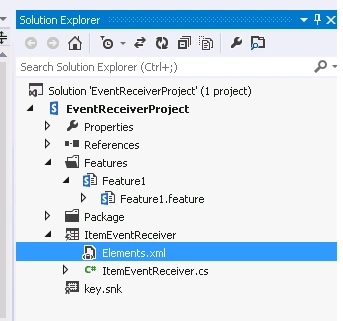
- Open Element.xml of the event receiver.
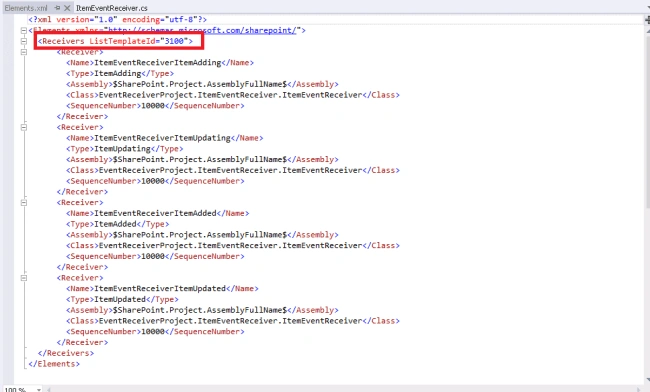
- Receiver tag contains ListTemplateId will have the information of which list will receive the custom event to run. I may be generic list template ID or specific list template ID or List URL.
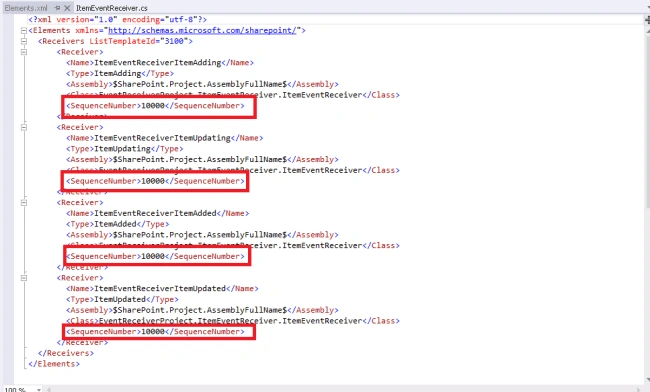
- <SequsnceNumber> tag denotes that order in which event should occur.
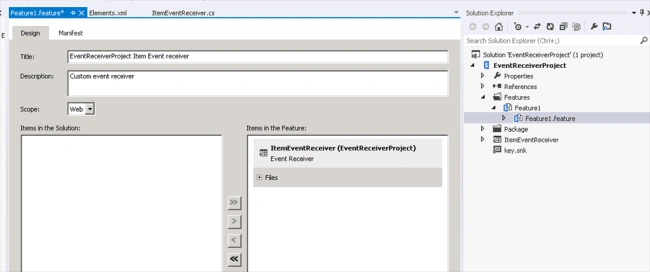
- Add Feature to the SharePoint solution and add this event receiver to that feature.
- Build and deploy the SharePoint solution.
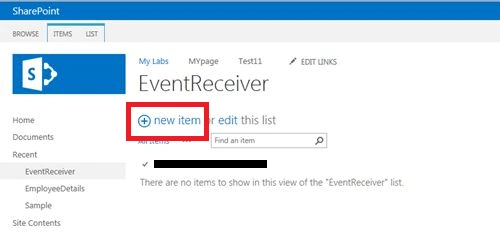
- Open the SharePoint site, go the list, and add new item to the List which we added in event receiver.
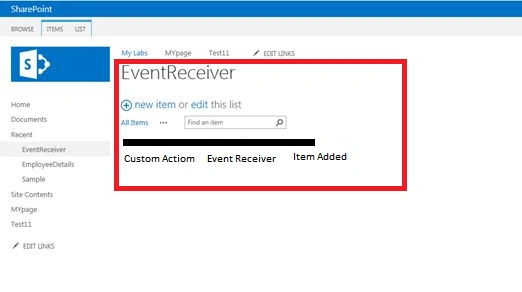
- Thus, the Item is added and event receiver updated the items as per our custom action.
Summary
Thus, you have learned how to create Item Event Receivers in SharePoint 2013 using C# Server Object Model.
Tarun DPosted Sep 27, 2016, 12:55 AM
Nice share..Thank you
Harish KhawathPosted Sep 24, 2016, 7:42 AM
Good one