

Introduction
An application page is a web page that is used in a SharePoint website. An application page contains content that is merged with a SharePoint Master page. A master page enables application pages to share the same appearance and behavior as other pages on a SharePoint site. We can create application pages in Visual Studio by adding an Application Page item to a SharePoint project. In this article, I will explain how to create Application Page in SharePoint 2013, using Visual Studio.
Pre-Requisites
- Open Visual Studio.
- Open New Project dialog box. Expand Office/SharePoint node and then choose SharePoint Solutions.
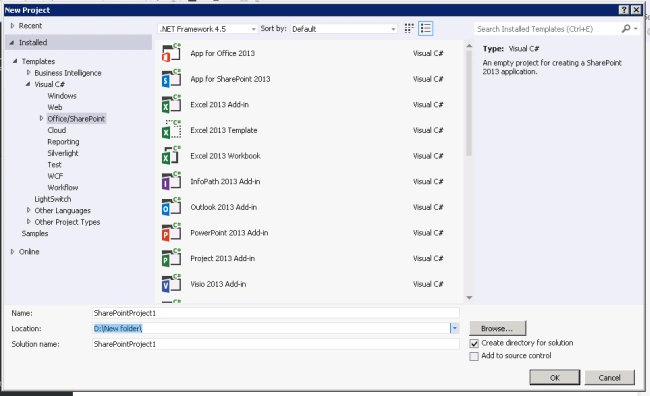
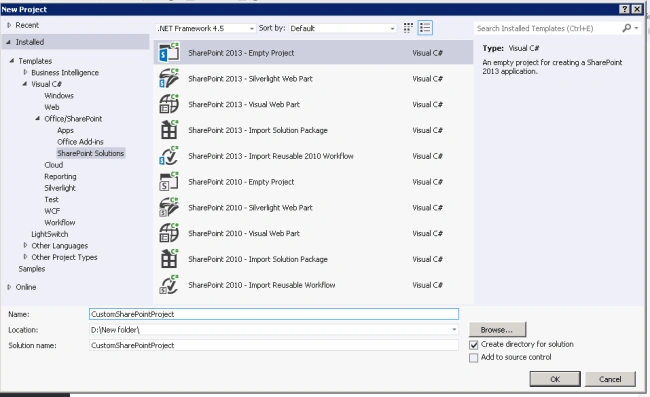
- Choose the SharePoint 2013 – Empty Project template. Name the project as CustomSharePointProject.
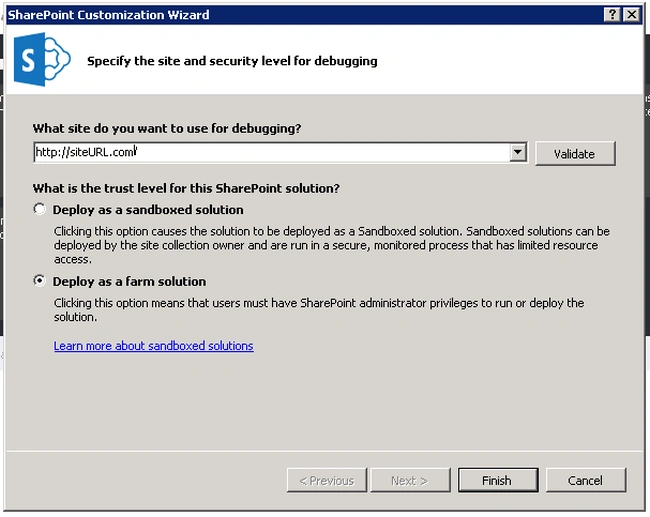
- Choose the "Deploy as a farm solution" radio button (because Application Page will work only in farm solutions) and click Finish.
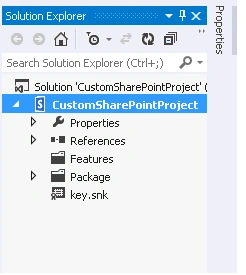
- “CustomSharePointProject” SharePoint project got created.
Create Application Page
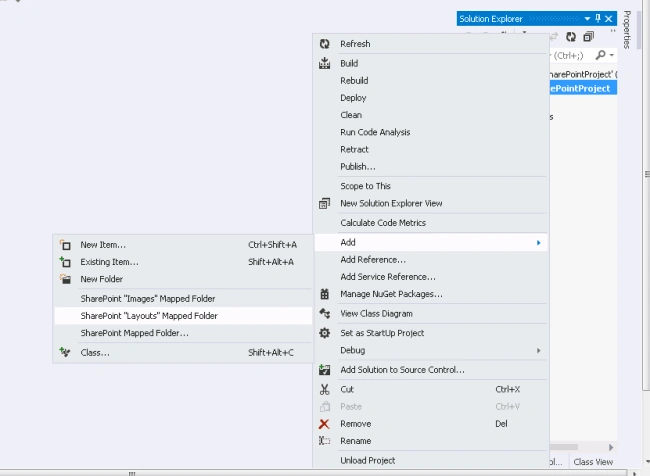
- Right click on CustomSharePointProject -> Add -> SharePoint “Layouts” Mapped Folder.
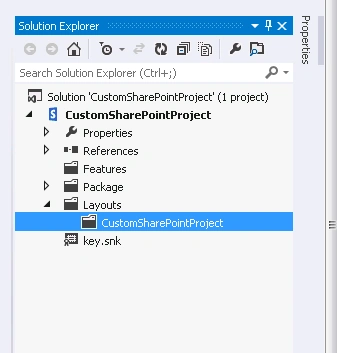
- Layouts Mapped Folder got created with the following structure.
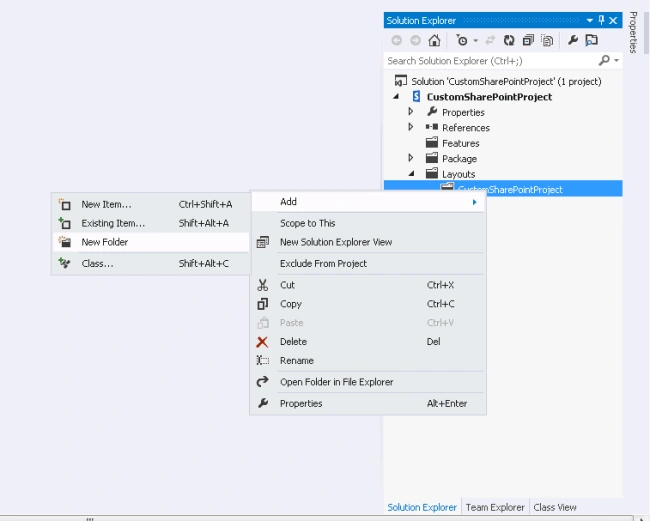
- Right click on “CustomSharePointProject” folder under Layouts ->Add -> New Folder.
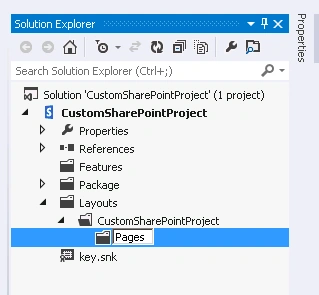
- Name the folder as “Pages”.
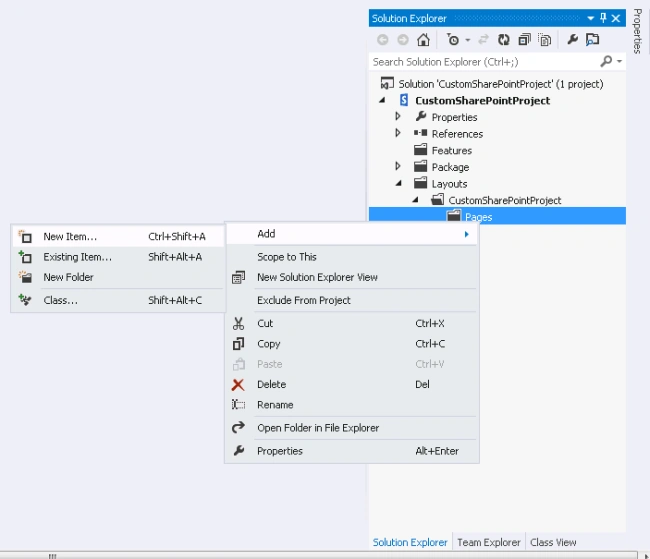
- Right click on “Pages” folder ->Add -> New Item.
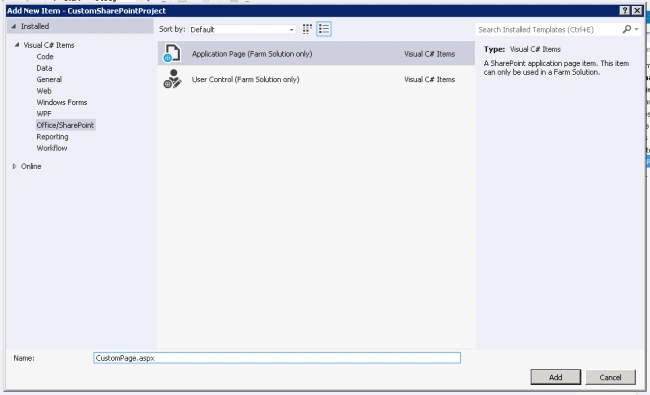
- Add Application Page (Farm Solution Only) from the Add New Item window. Name it as “CustomPage.aspx”.
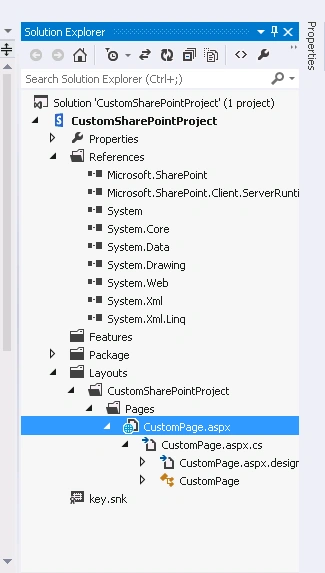
- Application Page got created in the following folder structure.
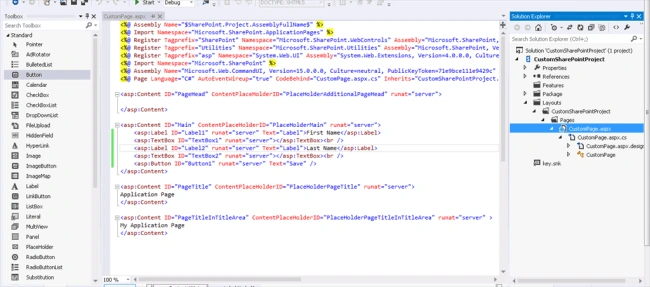
- Open CustomPage.aspx file and add the control fields we want in Application Page from the Toolbox panel.
- Open CustomPage.aspx.cs file and write the C# code behind function for the event receivers.
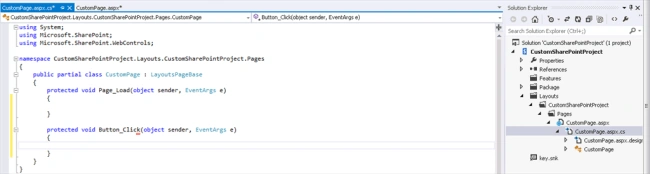
- Build and deploy the SharePoint solution.
- Our Page will be present in following folder.
C:\Program Files\Common Files\Microsoft Shared\Web Server Extensions\15\TEMPLATE\LAYOUTS\CustomSharePointProject\Pages
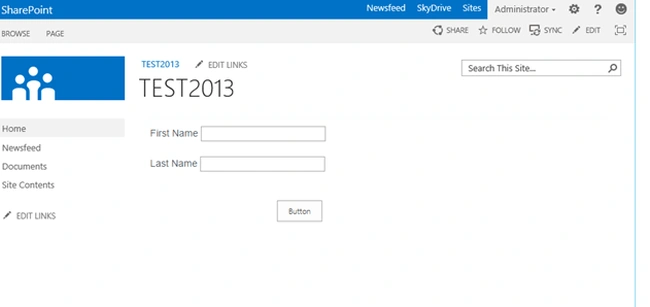
- Open the SharePoint site and open the CustomPage.aspx page. /_layouts/15/CustomSharePointProject/Pages/CustomPage.aspx
- Our control gets added to the application page. We can check the master page enabled application pages to share the same appearance and behavior as other pages on a SharePoint site.
Summary - Thus, you have learned how to create Application Page in SharePoint 2013, using Visual Studio.
Anu VPosted Oct 2, 2016, 6:11 AM
Nice...
Humayun Kabir MamunPosted Oct 1, 2016, 11:53 PM
Nice...