

Introduction
This article explains how to use a sticky footer and how to use the sticky footer in an ASP.NET Master Page.
Step 1
Open your Visual Studio then select Add New Project then select Add Master Page >> Add ASPX Page.
Open your Visual Studio then select Add New Project then select Add Master Page >> Add ASPX Page.
Step 2
Now open your Master Page and add this script within the head tag.
Now open your Master Page and add this script within the head tag.
- <head>
- <script type="text/javascript" src="http://code.jquery.com/jquery.js"></script>
- <script type="text/javascript">
- $(window).bind("load", function () {
- var footer = $("#footer");
- var pos = footer.position();
- var height = $(window).height();
- height = height - pos.top;
- height = height - footer.height();
- if (height > 0) {
- footer.css({
- 'margin-top': height + 'px'
- });
- }
- });
- </script>
- </head>
Step 3
Then write the following div within your form:
Then write the following div within your form:
- <form id="form1" runat="server">
- <div>
- <asp:ContentPlaceHolder id="ContentPlaceHolder1" runat="server">
- </asp:ContentPlaceHolder>
- <div id="footer">
- Your Footer Content
- </div>
- </div>
- </form>
Open your aspx page (for example default.aspx). Call your master page in your aspx page.
- <%@ Page Title="" Language="C#" MasterPageFile="Master.Master" AutoEventWireup="true" CodeBehind="default.aspx.cs" Inherits="StickyFooter.default" %>
Step 5
Remove all HTML elements from your default.aspx page. And add your content placeholder on your default.aspx page.
Remove all HTML elements from your default.aspx page. And add your content placeholder on your default.aspx page.
- <asp:Content ID="Content2" ContentPlaceHolderID="ContentPlaceHolder1" runat="server">
- Main Content (Header Content)
- </asp:Content>
Output
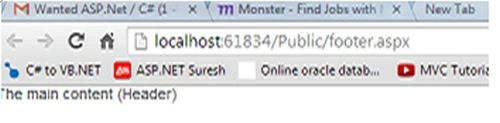

Full example
Master Page (C#)
- <%@ Master Language="C#" AutoEventWireup="true" CodeBehind="Master.master.cs" Inherits=StickyFooter.Master" %>
- !DOCTYPE html PUBLIC "-//W3C//DTD XHTML 1.0 Transitional//EN" "http://www.w3.org/TR/xhtml1/DTD/xhtml1-transitional.dtd">
- <html xmlns="http://www.w3.org/1999/xhtml">
- <head runat="server">
- <title></title>
- <asp:ContentPlaceHolder ID="head" runat="server">
- </asp:ContentPlaceHolder>
- <script type="text/javascript" src="http://code.jquery.com/jquery.js"></script>
- <script type="text/javascript">
- $(window).bind("load", function () {
- var footer = $("#footer");
- var pos = footer.position();
- var height = $(window).height();
- height = height - pos.top;
- height = height - footer.height();
- if (height > 0) {
- footer.css({
- 'margin-top': height + 'px'
- });
- }
- });
- </script>
- </head>
- <body>
- <form id="form1" runat="server">
- <div>
- <asp:ContentPlaceHolder id="ContentPlaceHolder1" runat="server">
- </asp:ContentPlaceHolder>
- <div id="footer"> Your footer content </div>
- </div>
- </form>
- </body>
- </html>
- <%@ Page Title="" Language="C#" MasterPageFile="Master.Master" AutoEventWireup="true" CodeBehind="default.aspx.cs" Inherits="StickyFooter.default" %>
- <asp:Content ID="Content1" ContentPlaceHolderID="head" runat="server">
- </asp:Content>
- <asp:Content ID="Content2" ContentPlaceHolderID="ContentPlaceHolder1" runat="server">
- The main content (Header)
- </asp:Content>
Sangaralingam SPosted Jul 18, 2017, 7:09 AM
Nice. Use for my reference
Shahbaz AliPosted Nov 25, 2016, 12:33 AM
Nice effort thanks for sharing.
romeo jamesPosted May 16, 2016, 5:33 AM
thank you so much
Vithal WadjePosted Sep 25, 2014, 2:25 PM
great one thanks for sharing