

In this article I will be explaining about Angular cookies. So what is a cookie? Cookies are like a small package of information that is stored by the user’s browser. Cookies persist across multiple requests and browser sessions that should be set so that they can be a great method for authentication in web applications. Sometimes we will have some queries about which is to be used -- either local storage or cookies? Before that, I like to say that the cookies and local storage serve different purposes.
The local storage can be read on the client-side, whereas the cookies are being read on the server-side. The biggest difference is the data size is about to store, the local storage will give more space to store, whereas the cookie is limited by the size of to store.
As I said above the cookies are used on the server-side whereas the local storage is used on the client-side. The local storage is a way of storing the data in the client’s PC, by saving the key/ value pair in a web browser with no expiration date. We will discuss about using local storage in the next article, so coming to the point, as I said the cookies are a kind of small file that are stored on the user’s browser.
The cookie is a small table which will contain key and data values so, by using this it will be very useful to carry information from one session to another session. Once we are about to store data on the server without using cookies then it will be difficult to retrieve a particular user’s information without a login on each visit to that website.
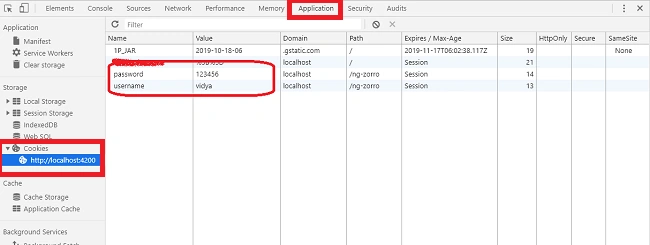
So far we have seen about the overview of a cookie and the usage of it. Now in this article, I will explain about storing the username and password of a static user in the cookie table. So, I have created two components, namely the login component and dashboard component, and I have set a static username and password in authservice.ts file.
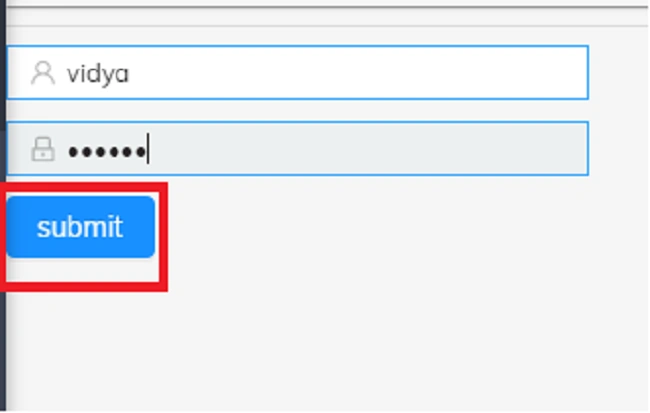
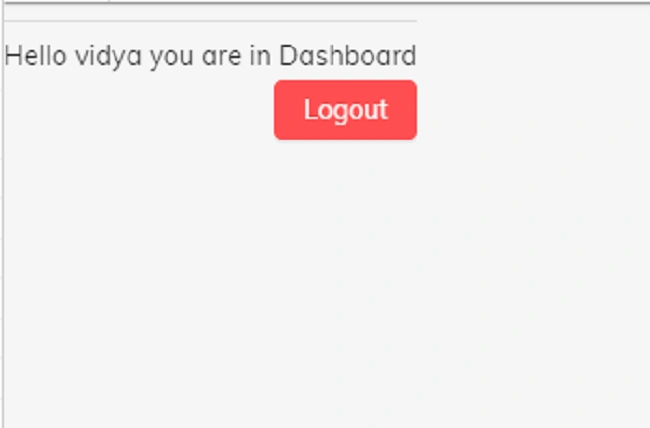
So, when a user logs in to the login form by providing his user’s credentials the authservice checks the input and redirects the user to the dashboard if the user’s credentials are valid. If the user’s credentials are not valid it will alert by throwing enter valid email or password. And if the dashboard page is being accessed by unauthorized usage the page will be redirected to the login page automatically.
Setting up
In order to use cookies in Angular, we need to install the Angular cookie library by using the following npm package manager.
npm install ngx-cookie-service –save
After installing the package manager, we need to import the cookie service in the inside of our modules.
I have used the ng zorro library UI for form design, and you can find more information about ng zorro from the following link. The next step is to design a login form. So, open login.component.html file and replace the following code.
- <form fxFill #Login="ngForm" (ngSubmit)="onsubmit()">
- <div nz-row>
- <div nz-col nzMd="12" nzXs="24">
- <hr />
- <nz-form-item>
- <nz-input-group>
- <div nz-col nzMd="11" nzXs="8">
- <nz-input-group nzPrefixIcon="user">
- <input type="text" nz-input name="Login_name" placeholder="User Name" id="userName"
- #userName="ngModel" [(ngModel)]="Obj.username">
- </nz-input-group>
- <div *ngIf="Login.submitted && userName.errors" style="color: red">
- <div *ngIf="userName.hasError('required')">
- Login ID is required
- </div>
- </div>
- </div>
- </nz-input-group>
- </nz-form-item>
- <nz-form-item>
- <div nz-col nzMd="11" nzXs="8">
- <nz-input-group nzPrefixIcon="lock">
- <input type="password" nz-input name="user_password" placeholder="Password"
- id="password" #password="ngModel" [(ngModel)]="Obj.password">
- </nz-input-group>
- <div *ngIf="Login.submitted && password.errors" style="color: red">
- <div *ngIf="password.hasError('required')">
- Password is required
- </div>
- </div>
- </div>
- </nz-form-item>
- <div class="button">
- <button nz-button nzType="primary">
- submit
- </button>
- </div>
- </div>
- </div>
- </form>
Now open login.component.ts file and replace the following code in it.
- import {
- Component,
- OnInit
- } from '@angular/core';
- import {
- FormGroup
- } from '@angular/forms';
- import {
- AuthService,
- User
- } from '../services/authservice.service';
- import {
- Router,
- ActivatedRoute
- } from '@angular/router';
- import {
- CookieService
- } from 'ngx-cookie-service';
- @Component({
- selector: 'nz-demo-card-simple',
- templateUrl: './login.component.html'
- })
- export class LoginComponent implements OnInit {
- Obj: User;
- constructor(private srvLogin: AuthService, private router: Router, public activatedRoute: ActivatedRoute, private cookieService: CookieService) {
- this.Obj = new User();
- }
- ngOnInit(): void {}
- onsubmit(): void {
- this.cookieService.set('username', this.Obj.username);
- this.cookieService.set('password', this.Obj.password);
- console.log(this.cookieService.get('username'));
- console.log(this.cookieService.get('password'));
- const a = this.Obj;
- if (this.srvLogin.checkLogValues(this.Obj)) {
- this.srvLogin.isloggedin = true;
- console.log(this.srvLogin.isloggedin);
- this.router.navigate(['/dashboard']);
- }
- }
- }
Sundaram SubramanianPosted Oct 25, 2019, 2:39 AM
Do you think really we need to code to save data in cookies ?. Already browsers are saving those. And it's not secured to save the credentials in PEN TESTING side, I hope you are aware of it.
Mahesh AllePosted Oct 25, 2019, 1:05 AM
@Vidyadharran - From this article, I got to know the difference between local storage and cookies. Rest is of no use. We never store the password in cookies or local storage. Also on dashboard.component.ts, you are checking the credentials from service (in real time, it will hit to database via webapi). What if there are more then one component, will you check on every component? I can change the values of cookies in bower via developer tool and you will not get the original values. See the link : https://jasonwatmore.com/post/2018/11/16/angular-7-jwt-authentication-example-tutorial