

INTRODUCTION
In this tutorial, I am going to explain about MySQL String Functions with examples. This article will cover the following topics. Let’s see.
- Introduction
- String Functions in MySQL
- Conclusion
STRING FUNCTIONS IN MYSQL
ASCII
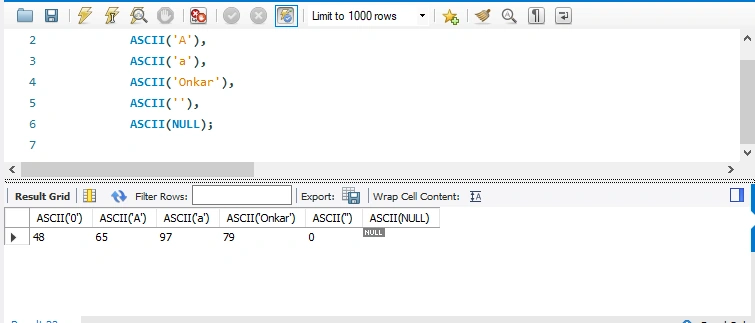
This function returns ASCII code value of the leftmost character of the String “str” and returns 0 if the “str” is the empty string. And, it returns NULL if “str” is NULL.
Syntax
ASCII (str)
Example
- SELECT ASCII('0'),
- ASCII('A'),
- ASCII('a'),
- ASCII('Onkar'),
- ASCII(''),
- ASCII(NULL);
BIT_LENGTH
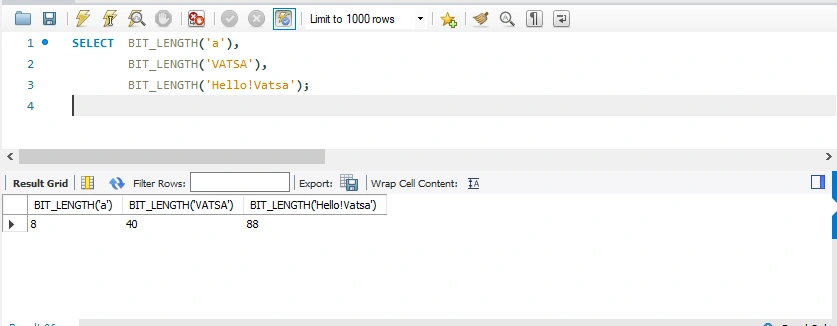
In the BIT_LENGTH(str) function return the String str length in bit forms.
Syntax
BIT_LENGTH (str);
Example
- SELECT BIT_LENGTH('a'),
- BIT_LENGTH('VATSA'),
- BIT_LENGTH('Hello!Vatsa');
CHAR
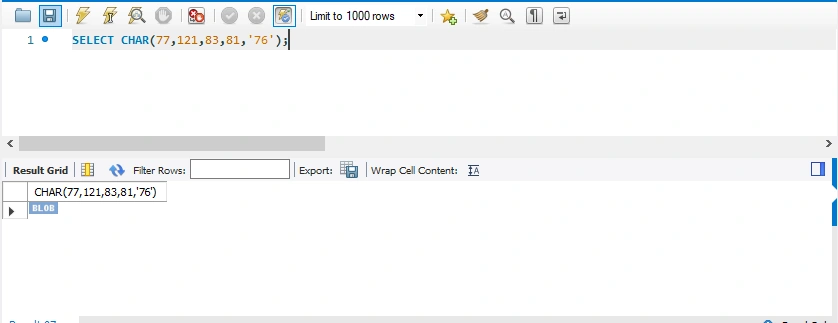
CHAR (N,... [USING charset_name] ) Function returns a string consisting of the character and the given integer value. This function skipped the NULL values.
Syntax
CHAR (N, [USING charset_name] );
Example
- SELECT CHAR(77,121,83,81,'76');
CONCAT
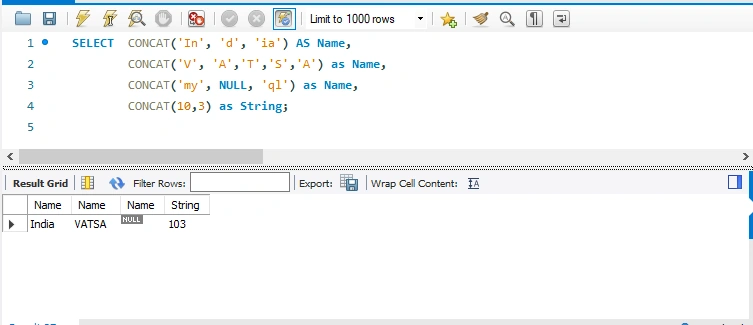
The CONCAT(str1, str2?.) function can have one or more arguments and it returns a string that is the result of concatenating the arguments. In this function if all arguments are non-binary strings, then the result is also non-binary string but if any argument is a binary string then the result is a binary string. And a numeric argument is converted to its equivalent binary string form. But if any argument is NULL then it also returns NULL.
Syntax
CONCAT (str1, str2...);
Example
- SELECT CONCAT('In', 'd', 'ia') AS Name,
- CONCAT('V', 'A', 'T', 'S', 'A') as Name,
- CONCAT('my', NULL, 'ql') as Name,
- CONCAT(10, 3) as String;
CONCAT_WS
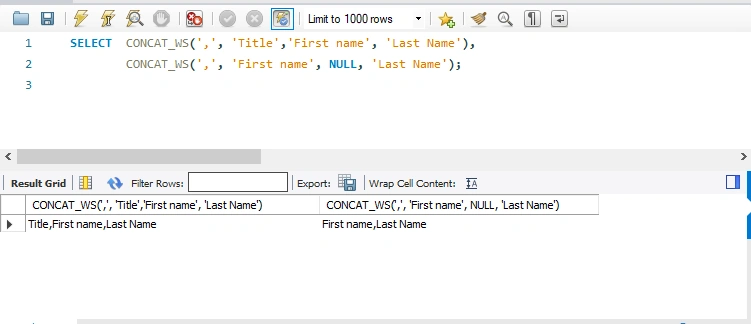
CONCAT_WS () means CONCAT with Separator. The first argument is treated as a separator for the
rest of the arguments and it is added between the strings for concatenating. If the separator is NULL then the result is NULL.
Syntax
CONCAT_WS (separator str1, str2 ...);
Example
- SELECT CONCAT_WS(',', 'Title', 'First name', 'Last Name'),
- CONCAT_WS(',', 'First name', NULL, 'Last Name');
FIELD
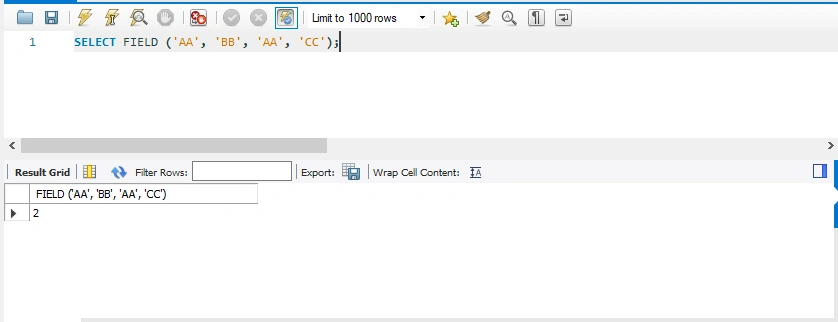
The FIELD(str,str1,str2,str3,....) function is used to find the index position of str in the arguments str1,str2,str3. In other words it returns the index position of str in the arguments. It returns 0 if str is not available in the arguments. If str is NULL then return value is 0 because NULL fails equality comparison with any value.
Syntax
FIELD (str, str1,str2, str3, ...);
Example
- SELECT FIELD ('AA', 'BB', 'AA', 'CC');
FIND_IN_SET
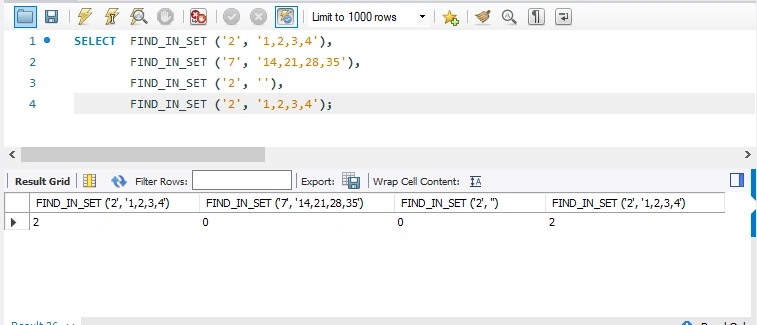
FIND_IN_SET (str,strlist) function returns a value in the range of 1 to N. This function finds the String str in the substring of String list strlist” and returns the index value. This String list has many substrings that are separated by “,” Characters.
This function returns 0 when “str” is not available in “strlist” or “strlist” is the empty string.
Syntax
FIND_IN_SET (str,strlist);
Example
- SELECT FIND_IN_SET('2', '1,2,3,4'),
- FIND_IN_SET('7', '14,21,28,35'),
- FIND_IN_SET('2', ''),
- FIND_IN_SET('2', '1,2,3,4');
FORMAT
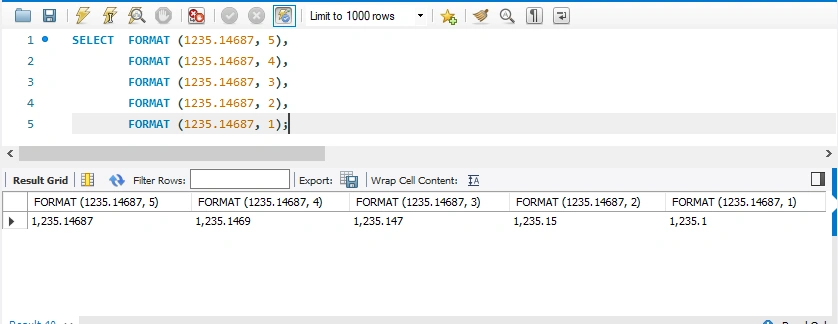
In the FORMAT(X, D) function format, the number X is rounded to the decimal places to D then returns the string as a result. But if D is 0 then, the results don’t have fractional part.
Syntax
FORMAT (X, D);
Example
- SELECT FORMAT(1235.14687, 5),
- FORMAT(1235.14687, 4),
- FORMAT(1235.14687, 3),
- FORMAT(1235.14687, 2),
- FORMAT(1235.14687, 1);
INSERT
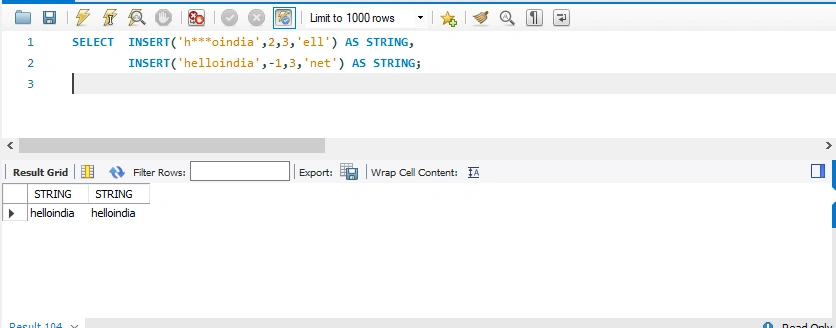
This function is used to replace some part or whole String of String “str” with String “newstr” from beginning at position pos and “len” character long. This function returns the String “str” if pos is not within the length of the string. It returns NULL if any argument is NULL.
Syntax
INSERT (str, pos,len, newstr);
Example
- SELECT INSERT('h***oindia', 2, 3, 'ell') AS STRING,
- INSERT('helloindia', -1, 3, 'net') AS STRING;

Gowtham RajamanickamPosted Apr 25, 2015, 6:37 AM
this is great
Gowtham RajamanickamPosted Apr 25, 2015, 6:37 AM
good