

In this article we will display a list of employees by creating a strongly typed view.
- Create a MVC project from the "Empty" template.
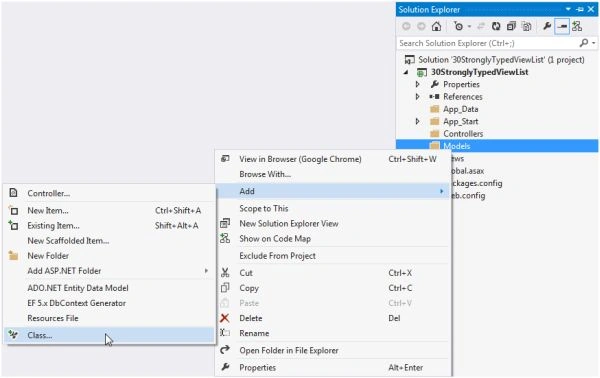
- Right-click on "Models", select "Add" >> "Class…".
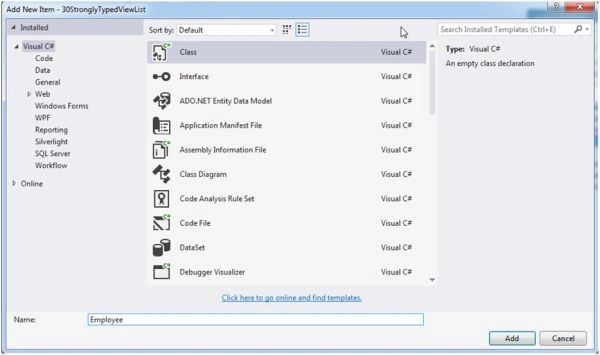
- Name the class "Employee" and click on the "Add" button.
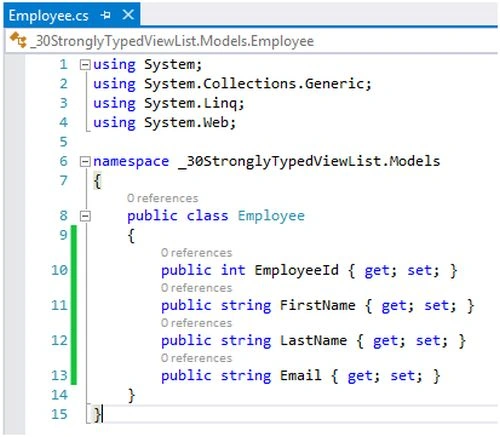
- In the employee class create employee properties like EmployeeId, FirstName, LastName and so on.
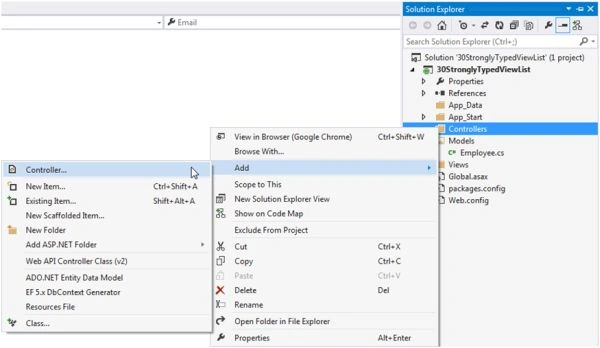
- Now add a controller; right-click on "Controllers", select "Add" >> "Controller…".
- Select "MVC 5 Controller - Empty" to add an empty controller.
Click on the "Add" button.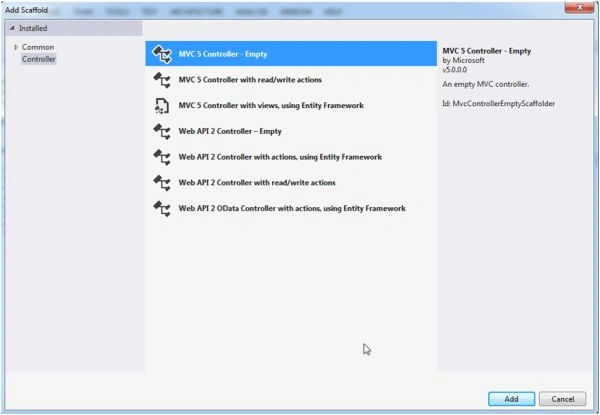
- Name the controller as in the following:
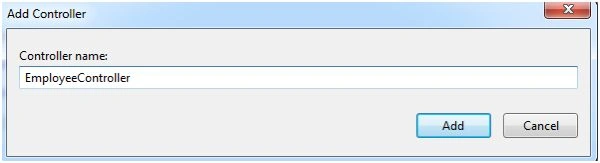
- In the Index action result method:
- Create a list of employees with some dummy employee details
- Assign the list to ViewData.Model
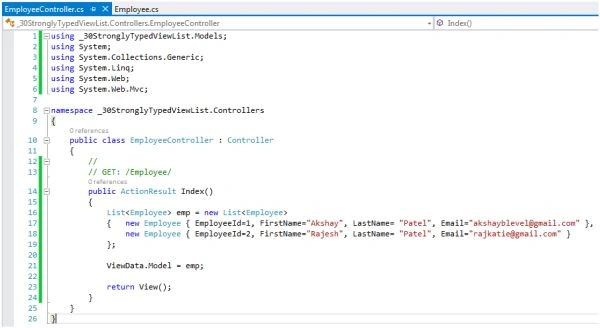
- Create a list of employees with some dummy employee details
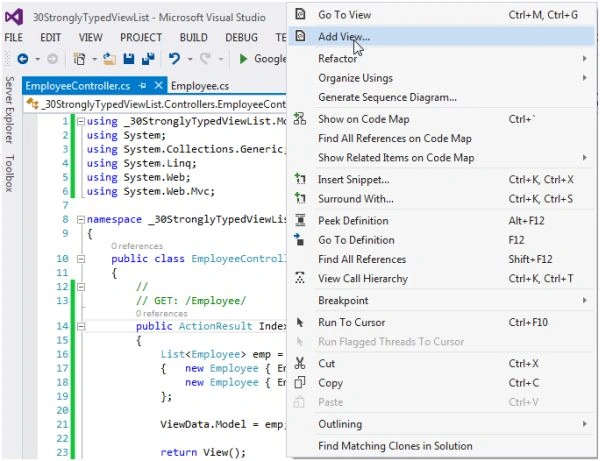
- Now add a view. Right-click on the "Index" action method and select "Add View…".
- Name the view as "Index".
Since we will show a list of employees, select "List" from the template.
From the model class drop down, select "Employee" as model.
Click on the "Add" button.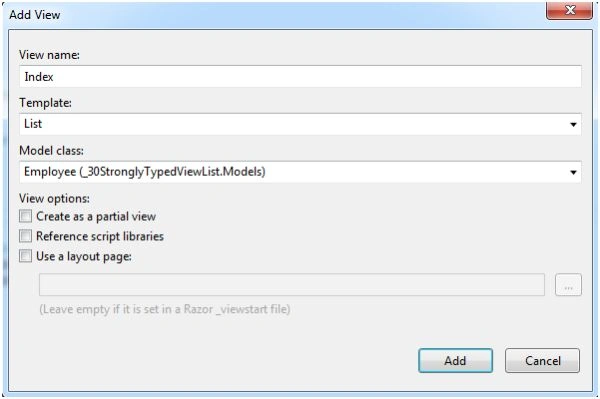
- It will automatically create a view from the model.

- Remove the "Create New" link from the top and The "Edit", "Details" and "Delete" links from the bottom of the table since we only want to display a list of employees.
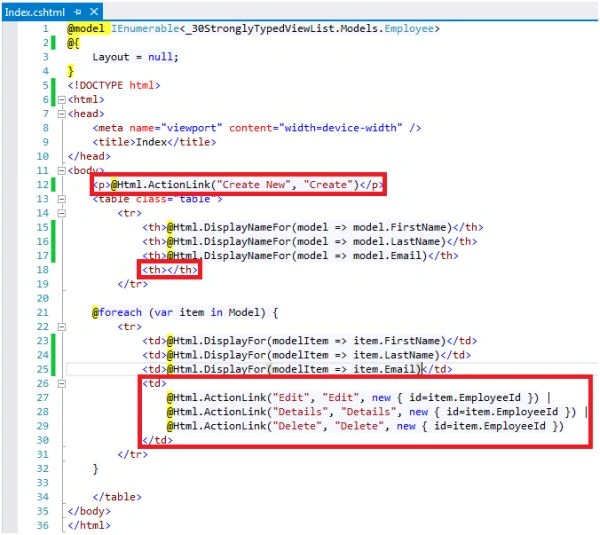
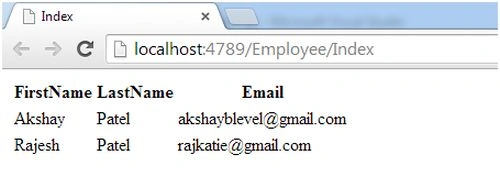
- Now run the project and you can have a list of employees in the browser.
<< Error Handling Method 7: Day 7 of 23
Ramendra kumar vermaPosted May 27, 2017, 3:47 AM
Is strongly type is better for mvc
Abbhilash JainPosted May 16, 2016, 11:48 AM
Hey Akshay..How if i fetch same data from database and through stored procedure(using linq to sql classes),and generate the strongly typed view using the model class..Can u plz explain..?
Vithal WadjePosted Oct 6, 2014, 2:01 PM
good one keep it up