

Introduction
This is the second part of my article series for structured logging with Serilog. Part one of this series is Structured Logging with Serilog and Seq - Part 1. Now, I will introduce the most common and simple Sink used Seq. Seq can be downloaded from here.
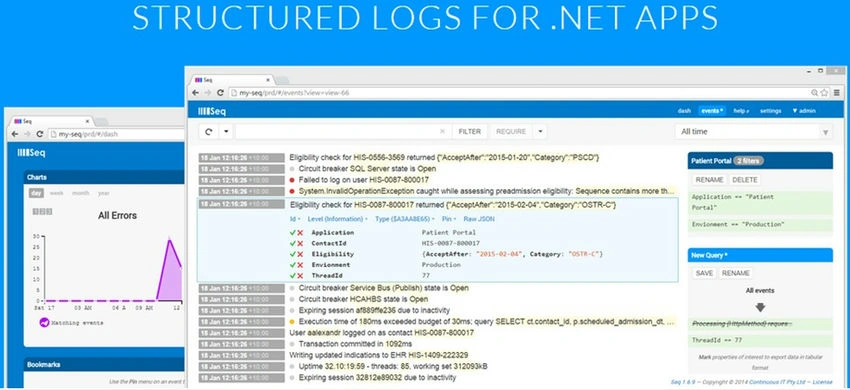
The following figure describes the seq functionality.

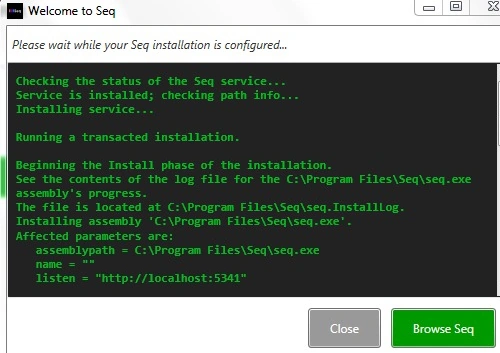
First, write data on the seq server using the HTTP calls. Using the queries you can get logged data. As said above, seq can be downloaded from here. After downloading, run the seq installation. During the installation, you will find the following screen. The default installation of the seq file is "C:\Program Files\Seq", and ou can access the seq from http://localhost:5341 (port 5341 is the default port for the seq).
I have already created the serilog application in Part 1. Now, I am introducing the code for writing the log in seq.
using System;
using System.Collections;
using System.Collections.Generic;
using System.Linq;
using System.Reflection;
using System.Text;
using System.Threading.Tasks;
using Serilog;
using Serilog.Core;
using Serilog.Events;
namespace SeriLogIntro2
{
    class Program
    {
        static void Main(string[] args)
        {
            ILogger logger = new LoggerConfiguration()
                .Enrich.With(new ApplicationDetailsEnricher())
                .WriteTo.Seq("http://localhost:5341")
                .MinimumLevel.Verbose()
                .CreateLogger();
            logger.Information("User name is {username} and age is {age}", "vivek", 34);
            Log.Logger = logger;
            logger.Information("fav shape is {@shape}", favshape1);
            Console.ReadLine();
        }
    }
}
In the preceding code, you can see the highlighted line, this is the way log is written on the seq server. When running this code, you will see the following log in the seq (you can get the seq from http://localhost:5341).
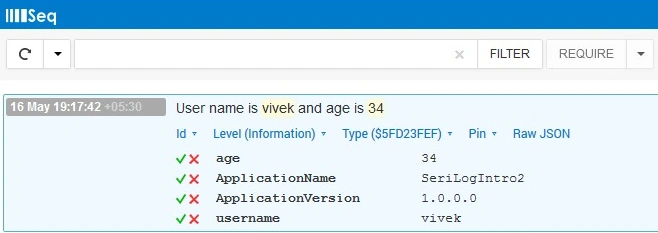
In this screenshot, you will see that, except for the information we logged, there are two more properties (ApplicationName and ApplicationVersion). This is a very useful feature that is called Enrichment.
Enrichment: This is the feature by which properties are automatically added to the log messages, as you will see in the sample code.
public class ApplicationDetailsEnricher : ILogEventEnricher
{
    public void Enrich(LogEvent logEvent, ILogEventPropertyFactory propertyFactory)
    {
        var applicationAssembly = Assembly.GetEntryAssembly();
        var name = applicationAssembly.GetName().Name;
        var version = applicationAssembly.GetName().Version;
        logEvent.AddPropertyIfAbsent(propertyFactory.CreateProperty("ApplicationName", name));
        logEvent.AddPropertyIfAbsent(propertyFactory.CreateProperty("ApplicationVersion", version));
    }
}
As shown above, the class is inherited by the ILogEventricher Interface and the enrich method takes two arguments, LogEvent and ILogEventPropertyFactory. Using this, we create a property to log.
In the seq, you can create queries/views for getting some generic type of log information as seen in the following example.
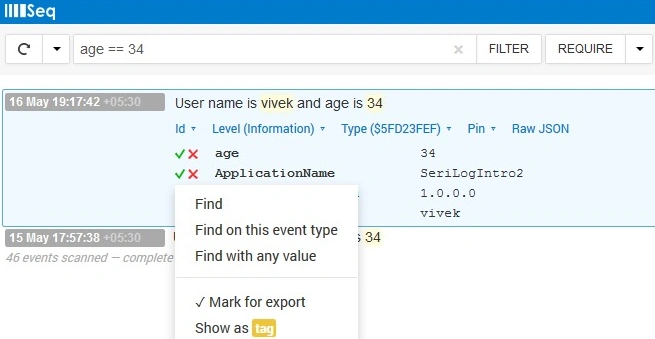

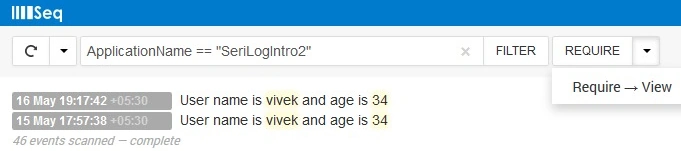
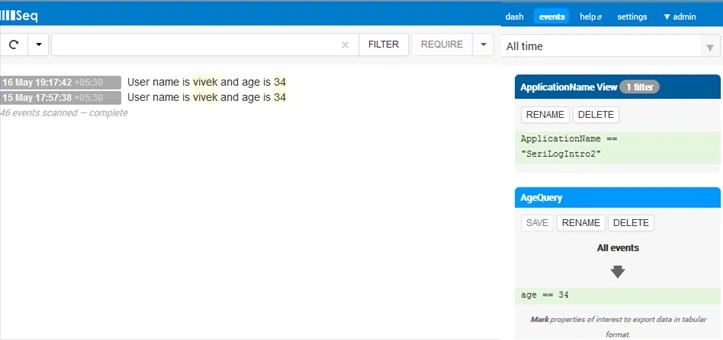
So, you can see, we can create a different view and query based on our requirements (please see the following screenshots).
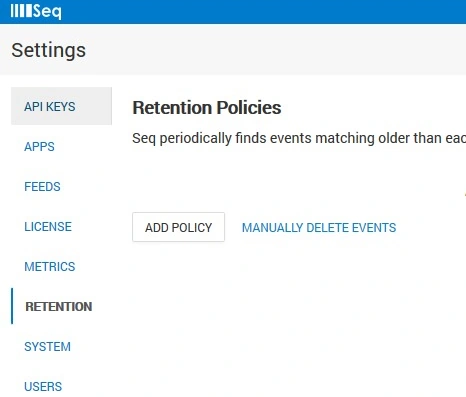
There are many more options available on the settings tab, such as retention policy, so that we can add a policy to retain the messages in the log.
So, using the serilog/seq implementation you can maintain your log in a very structured way in a no-SQL form. You can get the log very easily using simple queries over HTTP(s).
E.Prados ValientePosted Mar 29, 2017, 6:49 AM
Seq not free. I use Windows forms application, and it is installed in several machines. I want to use Serilog.
Parveen AroraPosted May 19, 2015, 3:08 AM
Nice article Sir!!!!!!!!!
Santhakumar MunuswamyPosted May 18, 2015, 2:21 PM
Thanks for nice article
Vidya Vrat AgarwalPosted May 18, 2015, 2:40 AM
Nicely explained and well captured images help to know the sequence and how the tool look like. Keep sharing.
Sibeesh VenuPosted May 18, 2015, 1:30 AM
Good one