

This article describes how to show the sum of all values in a column in a table. This article explains how it could happen that a table is loaded in a QlikView application and gets the sum of all values in a column.
Introduction
This function returns a sum of expressions over a number of records as defined by a group by clause. If the distinct keyword occurs before the expression then all the duplicates will be discarded.
Syntax
sum([distinct]expression)
Example
Load Month, sum(Sales) as SalesPerMonth
from abc.xls group by month;
Use the following procedure to get the sum of all values in a column.
Step 1: Open the QlikView application
In the first step you need to open the QlikView application then go to File -> New then this window will be opened.
Step 2: Open Edit Script
The second step is to open the edit script window from File -> Edit Script.
Then this window will be opened.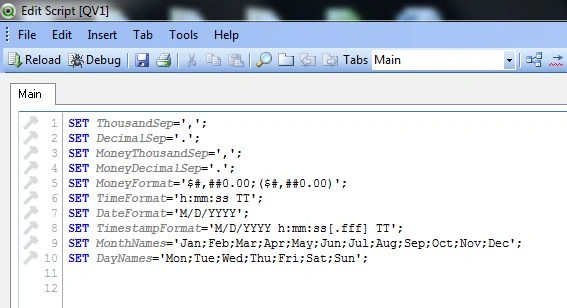
Step 3: Click on table files
The next step is to click on the table files you need to open, data files like Excel or CSV. These files contain data.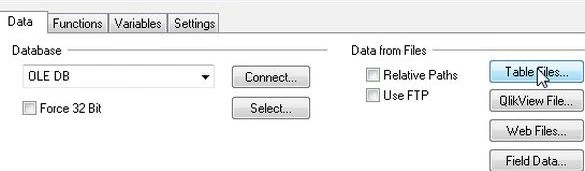
Now open a table file and click on the Open button.
Step 4: File wizard type
Then this window will be opened. Here you can see your table file table and click on the Finish button.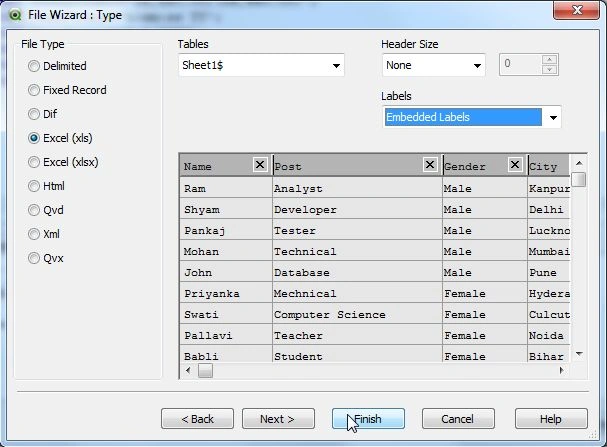
Step 5: Code of edit script
Now, in the edit script the web file upload was successful and reload it.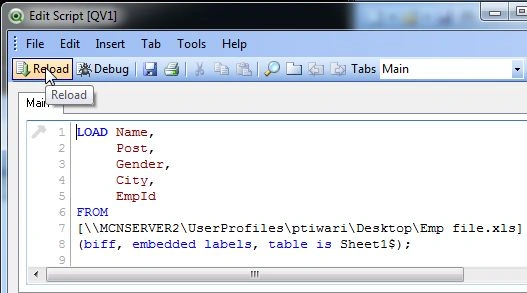
Step 6: Save file
The next step is to save our QlikView file.
Step 7: Sheet property window
The sheet property window will be opened. In this window you add fields that you want to display as a list box and click on the OK button.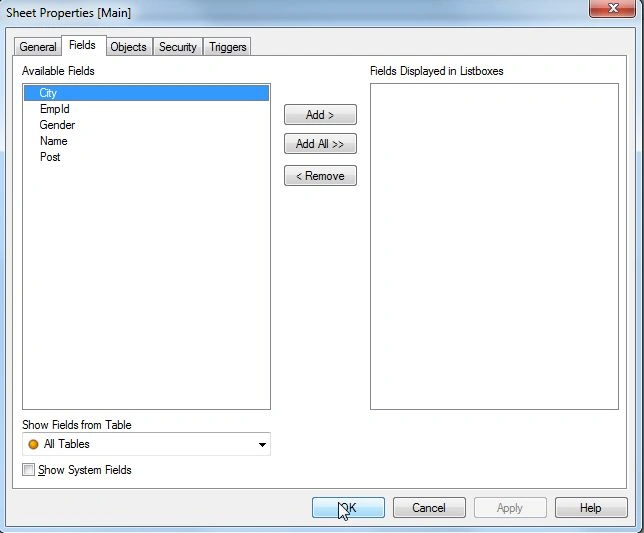
Step 8: Select a table
The next step is to select a table for displaying the table field in a table. Then go to Layout -> New Sheet Object -> Table Box.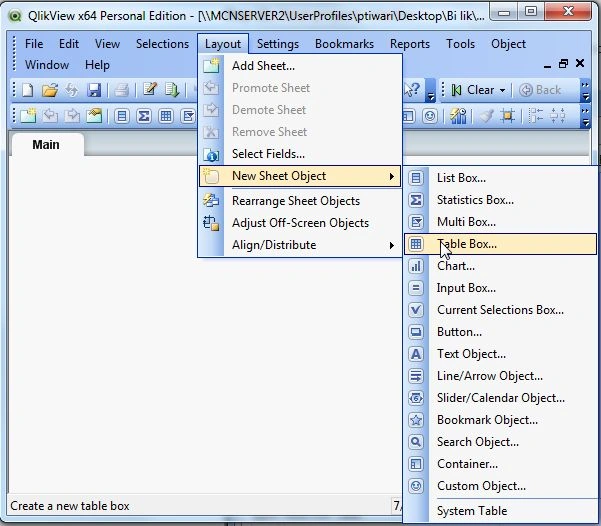
Then this window will be opened. Here add all the fields in the table then click on the Ok button.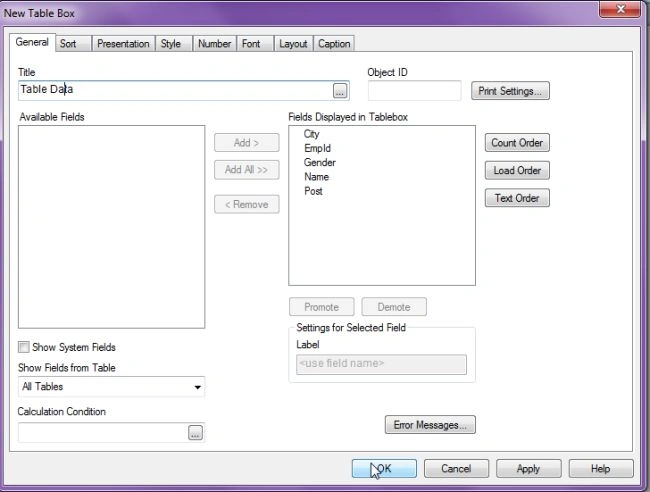
Now you will see this output.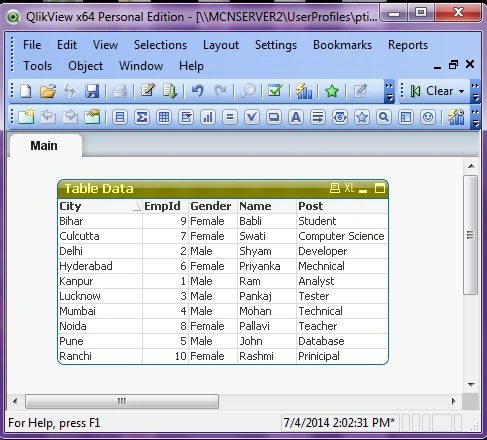
Step 9: Select text object
The next step is to select a text object for doing the Sum() function. Then go to Layout -> New Sheet Object -> Text Object.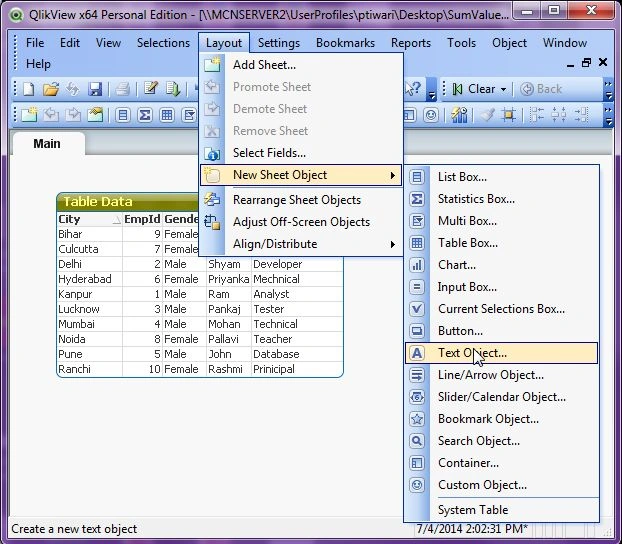
Now this window will be opened. Here you can define the Sum function.
Example
In this example, I define the Sum function with an EmpId table field, in other words I want to show the total of EmpId columns.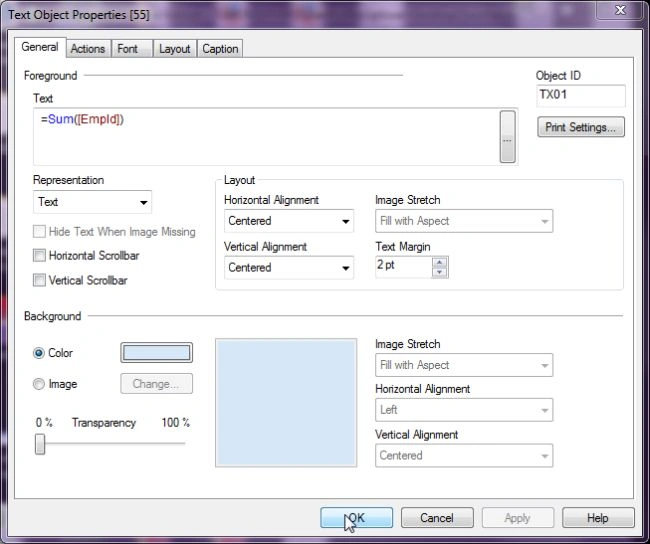
Now you will see the total of EmpId columns.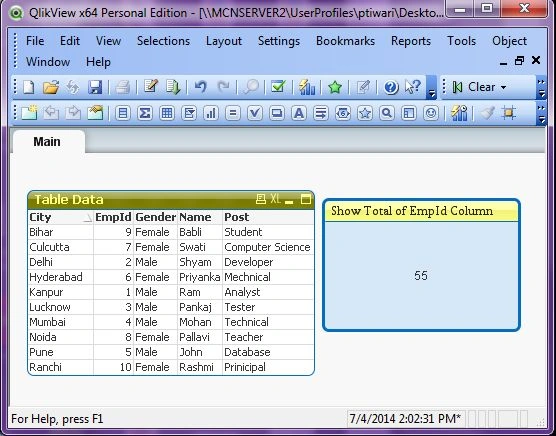
Step 10: If you select any item from the table then the text object will only show the sum of the selected EmpId.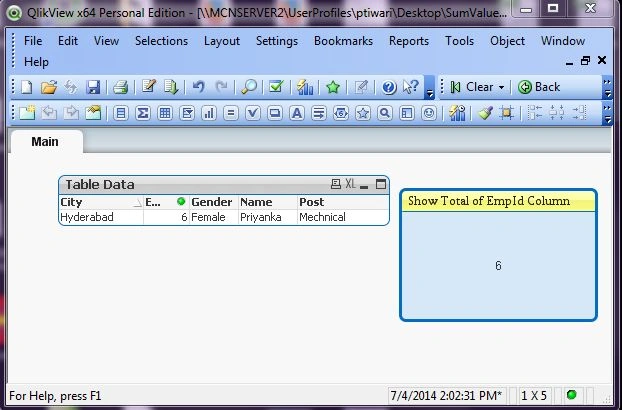
Summary
This article shows how to get the sum of total values in a column in a table and also describes what the Sum() function in QlikView is.
Shamim UddinPosted Sep 7, 2016, 10:03 PM
Nice
Gopi ChandPosted Jul 11, 2014, 5:53 AM
Impressive article..