Description
Using an Expression you can sum the values of a column in Reports automatically. I will show you a demo by which you can total the values of a column in reports.
Note: I am assuming that you can create the report. If you are a beginner to reports then see my earlier article "Getting Started with Reports in .NET".
Use the following procedure to understand this article.
Step 1: I will create a table named "Employee" in my database "Test".
CREATE TABLE [dbo].[Employee](
[Name] [varchar](50) NULL,
[Salary] [int] NULL
)
insert into Employee (Name,Salary)values('A',50000)
insert into Employee (Name,Salary)values('B',10000)
insert into Employee (Name,Salary)values('C',60000)
insert into Employee (Name,Salary)values('D',20000)
insert into Employee (Name,Salary)values('E',10000)
insert into Employee (Name,Salary)values('F',70000)
insert into Employee (Name,Salary)values('G',40000)
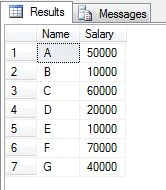
Select * from employee
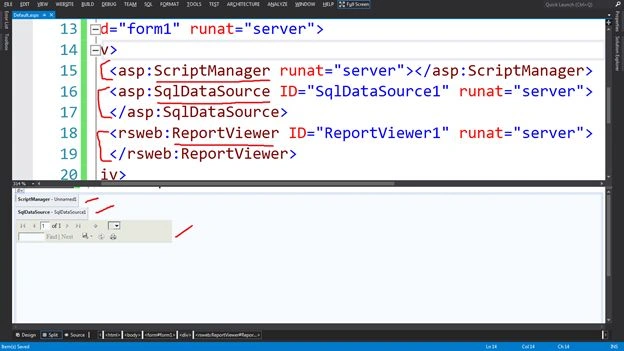
Step 2: Create a page named "Default.aspx" with "ScriptManager" from the Ajax Extensions section, "SQLDataSource" from the Data section and "ReportViewer" Control from the Reporting section.
Bind the table columns with a "SQLDataSource" to access the data.
 Step 3:
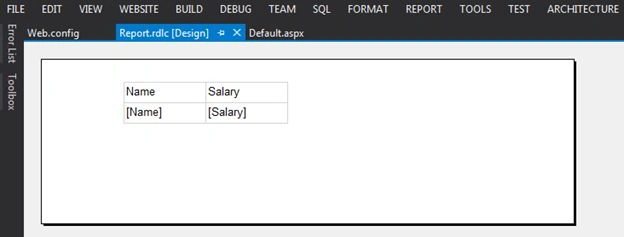
 Add a report named "Report.rdlc" and bind the dataset into the reports using Table.
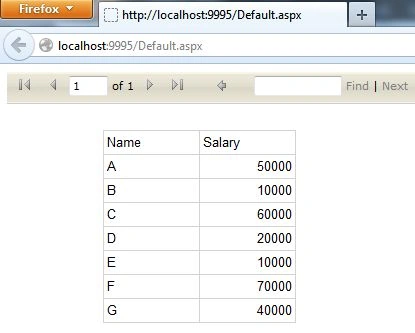
Run the "Default.aspx" after adding the report named "Report.rdlc" to the "ReportViewer" control.
 Purpose
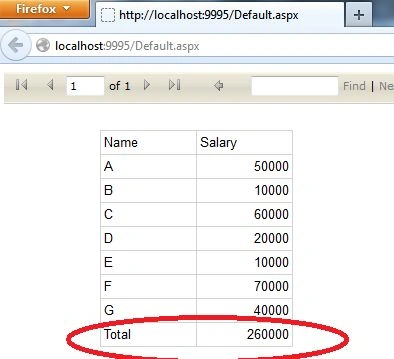
: I want to total the salary, in other words what is the total salary?
Solution
To do that I will use an "Expression" named RowNumber.
- Insert a new row on the following side that will be outside the group:
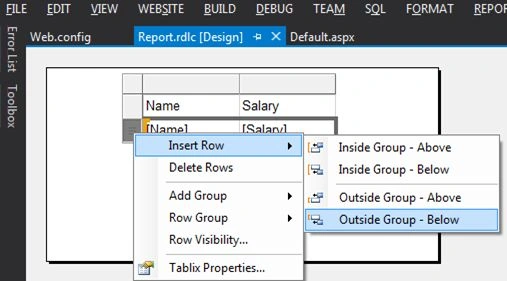
Note: The Outside Group will create the single row after all the group rows whereas an Inside Group will create the single row after every single row within the group.
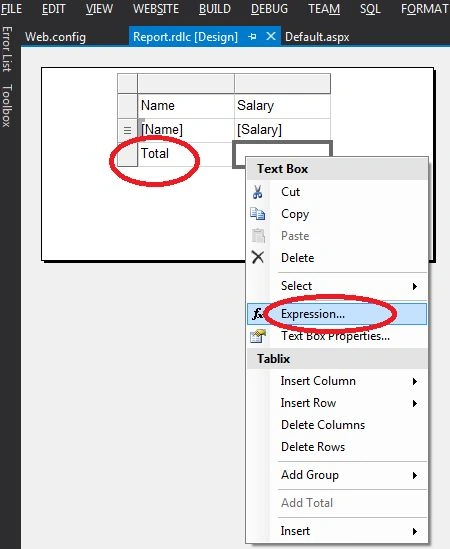
- Create the expression by right-clicking on that column and typing the total in the first column:
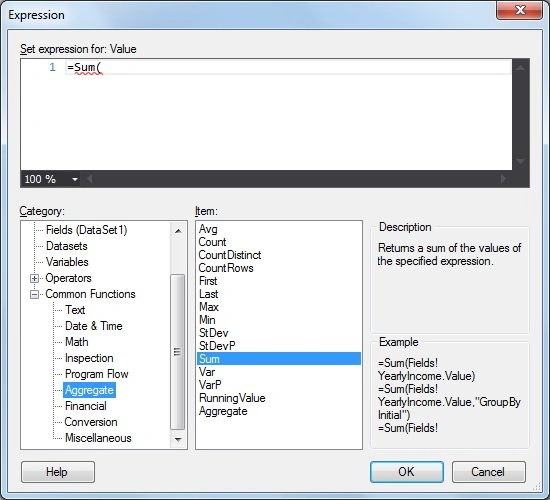
- Select the "Aggregate" subcategory in the "Comman Functions" category and "Sum" as an item, then the expression will be like:
=Sum(
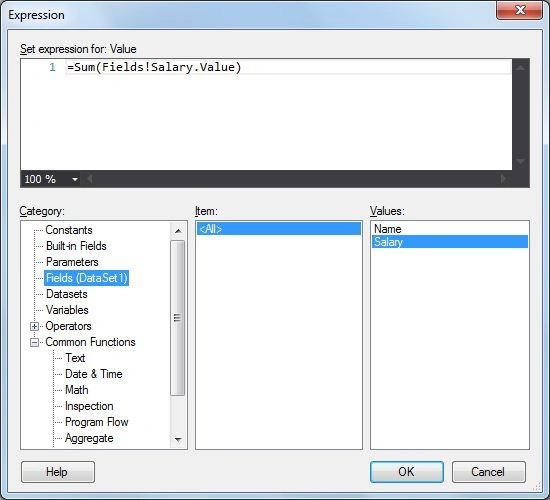
Then select the "Fields" as category and "Salary" as values, that will look like:
=Sum(Fields!Salary.Value)
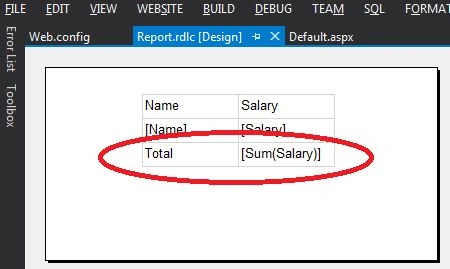
Click the "OK" button.
- Run the "Default.aspx".


Pankajkumar PatelPosted Oct 31, 2019, 7:15 AM
I was stuck with sum and group by issue and this helps me lot. Really, good one article!
Rajanikant HawaldarPosted Jul 5, 2019, 3:53 AM
Hi Rahul, Nice Article, i have once question : how to subtract Name C salary in Total with expression, not by changing query
Aniket NarvankarPosted Jul 25, 2016, 1:26 AM
Sir,I understood how it is working,but in my office there is visual studio 2005 and I am not getting option outside group value what should i use instead of this please do let me know about it
omkar omblePosted Oct 8, 2015, 7:02 AM
your datatype is int. mine is nvarchar. and its giving '#error' as result. how to solve this?
rahul mekalaPosted Sep 29, 2015, 3:05 AM
well and nice article how can i get the real value of the cell (like pivot)????for this how can i write the expression???