

Introduction
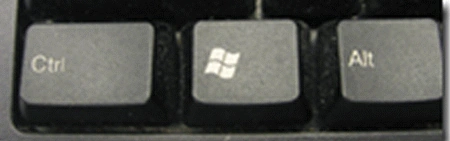
In this article, I want to explain switching between a Metro UI and Desktop Mode of Windows 8. In Windows 8 design we have seen elements of a Metro Style user interface and a Windows desktop tool such as Explorer and the copy file dialog. The Metro version of these applications will only function if the user sets the program as the default web browser. According to a Microsoft document that explains how to develop an application in the new style, a Metro style enabled desktop browser will be a single application that works in both the Windows and Metro environments. The Metros UI is for Tablets. The Metro interface looks slick; no doubt about it. The Windows 8 boot time is fast; less than 30 seconds after the machine BIOS. How do you turn this PC off? Given that there is no Start menu anymore, there is also no way to turn the PC off from there. You currently have to CTRL-ALT-DELETE to find the power-off switch.
The system was very stable. After the ALT-TAB Metro UI way to start an application as in the legacy UI, the Windows 8 Consumer Preview has been released as aka-beta Version. This version of Windows 8 focuses on people and applications and providing a powerful way to connect social technologies and to connect people. The developers knew as they designed the Windows 8 UI that you can't just flip a bit overnight and turn all of that history into something new. In fact, that is exactly what some people are afraid they would do. Some have said that is the only path to take. Yet, even those who have fully embraced tablets also own a laptop for those times when they need more precise control or need to use one of the applications that are mission-critical (and are still being developed).
To satisfy people's desire not to carry around two different devices, "remote desktop" programs for tablets and phones have become popular and make extreme attempts to harness the usefulness of the Windows 7 desktop within a new form factor. Windows 8 brings together all the power and flexibility you have in your PC today with the ability to immerse yourself in a Metro style experience. You don't have to compromise! You carry one device that does everything you want and needs. You can connect that device to peripherals you want to use. You can use devices designed to dock to large-screen displays and other peripherals. You can use convertible devices that can be both immersive tablets and flexible laptops.
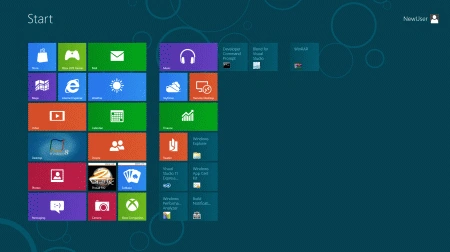
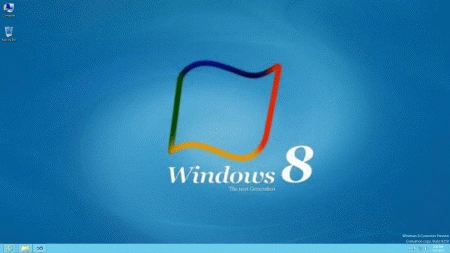
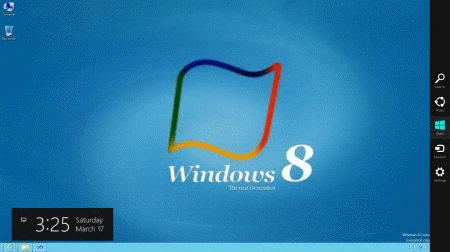
Switching between Metro UI and Desktop is very easy and has a couple of options.
Join the conversation! Your thoughts help the community grow.