Introduction
This article shows how to do table splitting and update data operations.
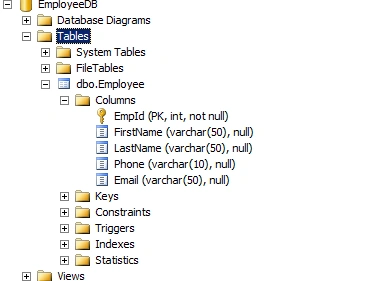
SQL Server table structure
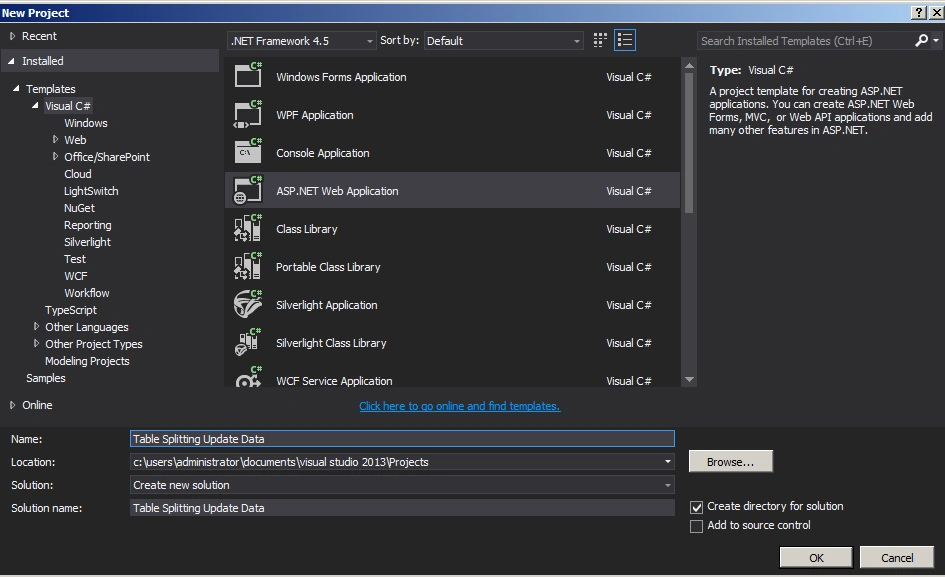
Create an ASP.Net Web Application as in the following:
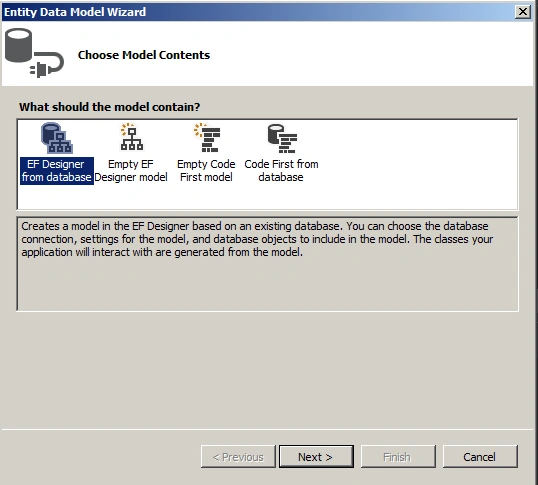
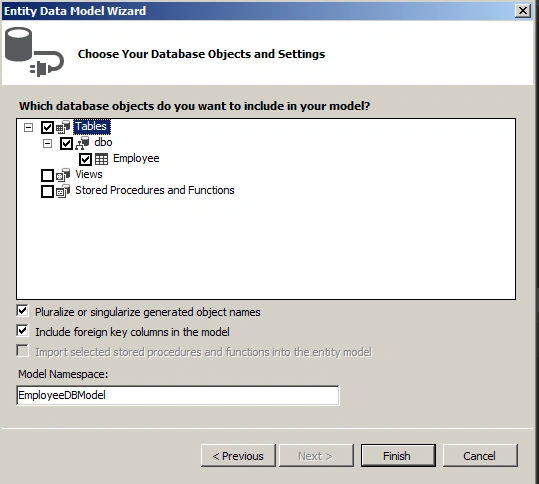
Set up Entity Framework as in the following:
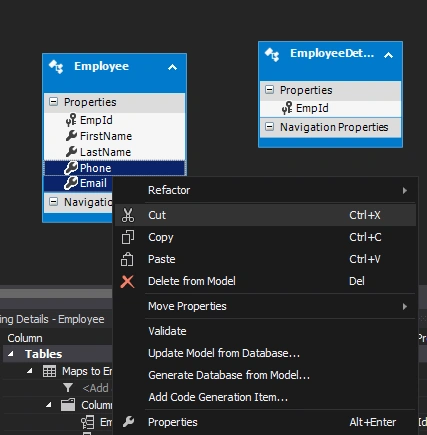
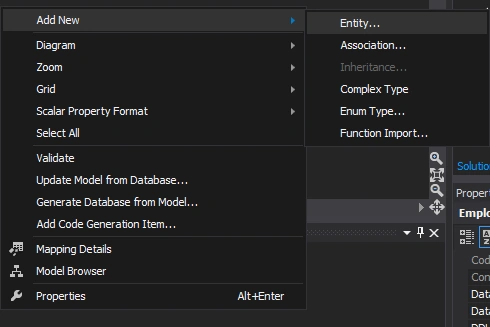
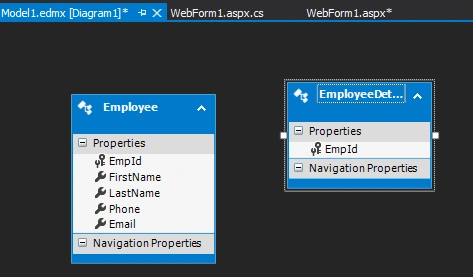
Cut columns from the employee entity as in the following:
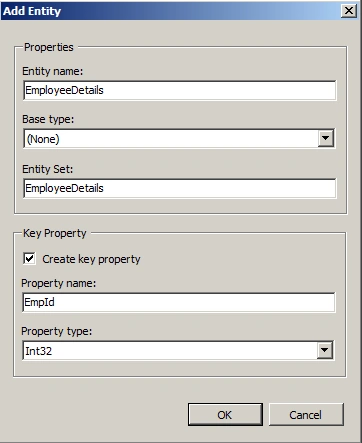
Paste them into the EmployeeDetails entity as in the following:
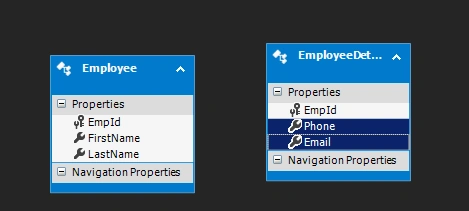
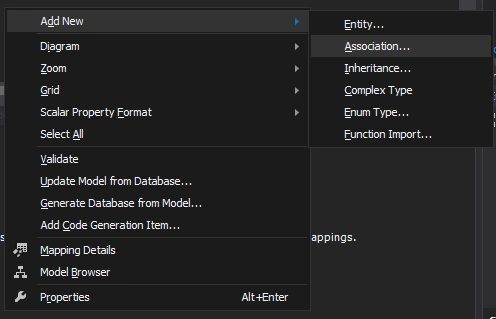
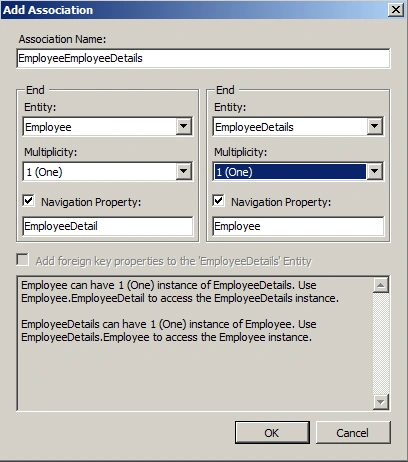
Add an association between Employee and EmployeeDetails as in the following:
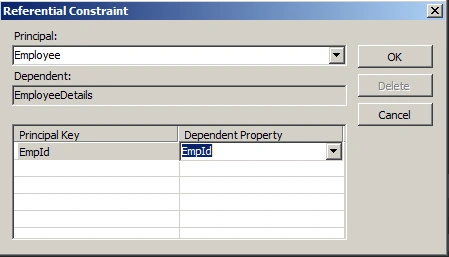
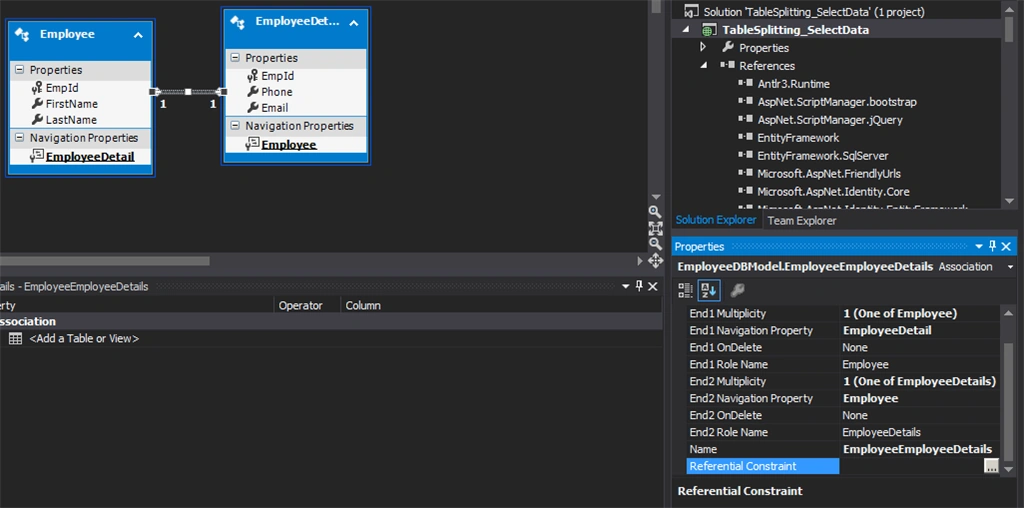
Referential constraints
Webform1.aspx
- <%@ Page Language="C#" AutoEventWireup="true" CodeBehind="WebForm1.aspx.cs" Inherits="Table_Splitting_Update_Data.WebForm1" %>
-
- <!DOCTYPE html>
-
- <html xmlns="http://www.w3.org/1999/xhtml">
- <head runat="server">
- <title></title>
- </head>
- <body>
- <form id="form1" runat="server">
- <div>
- <asp:Button ID="Button1" runat="server" Text="Update" OnClick="Button1_Click" />
- </div>
- </form>
- </body>
- </html>
Webform1.aspx.cs
- using System;
- using System.Collections.Generic;
- using System.Linq;
- using System.Web;
- using System.Web.UI;
- using System.Web.UI.WebControls;
-
- namespace Table_Splitting_Update_Data
- {
- public partial class WebForm1 : System.Web.UI.Page
- {
- protected void Page_Load(object sender, EventArgs e)
- {
-
- }
-
- protected void Button1_Click(object sender, EventArgs e)
- {
- EmployeeDBEntities empContext = new EmployeeDBEntities();
- int empId = 1;
- var emp = empContext.Employees.Where(a => a.EmpId.Equals(empId)).SingleOrDefault();
- emp.FirstName = "Jonny";
- emp.EmployeeDetail.Email = "[email protected]";
- empContext.SaveChanges();
- }
- }
- }
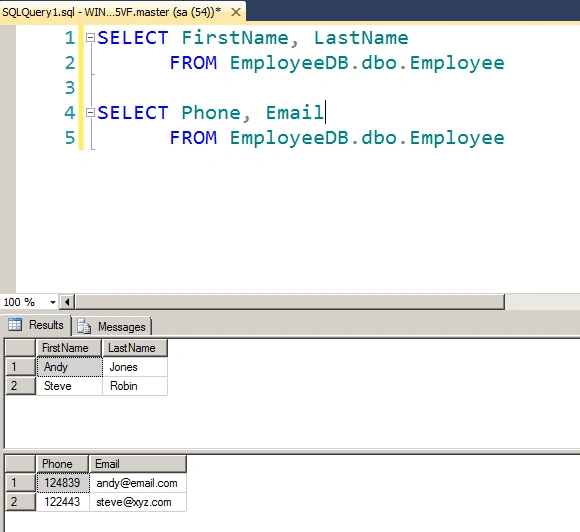
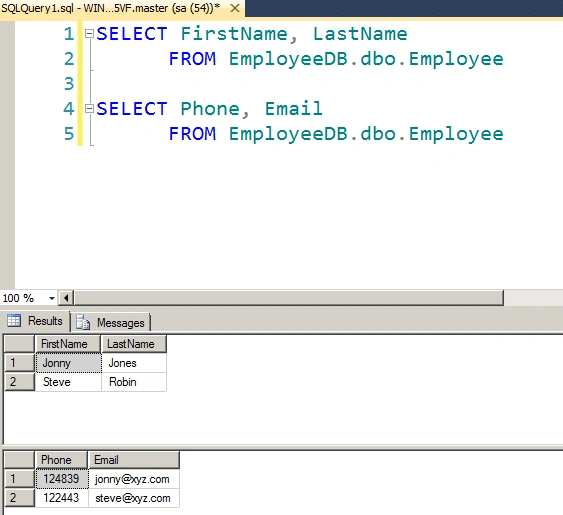
The following is the output of the application:
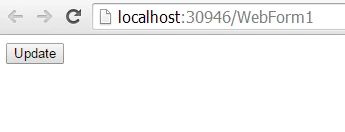
Before performing update operation:
After performing update operation:
Summary
In this article we saw how to do table splitting and update data operations.
Happy coding!


Sonu ChaudharyPosted May 26, 2016, 10:44 AM
Good one...
Bhuvanesh MohankumarPosted May 6, 2016, 4:01 PM
Good explanation with SS