

Introduction
Today we will learn how to split and convert a delimited string to a table in the SQL Server. The string contains words separated (delimited) by commas that will be split into Table values. Sometimes we face the below issues,
- There are many cases where we need to pass the input parameter to the stored procedure as the delimited-separated string to avoid multiple DB calls.
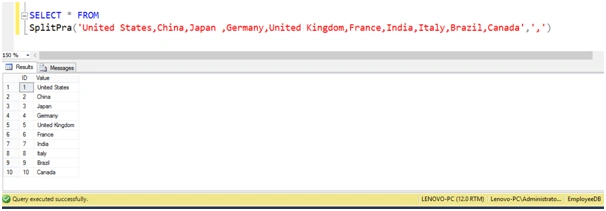
- We need to split the string containing words separated (delimited) by the comma into table values with their exact position.
- We want to reduce the load on the DB server.
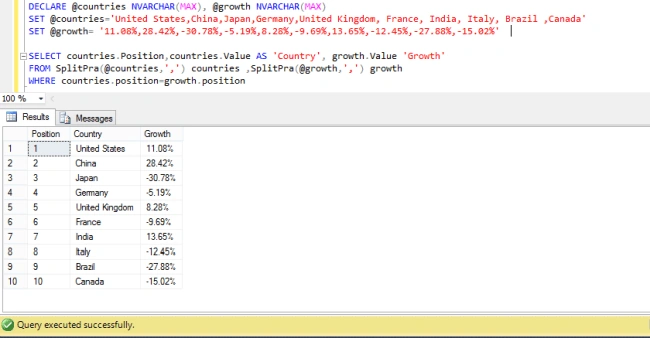
- Sometimes we have 2 delimited strings and join them by position.
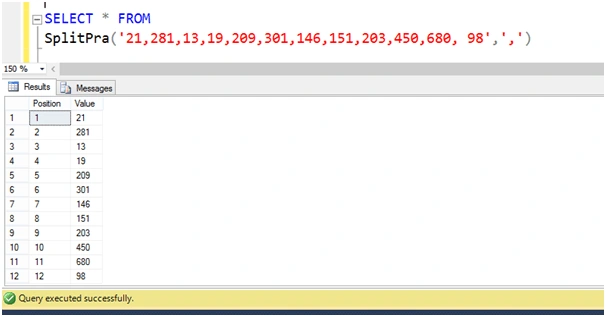
To resolve the above issues we need a table-valued function, which accepts a string and delimiter and returns the split values into rows with their position.
Issue
I have a string which contains employee IDs separated by commas,
- @str='21,28,13,19,209.301,146,151,203,450,680, 98'
We need the below result,
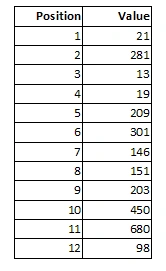
Implementation
In this case, I generate an auto incremented field to save the respected position of that word, and separate the words into rows. Actually I need a to return a table with the below definition.
- [ID] TINYINT IDENTITY(1,1),
- [Value] NVARCHAR(128)
SQL Server User Defined Function,
- CREATE FUNCTION [dbo].[SplitPra] (@Value VARCHAR(MAX), @delimiter CHAR)
- RETURNS @DataResult TABLE([Position] TINYINT IDENTITY(1,1),[Value] NVARCHAR(128))
- AS
- BEGIN
- DECLARE @XML xml = N'<r><![CDATA[' + REPLACE(@Value, @delimiter, ']]></r><r><![CDATA[') + ']]></r>'
- INSERT INTO @DataResult ([Value])
- SELECT RTRIM(LTRIM(T.c.value('.', 'NVARCHAR(128)')))
- FROM @xml.nodes('//r') T(c)
- RETURN
- END
Hadshana KamalanathanPosted Sep 7, 2018, 11:01 AM
Thanks for sharing...
Jean-PatrickPosted Sep 7, 2018, 4:13 AM
If you use SQL Server 2016, you can simplify your SplitPra function by using the built-in string_split function => CREATE FUNCTION [dbo].[SplitPra] (@Value VARCHAR(MAX), @delimiter CHAR) RETURNS TABLE AS RETURN SELECT ROW_NUMBER() OVER( ORDER BY (SELECT 1)) Position, value FROM STRING_SPLIT(@Value, @delimiter);
Shweta68Posted Sep 6, 2018, 1:57 PM
Thanks for sharing. Very useful content.
NikkiPosted Sep 6, 2018, 12:26 PM
Yesterday I asked this type of issue on forum, And today you wrote complete descriptive article. Very Nice and useful thing you shared. Thanks again sir.
Sanwar RanwaPosted Sep 6, 2018, 8:42 AM
Very helpful article sir thanks for sharing