

Our job is to develop. Doing the same thing many times we face lots of issues.
One of them is to compile the same application in a different framework. As we know the bottom to up approach works in .Net. In case I need to compile and use 4.0 framework dll in 4.5 I can do it without any issue. But vice versa won’t work in our case. Now it’s a serious concern in case I have few common components that we are using in 2010 and 2015.To overcome this problem here is the solution.
Follow the following steps:
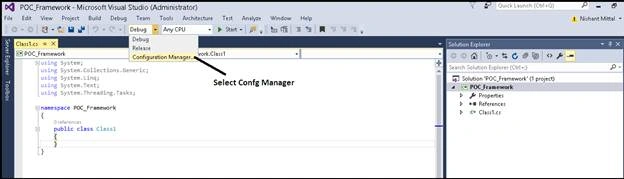
Step 1: Create a new Class Library Application and select “Configuration Manager” as shown in below screen shot:
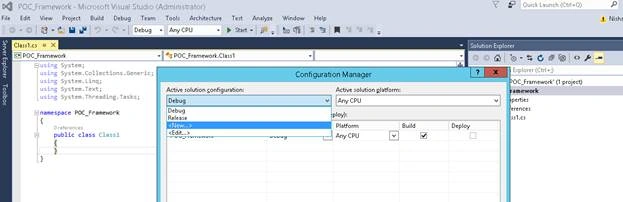
Step 2: Select “New” from “Debug” option as shown below:
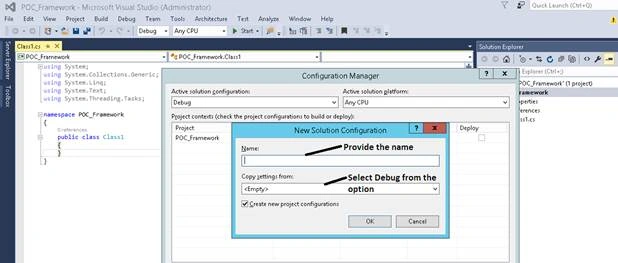
Step 3: Provide the name and Project Contract as shown below:
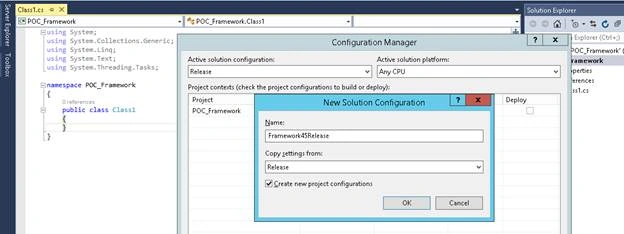
Step 4: Now do the same for the release as well, click on release select new as mention below:
Step 5: Now the next step is to edit the .csproj file, right click on .csproj file and open in notepad, as shown below:
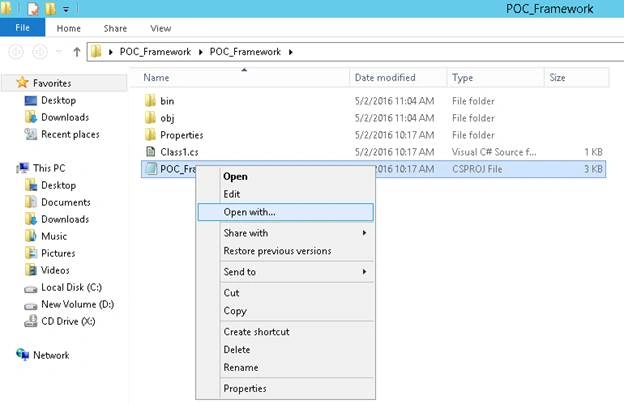
Step 6: Find below entries in the notepad :
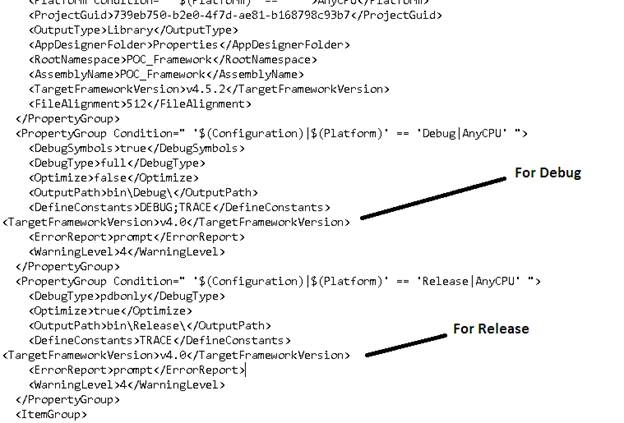
- <PropertyGroup Condition=" '$(Configuration)|$(Platform)' == 'Debug|AnyCPU' ">
- <PropertyGroup Condition=" '$(Configuration)|$(Platform)' == 'Release|AnyCPU' ">
Now explicitly as the below line under tag :
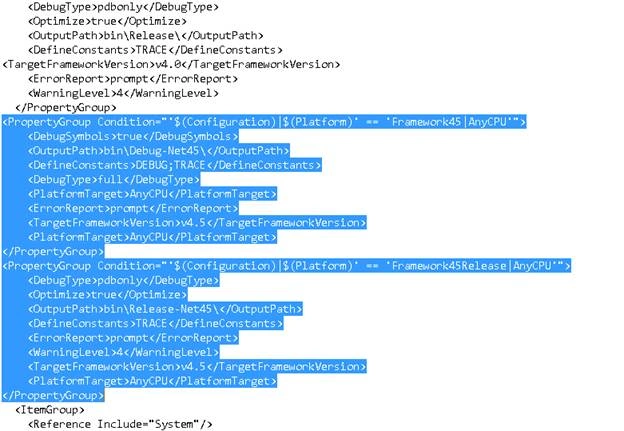
Step 7: Add below tags under Release tag,
Join the conversation! Your thoughts help the community grow.