

Introduction
In this article we will see all the new changes and functionalities that are introduced in SharePoint 2013 tasks list.
- How to create a new tasks list
- How to create a new task in tasks list
- How to add/remove the task in the timeline
- How to create a subtask
- Task views
- Edit the tasks list in datasheet view
How to create a new tasks list
The following steps must be performed to create a new tasks list in SharePoint 2013:
- Navigate to the SharePoint site http://c4968397007/.
- Click on Site Contents in the quick launch bar.
- Click on "add an app".
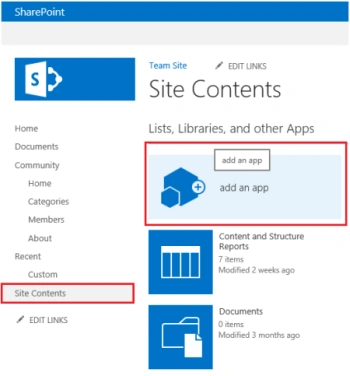
Figure 1: Site Contents
- Click on Tasks app.
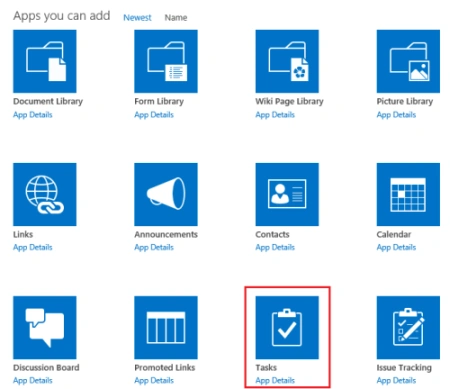
Figure 2: Apps
- Enter the Name and then click on Create.
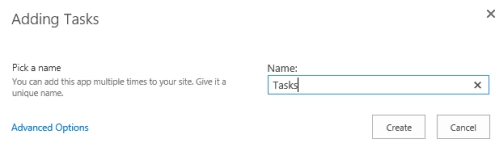
Figure 3: Create new task list
- A new tasks list is created successfully.
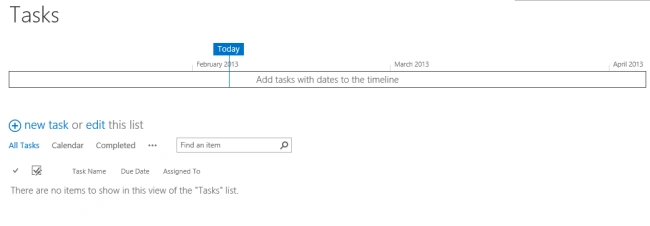
Figure 4: New task list created successfully.
How to create a new task in the tasks list
The following steps must be performed to create a new task in a SharePoint 2013 tasks list:
- Click on "new task" in the tasks list.
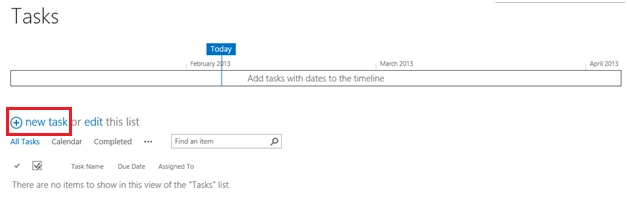
Figure 5: New task
- Enter the task details and click on "Save".
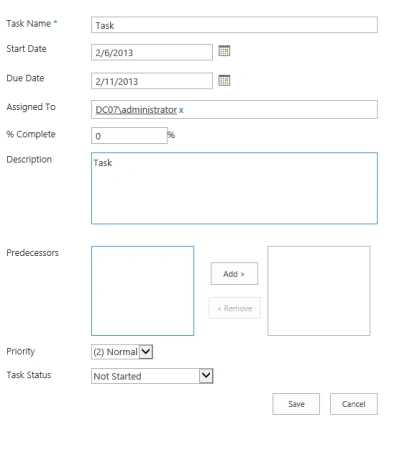
Figure 6: Task details
- A new task item is created successfully.
How to add/remove a task in the timeline
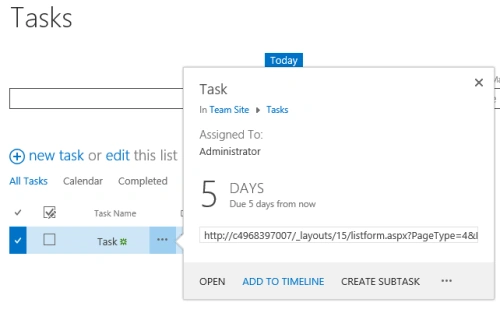
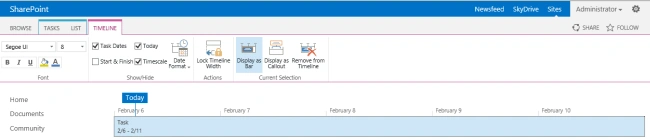
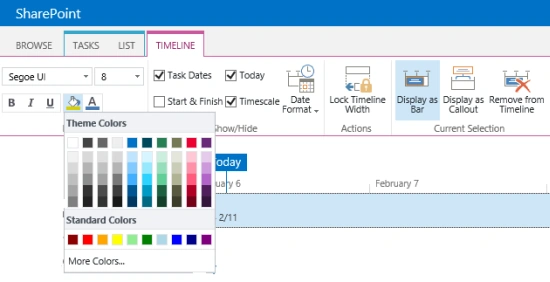
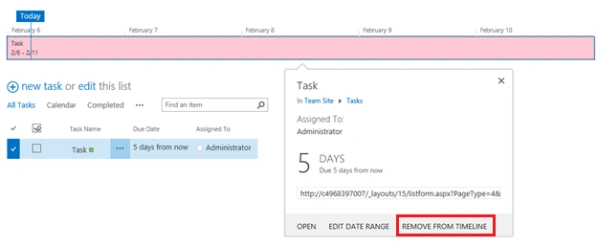
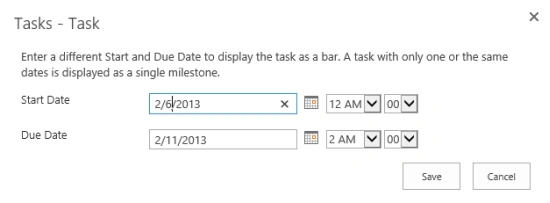
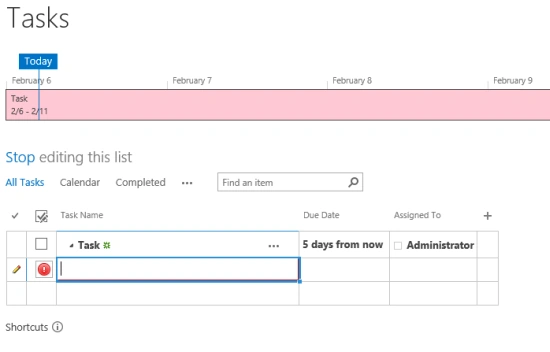
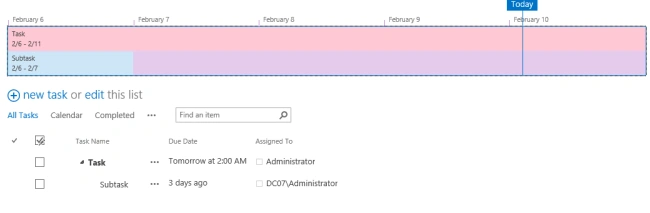
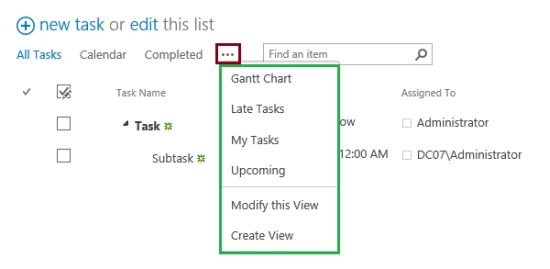
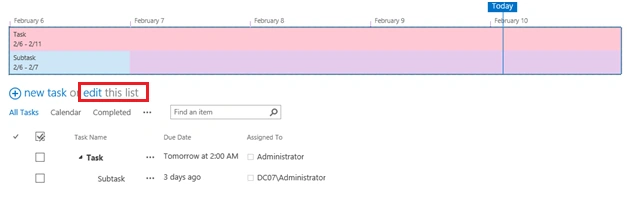
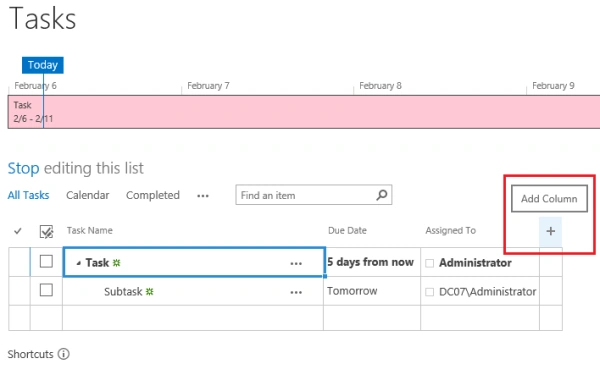
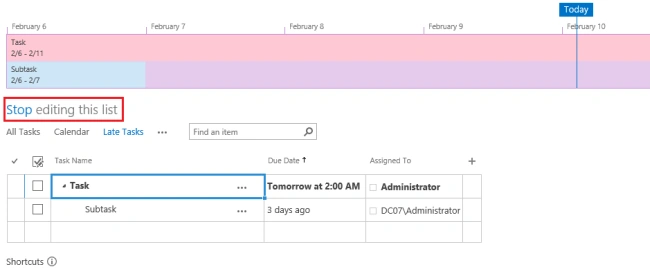
The Timeline is a new feature introduced in SharePoint 2013. The user will be able to see the timeline for the tasks and will be able to differentiate each task by giving a different color and/or font to a task. The following steps must be performed to add the task to a timeline in SharePoint 2013.

ashutosh awasthiPosted Jul 18, 2014, 9:32 AM
Could you please suggest me how can i remove "Timeline" from workflow task list in sharepoint APP ?
sam rodsPosted Apr 16, 2013, 10:11 AM
how do i validate the sub task against the parent task in terms of start date and end date
Fozia LakhoPosted Feb 11, 2013, 8:02 AM
Superb site!!!
Fozia LakhoPosted Feb 11, 2013, 8:02 AM
Wow amazing Blog!!!