

If you are a fresher looking to learn TensorFlow, you are in the right place. This guide is designed to be a "win-win": we will keep the concepts incredibly simple, use a fun football analogy, and build a complete, working AI model from scratch. Grab your jersey, and let’s kick off! ⚽
Part 1: What is TensorFlow? (The Football Analogy)
As the introduction states, TensorFlow is an open-source library created by the Google Brain Team. To understand it, let’s break down its name using our World Cup analogy:
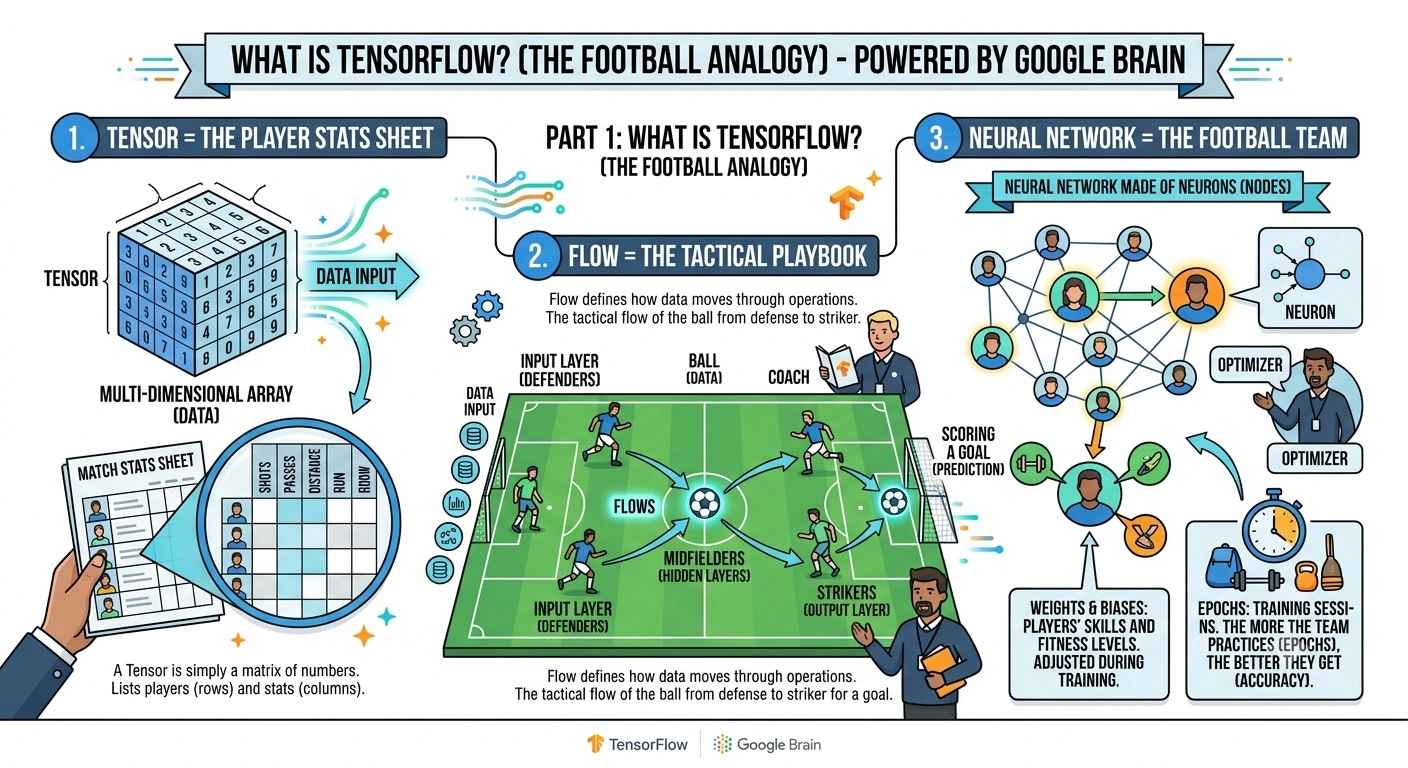
1. Tensor = The Player Stats Sheet
A Tensor is simply a multi-dimensional array (a matrix of numbers).
Analogy: Imagine the official match stats sheet. It lists players (rows) and their stats like shots, passes, and distance run (columns). In TensorFlow, this data sheet is a Tensor.
2. Flow = The Tactical Playbook
Flow defines how data moves through operations.
Analogy: Think of a coach’s tactical playbook. The ball (data) flows from the defenders (input layer), through the midfielders (hidden layers), to the strikers (output layer) to score a goal (prediction). TensorFlow manages this "flow" of data.
3. Neural Network = The Football Team
A Neural Network is made of Neurons (Nodes).
Analogy: Every neuron is a Player on the pitch.
Weights & Biases: These are the players' skills and fitness levels. During training, the coach (Optimizer) adjusts their fitness (Weights) so the team plays better.
Epochs: These are the training sessions. The more the team practices (epochs), the better they get at winning (accuracy).
Part 2: Setting Up the Stadium (Installation)
Before we play the match, we need to set up the stadium. Here is the exact step-by-step setup based on industry standards for a Windows machine.
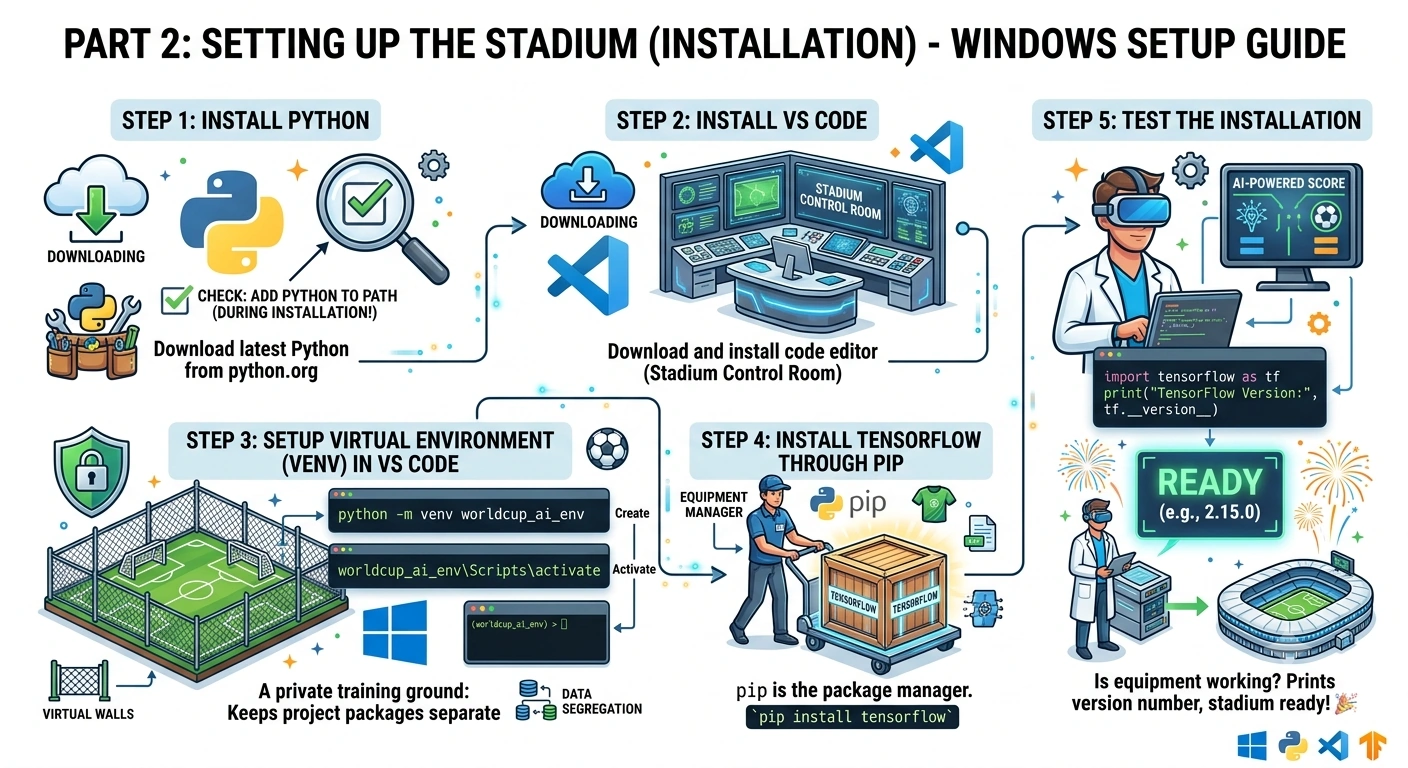
Step 1: Install Python
Download the latest Python from the official website (python.org). Pro-tip: Check the box that says "Add Python to PATH" during installation!
Step 2: Install VS Code
Download and install Visual Studio Code (VS Code). This is your code editor (the stadium control room).
Step 3: Setup Virtual Environment (venv) in VS Code
A virtual environment is like a private training ground. It keeps your project's packages separate from your computer's global packages.
Open VS Code, open your terminal (
Ctrl + ~), and type:python -m venv worldcup_ai_env
Activate it (Windows):
worldcup_ai_env\Scripts\activate(You will see
(worldcup_ai_env)appear on the left of your terminal line).
Step 4: Install TensorFlow through PIPpip is the package manager (the equipment manager). Let's install TensorFlow:
pip install tensorflowStep 5: Test the Installation
Let’s make sure our equipment is working. Create a file named test.py and run:
import tensorflow as tf
print("TensorFlow Version:", tf.__version__)
If it prints a version number (e.g., 2.15.0), your stadium is ready!
Part 3: The Real-Time Use Case (Coding the AI)
The Scenario
Imagine it's the week before the 2026 World Cup Final. The coaches are analyzing the Semi-Final matches.
Our Goal: Build a Deep Learning model to predict whether a striker will Score a Goal (1) or Not Score (0) in the Final, based on their Semi-Final performance stats:
Shots on Target
Key Passes
Distance Covered (km)
Step 1: Importing the Squad (Libraries)
First, we bring in our tools.
import tensorflow as tf
import numpy as np

print("Squad imported successfully!")
Step 2: Preparing the Training Data (Creating Tensors)
We need historical data from the Semi-Finals to train our AI. Let's create mock data for 8 strikers.
 # Features (X): [Shots on Target, Key Passes, Distance Covered (km)]
X_train = np.array([
    [5, 2, 10.5],  # Striker 1: High shots, good passes
    [1, 1, 8.0],   # Striker 2: Low shots
    [6, 3, 11.2],  # Striker 3: Excellent stats
    [2, 0, 7.5],   # Striker 4: Poor stats
    [4, 4, 9.8],   # Striker 5: Great playmaker
    [0, 1, 6.0],   # Striker 6: Barely involved
    [7, 2, 12.0],  # Striker 7: Star performer
    [3, 2, 9.0],   # Striker 8: Average
], dtype=float)

# Target (y): 1 = Scored in Semi-Final, 0 = Did NOT score
y_train = np.array([1, 0, 1, 0, 1, 0, 1, 0], dtype=float)

print("Data Tensors created! Shape of X:", X_train.shape)
Step 3: Designing the Tactics (Building the Model)
Now we build the Neural Network using TensorFlow's Keras API. Think of this as selecting your starting XI.
# Initialize the Sequential model (a linear stack of layers)
model = tf.keras.Sequential()

# Input Layer & First Hidden Layer (The Defenders & Midfielders)
# 3 input features (Shots, Passes, Distance). 8 neurons (players) in this layer.
# 'relu' is the activation function (like a player deciding to pass or shoot).
model.add(tf.keras.layers.Dense(units=8, activation='relu', input_shape=(3,)))

# Second Hidden Layer (The Attacking Midfielders)
model.add(tf.keras.layers.Dense(units=4, activation='relu'))

# Output Layer (The Striker)
# 1 neuron because we want a single output (Probability of scoring).
# 'sigmoid' squashes the output between 0 and 1 (0% to 100% chance).
model.add(tf.keras.layers.Dense(units=1, activation='sigmoid'))

# Let's look at our tactical board (Model Summary)
model.summary()
Step 4: Setting the Rules (Compiling the Model)
Before the match starts, the referee sets the rules. In AI, we define the Optimizer (the coach making adjustments) and the Loss Function (the scoreboard).
model.compile(
    optimizer='adam',       # Adam is a smart coach that adjusts learning rates dynamically
    loss='binary_crossentropy', # Perfect for Yes/No (1 or 0) predictions
    metrics=['accuracy']    # We want to track the win percentage (accuracy)
)

print("Model compiled and rules set!")
Step 5: The Training Camp (Training the Model)
Time to practice! We will run the data through the network multiple times. Each pass is an Epoch.
print("\n--- Starting Training Camp ---")
history = model.fit(
    X_train,
    y_train,
    epochs=50,      # 50 training sessions
    batch_size=2,   # Processing 2 players at a time
    verbose=1       # Show the progress bar
)
print("--- Training Camp Finished! ---\n")
Notice how the loss goes down and accuracy goes up as the epochs increase. The team is getting better!
Step 6: The Final Match (Making Predictions)
The training is over. Now, let's test our AI on a brand new, unseen player to see if he will score in the Final!
# A new striker's semi-final stats: [4 shots, 3 key passes, 10.1 km run]
new_player_stats = np.array([[4.0, 3.0, 10.1]])

# Predict the probability
prediction = model.predict(new_player_stats)

# Convert probability to percentage
confidence = prediction[0][0] * 100

print(f"AI Prediction: The new player has a {confidence:.2f}% chance of scoring in the Final!")

if confidence > 50:
    print(" Coach's Decision: START him in the Final! He is in great form.")
else:
    print(" Coach's Decision: Put him on the bench. Keep him in reserve.")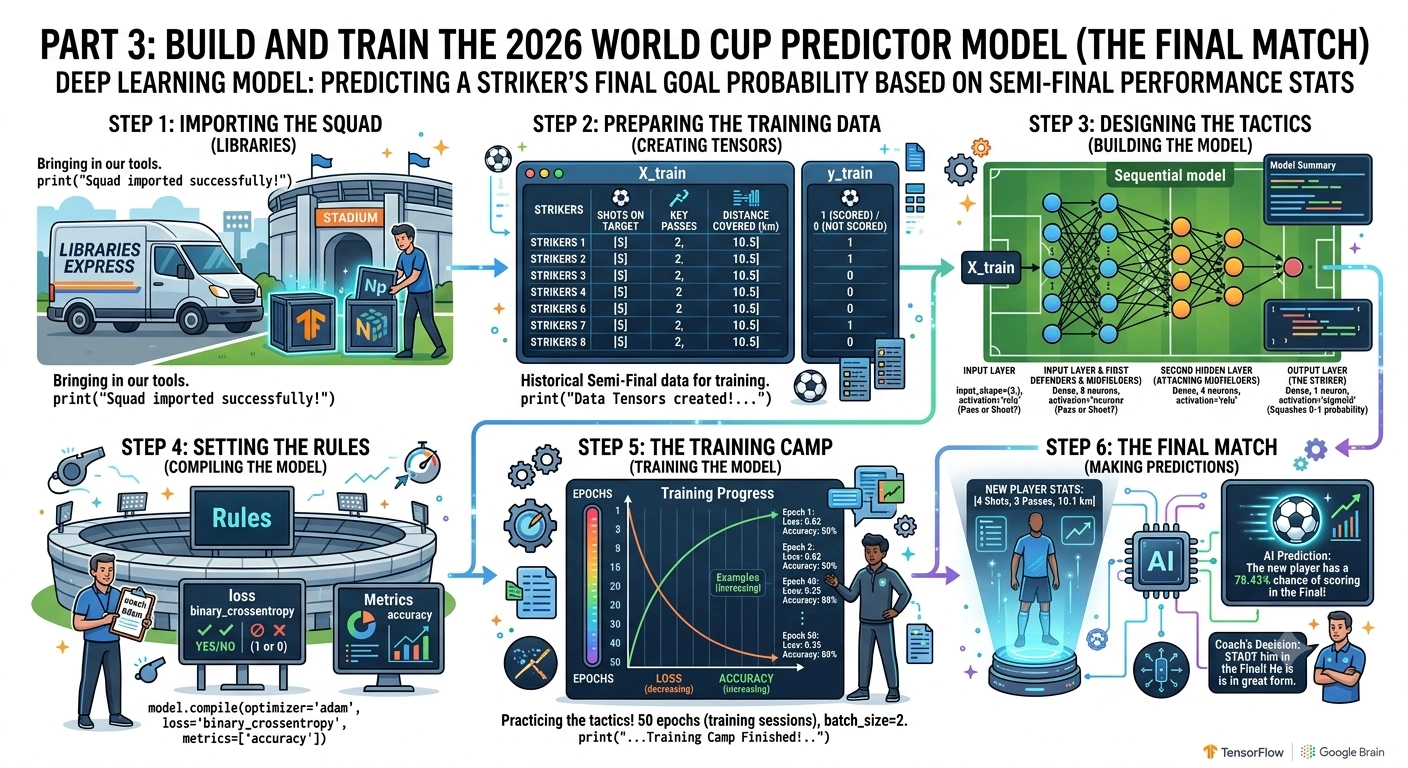
Part 4: Full Code in One Place (Copy & Paste)
Here is the complete, clean script. You can copy this directly into your VS Code main.py file and run it!
import tensorflow as tf
import numpy as np

# 1. Prepare Data (Semi-Final Stats)
X_train = np.array([
    [5, 2, 10.5], [1, 1, 8.0], [6, 3, 11.2], [2, 0, 7.5],
    [4, 4, 9.8], [0, 1, 6.0], [7, 2, 12.0], [3, 2, 9.0]
], dtype=float)

y_train = np.array([1, 0, 1, 0, 1, 0, 1, 0], dtype=float)

# 2. Build the Neural Network (The Tactics)
model = tf.keras.Sequential([
    tf.keras.layers.Dense(units=8, activation='relu', input_shape=(3,)),
    tf.keras.layers.Dense(units=4, activation='relu'),
    tf.keras.layers.Dense(units=1, activation='sigmoid')
])

# 3. Compile the Model (The Rules)
model.compile(optimizer='adam', loss='binary_crossentropy', metrics=['accuracy'])

# 4. Train the Model (The Training Camp)
print("Training the AI Team...")
model.fit(X_train, y_train, epochs=50, batch_size=2, verbose=0) # verbose=0 hides the long output for cleanliness
print("Training Complete!\n")

# 5. Predict on New Data (The Final Match)
new_player = np.array([[4.5, 3.5, 10.8]]) # High effort, good passes
prediction = model.predict(new_player, verbose=0)
chance = prediction[0][0] * 100

print(f" AI Prediction: {chance:.2f}% chance to score in the Final.")
if chance > 50:
    print(" Verdict: START the player!")
else:
    print(" Verdict: Keep on the bench.")
Summary:
Tensors are just data arrays (like player stats).
Flow is how data moves through the neural network (like passing the ball).
Installation is easy using Python, VS Code, and
pipinside a virtual environment.Building a Model in TensorFlow Keras is as simple as stacking layers (
Dense) and compiling them with an optimizer (adam).Training (
model.fit) is just the team practicing until they get the tactics right.
Congratulations! You have just built, trained, and used a Deep Learning model using TensorFlow. You are no longer just a spectator; you are now the coach of your own AI team.
Join the conversation! Your thoughts help the community grow.