

Introduction
In today’s article we will look at the concept of Test-Driven Development (TDD). We will see how we can write tests for the various functions we create. We will use Visual Studio 2019 as the development environment. We will create a simple class and add some functions to it. We will then write some tests for these functions.
What is TDD?
Over the years I have seen many definitions for Test Driven Development, or simply TDD. The main concept is to write tests and after that write the real code. While this is a good idea in theory, I have rarely seen it implemented in the real world. The process mostly seen is that we write our classes and functions and after that we write tests to ensure the code works properly in most scenarios. This also protects our code from future changes as any breaking change that might not be evident in the application flow will be caught while running the various tests we have written. In the next section, we will see how to write tests for a class which has a few functions. The example is simple, but the same concept can be applied to complex classes and functions.
Creating a solution and adding tests for it
Let us start by creating a .NET core console application in Visual Studio 2019 Community Edition. This is the free version of Visual Studio available to download and work with.
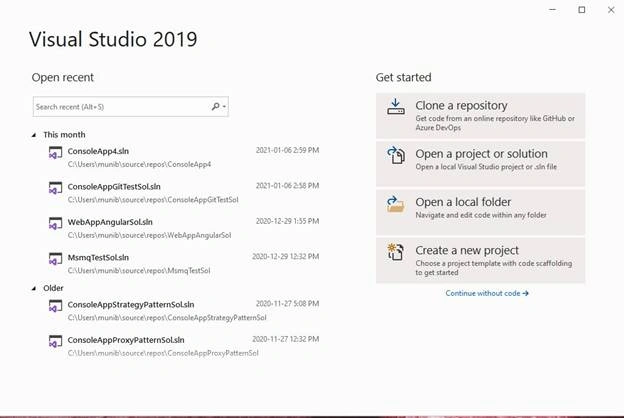
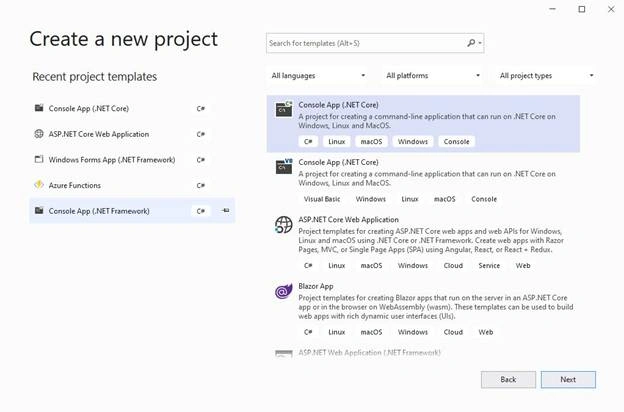
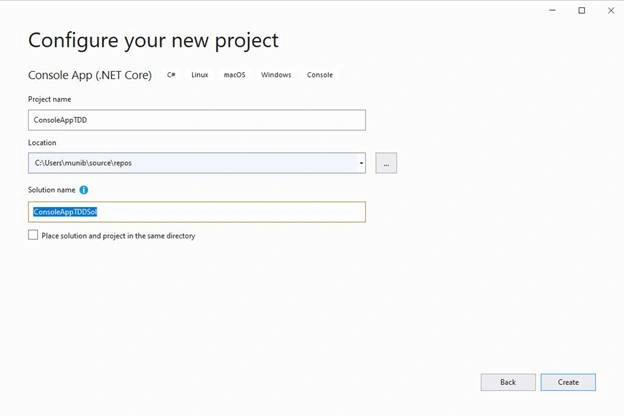
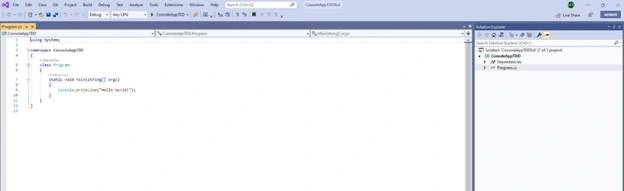
Below, is the skeleton project created for us.
We then add a new class to the existing project.
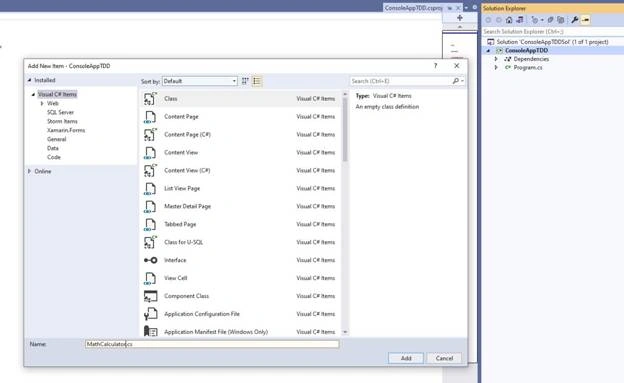
Once the new class has been created, add the below code to it,
- namespace ConsoleAppTDD {
- public class MathCalculator {
- public int AddValues(int valueA, int valueB) {
- return valueA + valueB;
- }
- public int SubtractValues(int valueA, int valueB) {
- return valueA - valueB;
- }
- public int MultiplyValues(int valueA, int valueB) {
- return valueA * valueB;
- }
- }
- }
We now have a class and some functions added to it. Next, we will create a Test project and add tests for these functions.
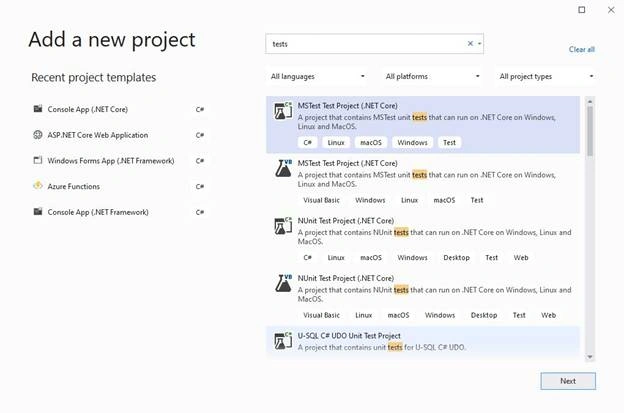
Select the solution, right click, and select Add and then new project. Type “tests” in the search box and select the “MSTest Test Project (.NET Core)” as below,
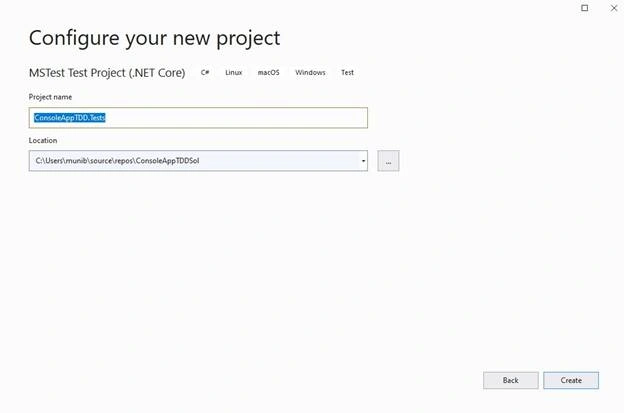
Add a reference to the original project.
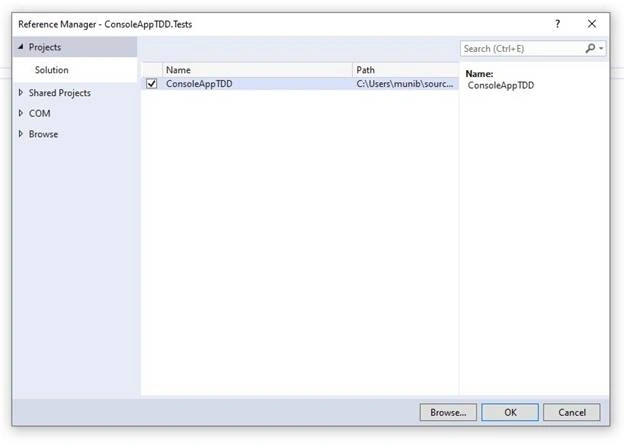
Now, add the below code to the class created.
- using Microsoft.VisualStudio.TestTools.UnitTesting;
- namespace ConsoleAppTDD.Tests {
- [TestClass]
- public class UnitTest1 {
- Math Calculator mc;
- public UnitTest1() {
- mc = new MathCalculator();
- }
- // Standard Tests
- [TestMethod]
- public void AddValues_Test() {
- int val = mc.AddValues(10, 20);
- Assert.AreEqual(val, 30);
- }
- [TestMethod]
- public void SubtractValues_Test() {
- int val = mc.SubtractValues(10, 20);
- Assert.AreEqual(val, -10);
- }
- [TestMethod]
- public void MultiplyValues_Test() {
- int val = mc.MultiplyValues(10, 20);
- Assert.AreEqual(val, 200);
- }
- }
- }
Now, lets add the Test Explorer as below,
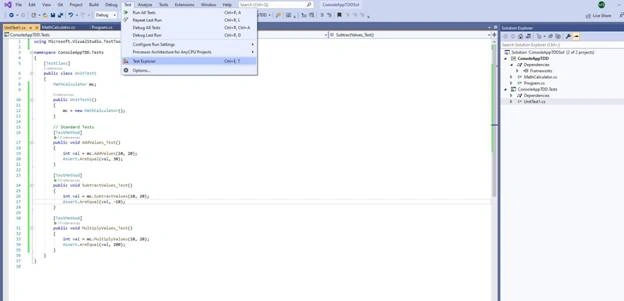
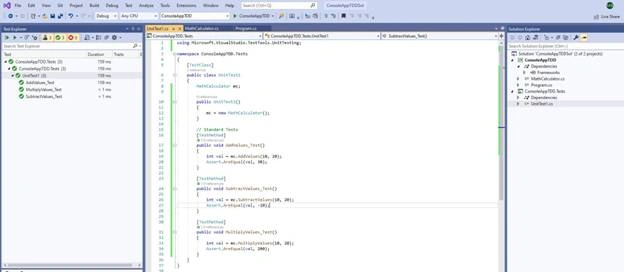
We then right click on the Unit tests in the Test explorer and click “Run Tests”. We see below all works fine.
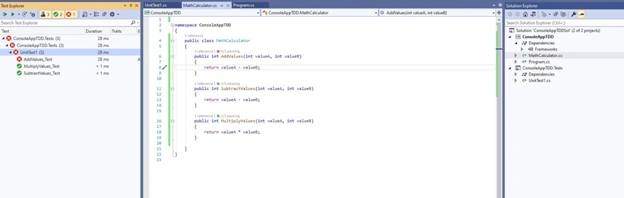
If we change some code which is not done correctly, the respective test will fail.
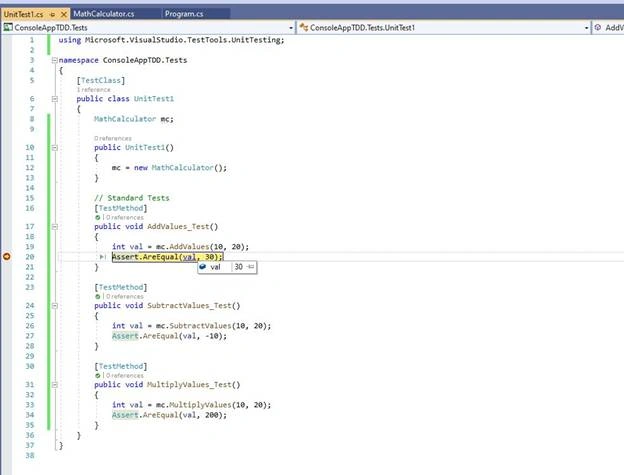
In addition to running the tests, we can also debug the tests as done below,
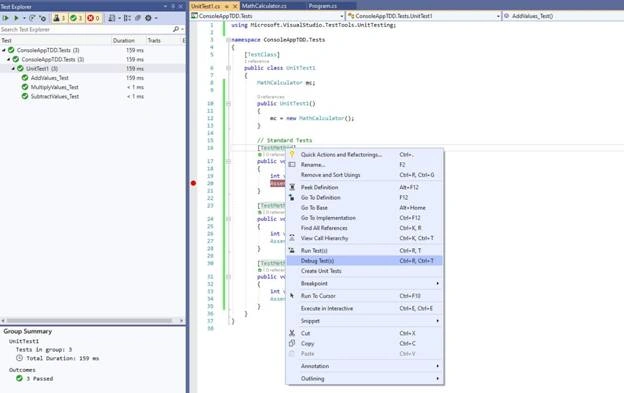
This way we can see values at each stage of the test to fix any issue we might have.
Summary
In this article, we looked at the concept of Test-Driven Development, also known as TDD. We saw how we can add tests for our classes and functions. Adding tests is an especially important phase of any development task and must be considered while planning for any code related activity. These tests can be run manually and also be made part of the DevOps process to ensure all tests have passed before we proceed with any new deployment. Happy Coding!
Join the conversation! Your thoughts help the community grow.