

Introduction
In this article I will create a Single view application. Here I use a text view from xib. Here I code for the text view and show output in iPhone.
To understand it we use the following.
Step 1
Open XCode by double-clicking on it.
Step 2
Create a New XCode Project by clicking on it.
Step 3
Now Select Single View Application and click on Next.
Step 4
Now provide your Product Name.
Step 5
Select the location where you want to save your project and click on Create.
Step 6
Now we write the following code:
#import "ARCViewController.h"
@interface ARCViewController ()
@end
@implementation ARCViewController
- (void)viewDidLoad
{
[super viewDidLoad];
CGRect textViewFrame = CGRectMake(20.0f, 20.0f, 280.0f, 124.0f);
UITextView *textView = [[UITextView alloc] initWithFrame:textViewFrame];
textView.returnKeyType = UIReturnKeyDone;
textView.delegate = self;
[self.view addSubview:textView];
}
- (BOOL)textViewShouldBeginEditing:(UITextView *)textView
{
return YES;
}
- (void)textViewDidBeginEditing:(UITextView *)textView
{
textView.backgroundColor = [UIColor redColor];
}
- (BOOL)textViewShouldEndEditing:(UITextView *)textView
{
textView.backgroundColor = [UIColor yellowColor];
return YES;
}
- (BOOL)textView:(UITextView *)textView shouldChangeTextInRange:(NSRange)range replacementText:(NSString *)text
{
NSCharacterSet *doneButtonCharacterSet = [NSCharacterSet newlineCharacterSet];
NSRange replacementTextRange = [text rangeOfCharacterFromSet:doneButtonCharacterSet];
NSUInteger location = replacementTextRange.location;
if (textView.text.length + text.length > 140){
if (location != NSNotFound){
[textView resignFirstResponder];
}
return NO;
}
else if (location != NSNotFound){
[textView resignFirstResponder];
return NO;
}
return YES;
}
- (void)touchesBegan:(NSSet *)touches withEvent:(UIEvent *)event
{
for (UITextView *textView in self.view.subviews) {
if ([textView isFirstResponder]) {
[textView resignFirstResponder];
}
}
[super touchesBegan:touches withEvent:event];
}
@end
Step 7
Now run the application and see the output.
Step 8
Output 1 in iPhone
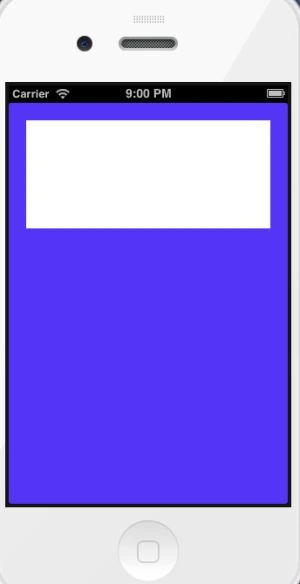
Output 2 in iPhone

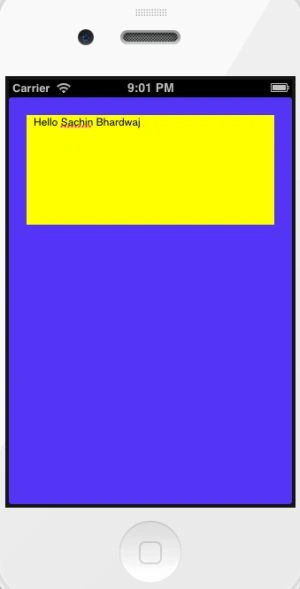
Output 3 in iPhone
Join the conversation! Your thoughts help the community grow.